

Welcome back to the Claude Code Masterclass. We have just hit another high this week: 81k+ subscribers, thanks to every one of you for making the dream come true!
Claude Code Masterclass Pro is live; support the newsletter by becoming a member and get all the Pro benefits today. As a founding member, you also get the full course as it’s built: 157 lessons across 15 modules, progressively rolling out between now and our full launch in November 2026.
Become a Supporter Here —Let’s keep this going
Last issue, we went deep on graph engineering specialized nodes, shared state, and independent review agents.
That is still where this series is headed.
But this week Anthropic published something that jumps the queue: the AI-native SDLC playbook, written by their Applied AI team.
The guide proposes that every stage of software development should end with a written document, and should be a chain:

The first document in that chain is called intent.md. It is one markdown file, and it should exist before a single prompt gets sent to write code.
I read the Anthropic SDLC playbook the day it was released and started testing immediately, using a real project: intrfast, a cross-platform intermittent fasting app I’m building as one of our learning projects.
In this issue, we will master intent.md from a practical perspective :
What is
intent.md?Claude Code
intent.mdinterview-prompt patternA full app-level intent.md for a real project
A feature-level
intent.mdin a real projectWhat separates a good intent.md from a bad one
Turning your
intent.mdtemplate into a reusable Claude Code skillHow non-engineers commit one without git
Let’s build it.
By the end, you will have a real intent.md in your own project, and you will know why Anthropic thinks this one file will reshape SDLC.
What is Intent.md?
Intent.md is simply the problem, written down by the person who understands it, before Claude writes a line of code.
It is a markdown file like CLAUDE.md that captures intent and is placed in version control for both humans and AI agents to read and act on.
Two roles govern it:
Originator — whoever has the idea; this could be a developer, a PM, a support ticket, even a monitoring alert. Anyone who can describe a problem in plain language qualifies.
Product owner — reviews the intent.md and either approves it or sends it back with corrections. For solo builders (most of you reading this), you’re playing both roles.
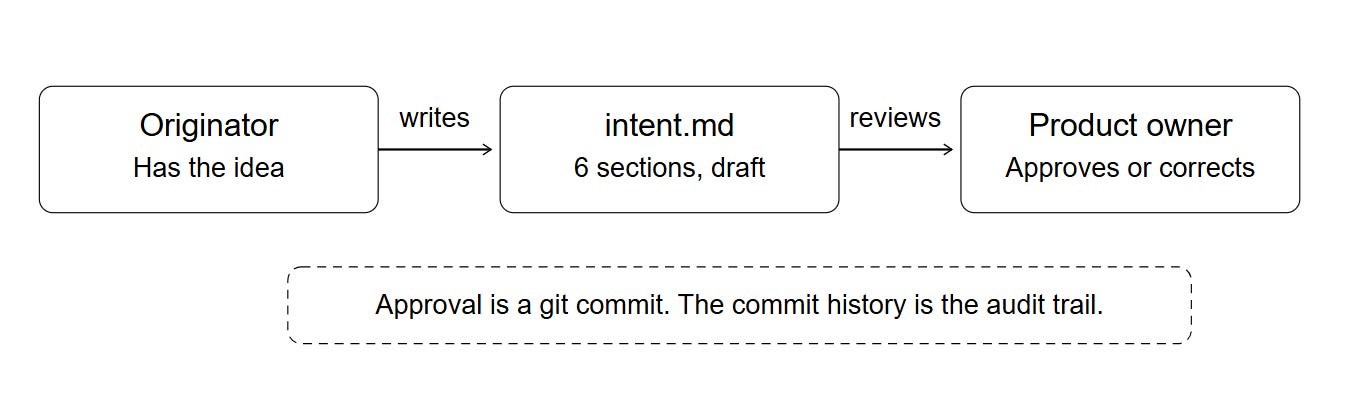
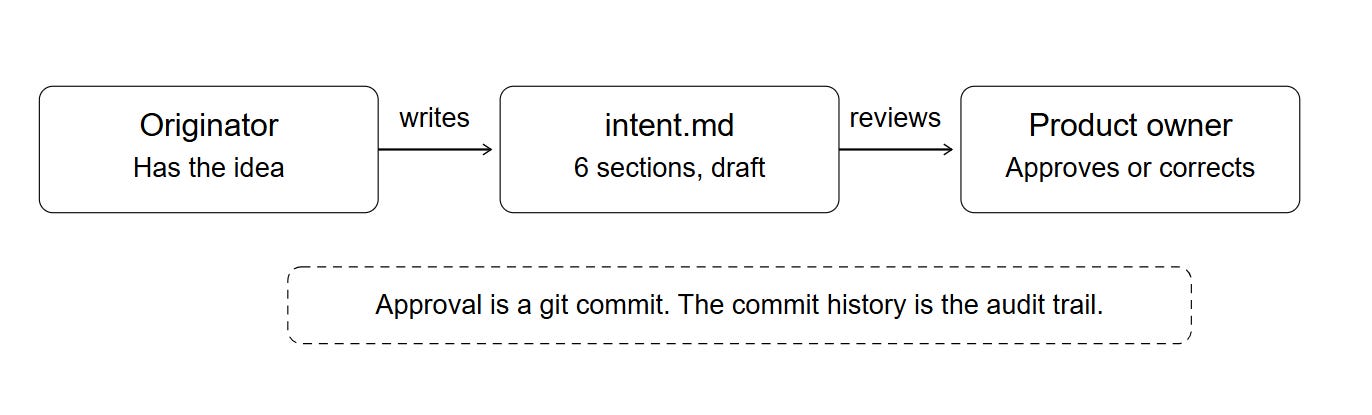
The approval is a git commit.
The commit history is the audit trail. Who asked, what was decided, whenans all this history lives in the file and the log
Here’s the outline of six sections every intent.md follows in this order:
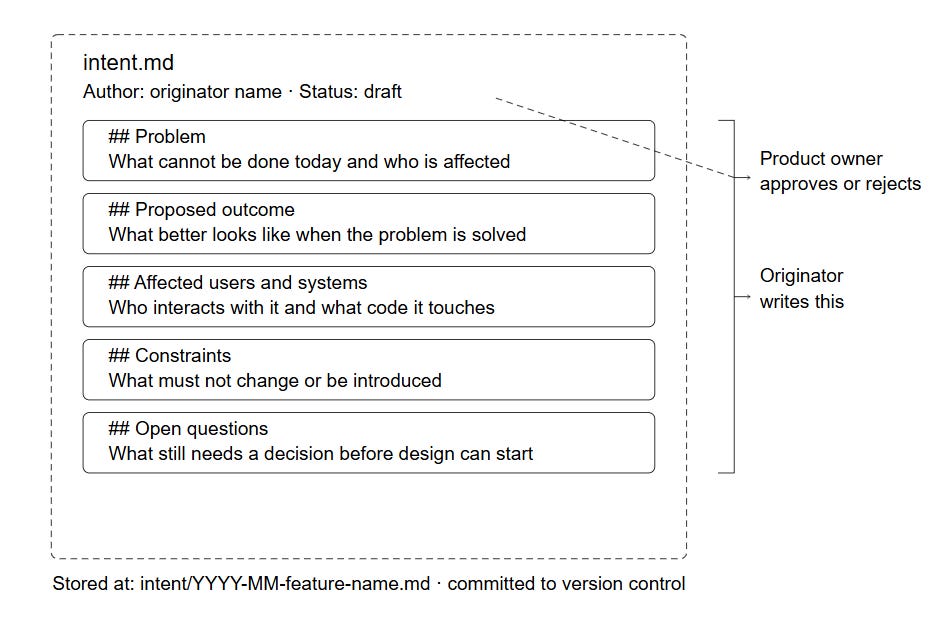
# Intent: [name]
Author: [name]. Status: draft.

## Problem
What can't be done today, and who is affected by that.

## Proposed outcome
What "better" looks like when this ships.

## Affected users and systems
Who interacts with it, what code it touches.

## Constraints
What must not change or be introduced.

## Open questions
What still needs a decision before design can start.
Note: there is no acceptance criteria, story points, or sprint assignment.
Those come later; intent.md’s only job is to capture the problem clearly enough that the next stage: spec.md builds on it; it’s also not a spec or a plan.
You should not be adding things such as libraries or which component; else you drift into spec and plan territory, the next stage.
Claude Code Intent.MD Interview Prompt
I don’t recommend writing the intent.md instead, use Claude Code to generate it.
But dont make the mistake of going straight to “write me an intent.md for X.”
Claude will not produce the right intent.md file structure; the best fix I found is using this prompt:
Read CLAUDE.md if it exists, then interview me about a problem I
want to solve. Ask me short, focused questions one at a time.
Stop when you have a complete picture of:
- The problem
- The proposed outcome
- Affected users and systems
- Any constraints
- Any open questions

Then produce a concise intent.md using this structure:

# Intent: [name]
Author: [your name]. Status: draft.

## Problem
## Proposed outcome
## Affected users and systems
## Constraints
## Open questions

The problem I want to solve: [describe it in plain language,
however rough]
Without this prompt, Claude dumps five questions in a single message and you answer them the wrong way; one at a time forces an interview, which produces a better result.
This is the prompt I used to generate the original intent.md for our test project.
Creating a Real Project Intent
Start with the idea of your app, or a feature in an existing app or codebase.
The idea I brought to Claude Code was rough; I wanted a simple intermittent fasting app, 16:8 protocol only, cross-platform, aimed at beginners.
Here’s the prompt I used, following the pattern from the last section:
Read CLAUDE.md if it exists, then interview me about a problem I
want to solve. Ask me short, focused questions one at a time.
Stop when you have enough to write.

Then produce a concise intent.md using this structure:

# Intent: [name]
Author: Joe. Status: draft.

## Problem
## Proposed outcome
## Affected users and systems
## Constraints
## Open questions

The problem I want to solve: I want to build a simple intermittent
fasting app for beginners. 16:8 protocol only. Cross-platform, React
Native or Flutter. The main thing missing from other apps is a
compelling visual that keeps you disciplined during the fast. It
needs a visual timer, push notifications, streak tracking, and a
history log. No backend, no login, works offline.
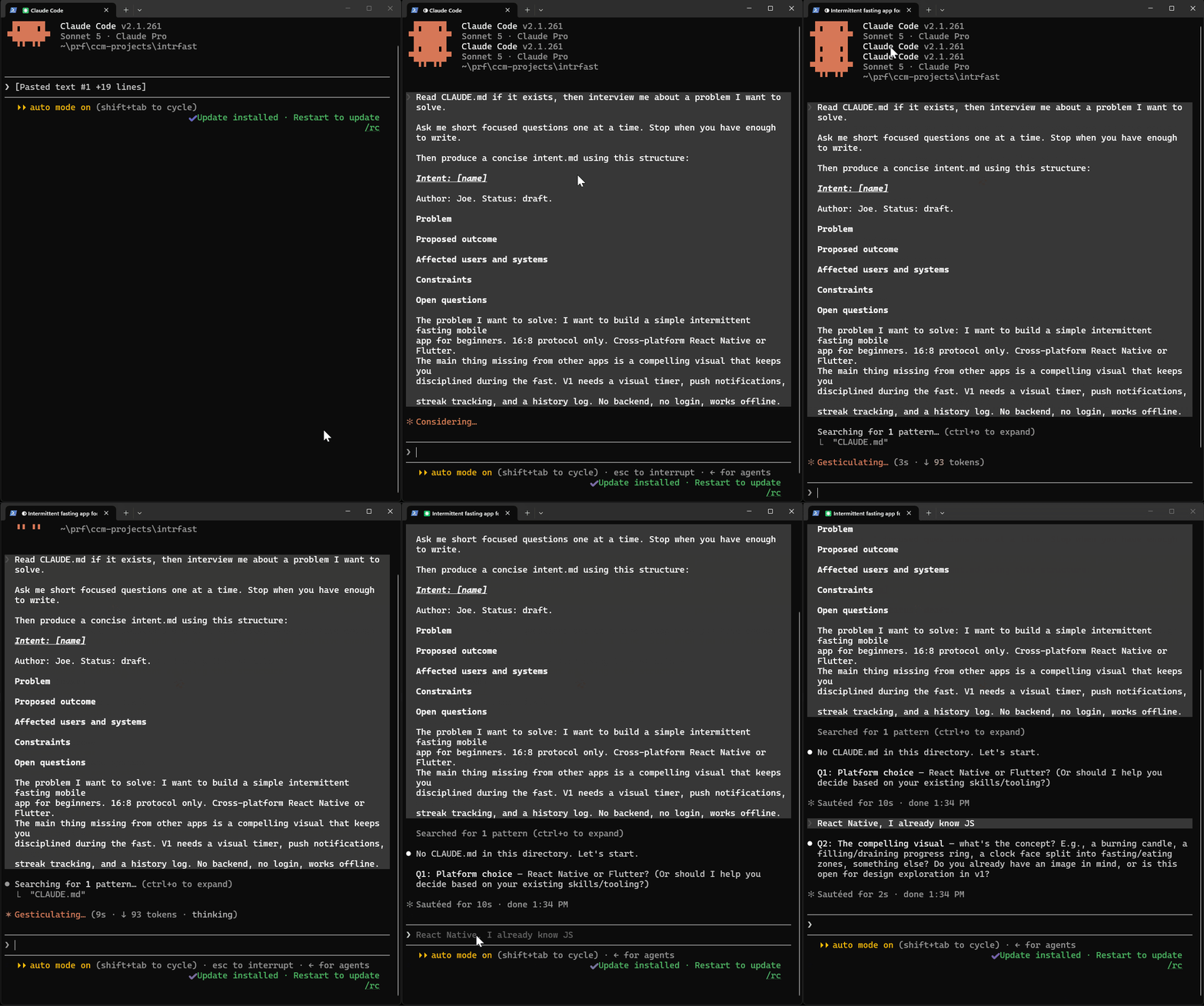
Claude asked six questions, one at a time:
Platform choice — React Native or Flutter? Did I already know one, or did I want Claude to decide based on skills/tooling?
The compelling visual — what’s the concept? A burning candle, a filling/draining progress ring, a clock face split into fasting/eating zones? Did I have an image in mind, or was this open for design exploration?
Target platforms — iOS only for v1, Android only, or both at launch?
Push notifications — which milestones should trigger one? Fast started, fasting window complete, eating window opens, a milestone like the 16-hour mark, a reminder if I missed logging a fast?
Streak tracking — what counts as a break? Does it require a strict full 16 hours exactly, or is there a grace period or tolerance (e.g., finishing a few minutes early still counts)?
Timeline — is there a target date for v1 (app store submission), or is this open-ended and exploratory for now?
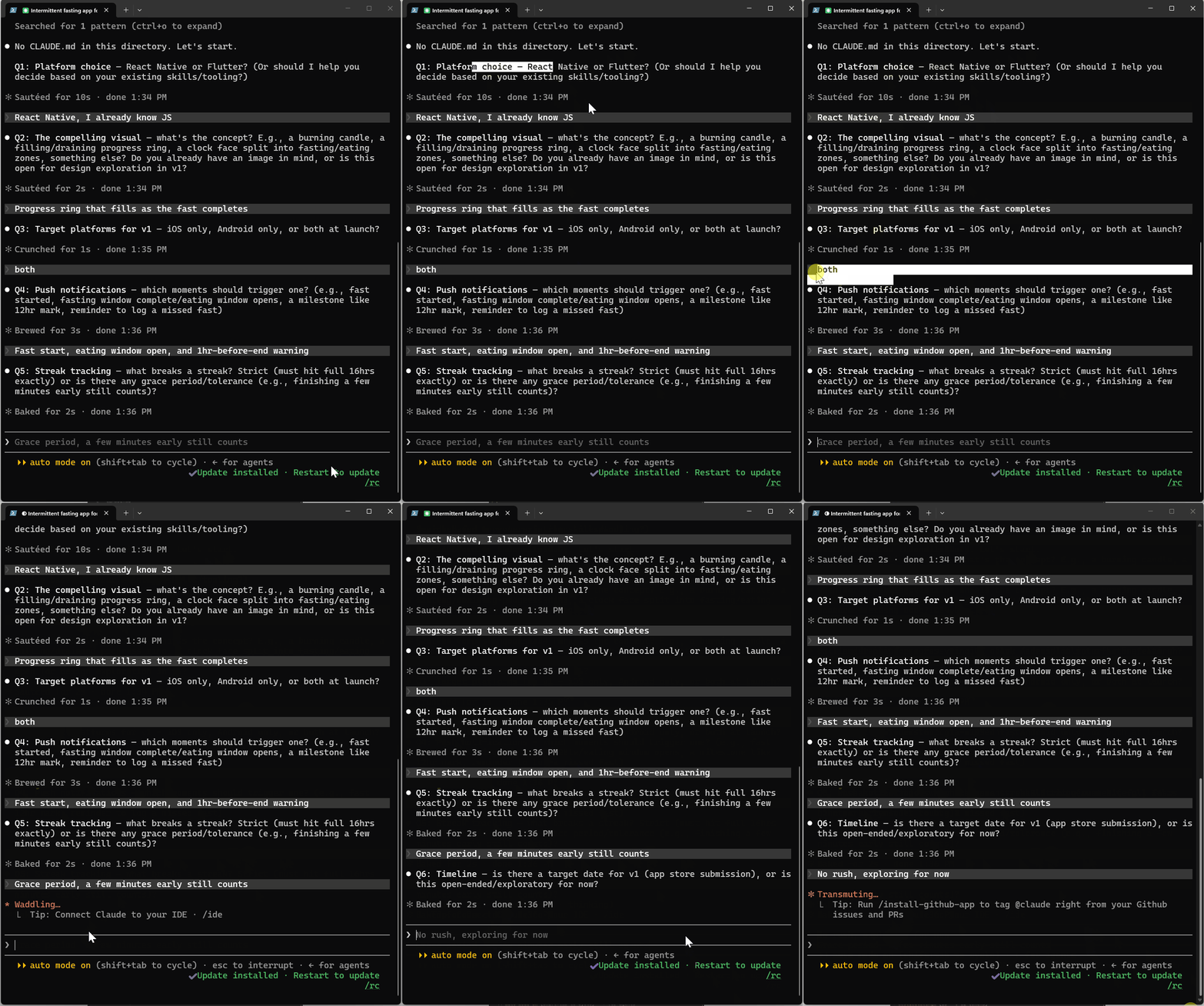
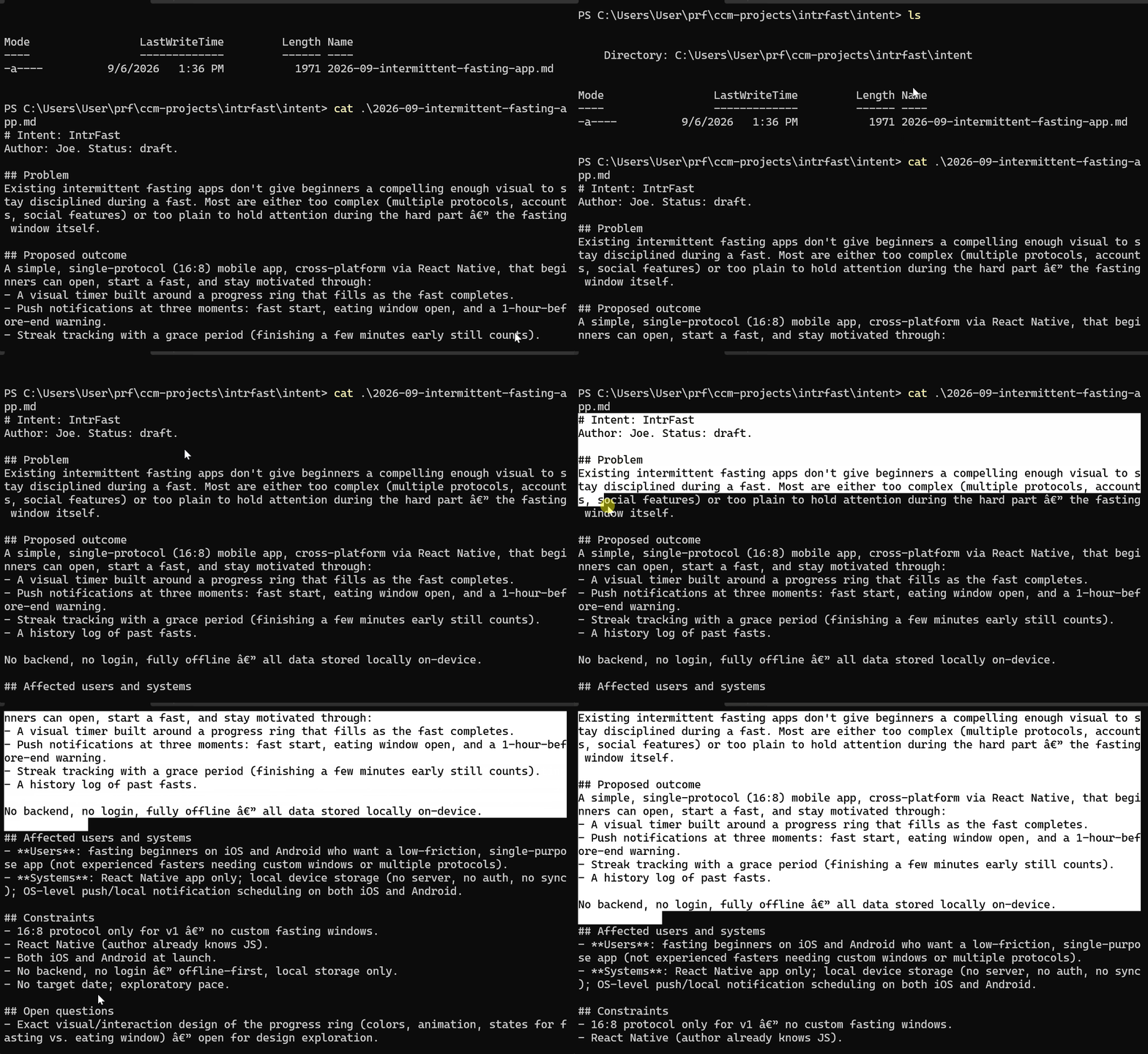
Here’s what Claude produced from those six answers:
# Intent: IntrFast
Author: Joe. Status: draft.

## Problem
Existing intermittent fasting apps don't give beginners a compelling enough visual to stay disciplined during a fast. Most are either too complex (multiple protocols, accounts, social features) or too plain to hold attention during the hard part — the fasting window itself.

## Proposed outcome
A simple, single-protocol (16:8) mobile app, cross-platform via React Native, that beginners can open, start a fast, and stay motivated through:
- A visual timer built around a progress ring that fills as the fast completes.
- Push notifications at three moments: fast start, eating window open, and a 1-hour-before-end warning.
- Streak tracking with a grace period (finishing a few minutes early still counts).
- A history log of past fasts.

No backend, no login, fully offline — all data stored locally on-device.

## Affected users and systems
- **Users**: fasting beginners on iOS and Android who want a low-friction, single-purpose app (not experienced fasters needing custom windows or multiple protocols).
- **Systems**: React Native app only; local device storage (no server, no auth, no sync); OS-level push/local notification scheduling on both iOS and Android.

## Constraints
- 16:8 protocol only for v1 — no custom fasting windows.
- React Native (author already knows JS).
- Both iOS and Android at launch.
- No backend, no login — offline-first, local storage only.
- No target date; exploratory pace.

## Open questions
- Exact visual/interaction design of the progress ring (colors, animation, states for fasting vs. eating window) — open for design exploration.
- What fields the history log captures per entry (start/end time, duration only, or notes/mood/weight too?).
- Local notification scheduling reliability across iOS/Android when the app is backgrounded or killed.
- Any future monetization or distribution plan (not in scope for v1 but may affect architecture choices later).
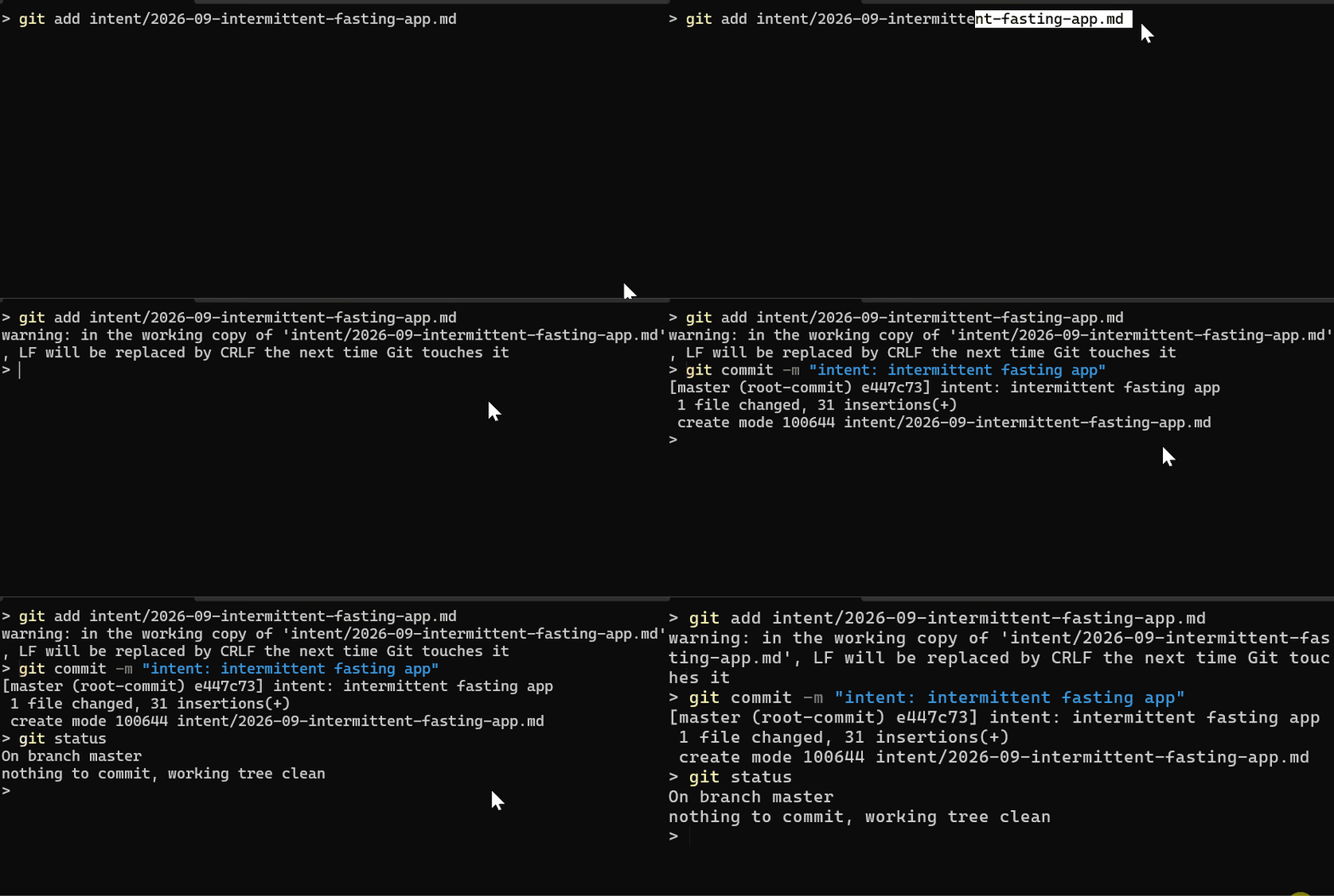
This file starts the chain of other files in this series: spec.md, and plan.md, save it, and commit it:
git add intent/intent-intermittent-fasting-app.md
git commit -m "intent: intermittent fasting app"
Feature-Level Intent: Streak Tracker
App-level intent.md covers the whole product.
But most of the work you’ll do in Claude Code isn’t “build the app” but “add this one feature to something that already exists.” That needs its own intent.md, scoped tighter.
Intrfast’s app-level intent left streak tracking as a named feature but didn’t design it; that was intentional; it belongs at this level, not the app level.
Same prompt structure, but focused on a specific feature/ problem:
Read CLAUDE.md, then interview me about a problem I want to solve.
Ask short, focused questions one at a time. Stop when you have
enough to write.

Then produce a concise intent.md using this structure:

# Intent: [name]
Author: Joe. Status: draft.

## Problem
## Proposed outcome
## Affected users and systems
## Constraints
## Open questions

The problem I want to solve: intrfast's app-level intent named streak
tracking as a feature but left it undesigned. I want to design how
streaks are calculated and displayed, including what counts as
maintaining a streak.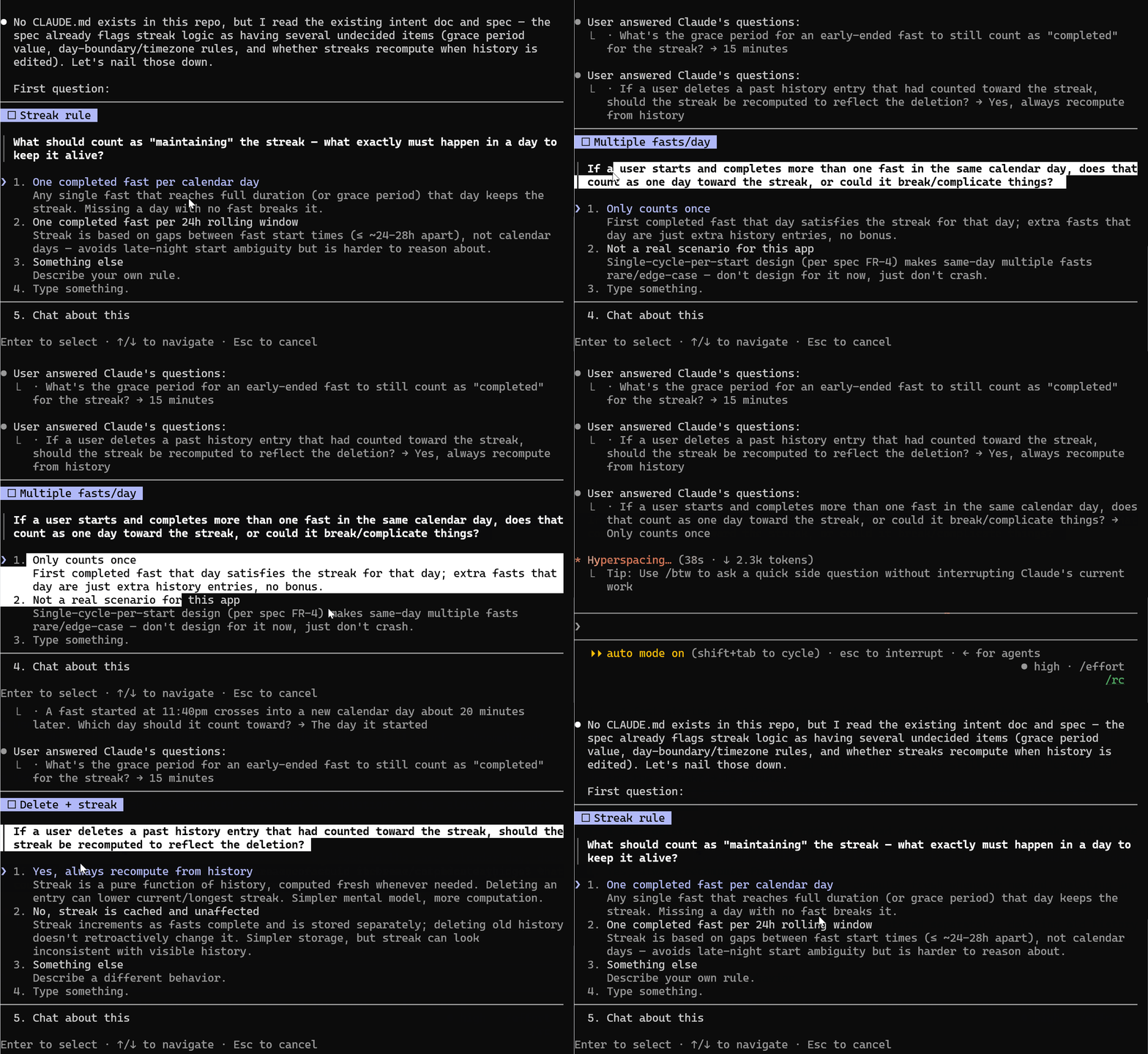
Notice the problem statement itself points back at the app-level intent.md by name.
That’s deliberate; a feature-level intent should say what it’s extending, not repeat the whole app’s context from scratch.
I answered seven questions this time, and this was the outcome:
# Intent: Streak Tracking
Author: Joe. Status: draft.

## Problem
IntrFast's app-level intent names streak tracking as a core motivational
feature ("streak tracking with a grace period"), but never defines how a
streak is calculated or displayed. The requirements/design spec (spec.md)
flagged this gap explicitly (FR-11 through FR-14, Section 9 items 2, 4, 5)
— grace period value, calendar-day boundary rules, and streak-recompute-
on-delete behavior were all left as open product decisions blocking
implementation of the streak state machine.

## Proposed outcome
A fully specified streak rule set, ready to implement without further
product ambiguity:

- Unit of progress: one calendar day. A day is "kept" if at least one
  fast that day reaches full 16h duration, or ends early but within the
  grace period.
- Day attribution: a fast counts toward the local calendar day on which
  it started (startedAt), regardless of how far it runs into the next
  day. An 11:40pm start counts for that day, not the next.
- Grace period: 15 minutes. A fast ended within the last 15 minutes of
  the 16h window still counts as completed for streak purposes. Stored
  as a named constant (graceMinutes, already in the settings schema in
  spec.md 6.3).
- Multiple fasts/day: only the first completed fast in a calendar day
  satisfies that day's streak requirement; additional fasts that day
  don't add bonus streak value (edge case, not a primary design target
  per FR-4's single-cycle-per-start model).
- Missed day: a calendar day with no completed (or grace-period-
  completed) fast resets current streak to 0. No forgiveness mechanism
  (no streak freezes, no free misses) in v1.
- Recomputation model: streak (current and longest) is a pure function
  of the history log, recomputed from stored HistoryEntry records
  whenever read/displayed — not a cached value that can drift from
  visible history. Deleting a past history entry that had counted
  toward the streak immediately and correctly lowers current/longest
  streak on next computation. This supersedes the "cached StreakState"
  proposal in spec.md 6.3 — that data model section needs updating to
  drop the standalone StreakState key-value cache (or repurpose it as a
  memoized/invalidated read-through cache, not a source of truth).
- Display: current streak (and, per existing FR-14, longest streak)
  shown on the home screen, near the progress ring — always visible
  during a fast, not tucked into a separate stats screen.

## Affected users and systems
Users: same primary persona as the app overall — fasting beginners who
are motivated by visible progress; the streak number is one of the core
"give me a reason to stick with the hard part" mechanisms alongside the
ring.
Systems: local history log (SQLite, per spec.md 6.3) — streak
computation reads from HistoryEntry records at render/foreground time;
home screen UI component displaying current + longest streak; the
streak calculation is a pure function taking history + now (or today),
consistent with the ring's data-contract pattern (6.2) to avoid ad-hoc
recomputation bugs.

## Constraints
Grace period and calendar-day-boundary rules must be named constants,
not inline magic numbers (per spec.md's general pattern for FR-1,
FR-12).
No forgiveness/freeze mechanism in v1 — keep the rule simple and match
the "beginner, low-friction" premise; this can be revisited later
without a data model change since streak is computed, not stored.
Recompute-on-read must stay cheap enough not to violate NFR-3 (cold
start < 2s) as history grows — an indexed query (by date, ordered) over
the SQLite history table should be sufficient at v1 scale (single user,
hundreds of entries), but this should be verified once real data volume
is testable.

## Open questions
Timezone travel mid-fast (e.g., user starts a fast in one timezone,
device timezone changes before it ends) — spec.md 9.2 already flags
this as unresolved for the ring/notifications; the same ambiguity
applies to which calendar day a fast is attributed to if the device's
local day changes mid-fast. Not resolved by this intent; needs its own
decision if it proves to matter in practice.
Whether "longest streak" should also recompute live from history
(consistent with "current streak") or is allowed to be a simple running
max that's cheaper to maintain — leaning toward "also recomputed for
consistency" but not explicitly decided here.
Exact home-screen placement/visual treatment of the streak number
relative to the ring is a UX/design-pass decision, not a data-model one
— out of scope for this intent.
Commit it the same way, into the same intent folder:
git add intent/2026-09-streak-tracking.md
git commit -m "intent: streak tracking"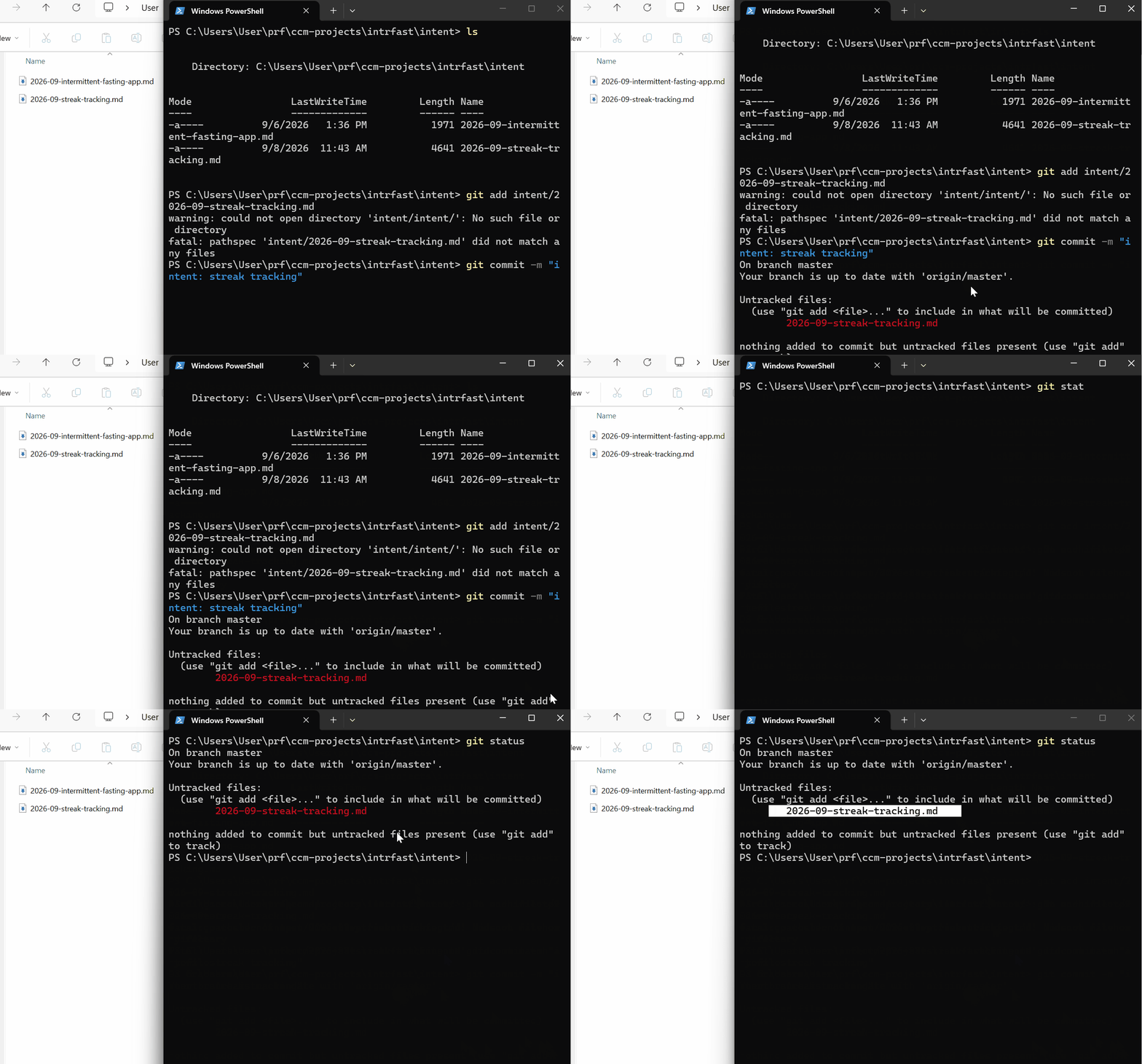
Good Intent.md vs. Bad Intent.md
You can fill in all six sections and still write a useless intent.md. The template doesn’t protect.
Four failures that are likely to occur :
1. Problem Description
Bad: “We need a caching layer for the API.”
Good: “The claims-status API takes 4-6 seconds to respond, and customers abandon the page before it loads.”
2. Good Constraints
Bad: “Should be fast and reliable.”
Good: “No new PII in the portal session. Existing auth only. Must work on 3G.”
3. Open Questions
Bad: “Do we need to think about mobile?” (the problem statement already said “mobile app”)
Good: “Do third-party loss adjusters need portal access too, or is this customer-only?”
4. Affected Systems listing
Bad: “Probably touches the backend somewhere.”
Good: “Claims handlers, portal team, claims-core API.”
Turn Template Into a Skill
If you’ve used Claude Code skills, you already know how they work. Here’s the specific one for intent.md:
.claude/
  skills/
    write-intent/
      SKILL.md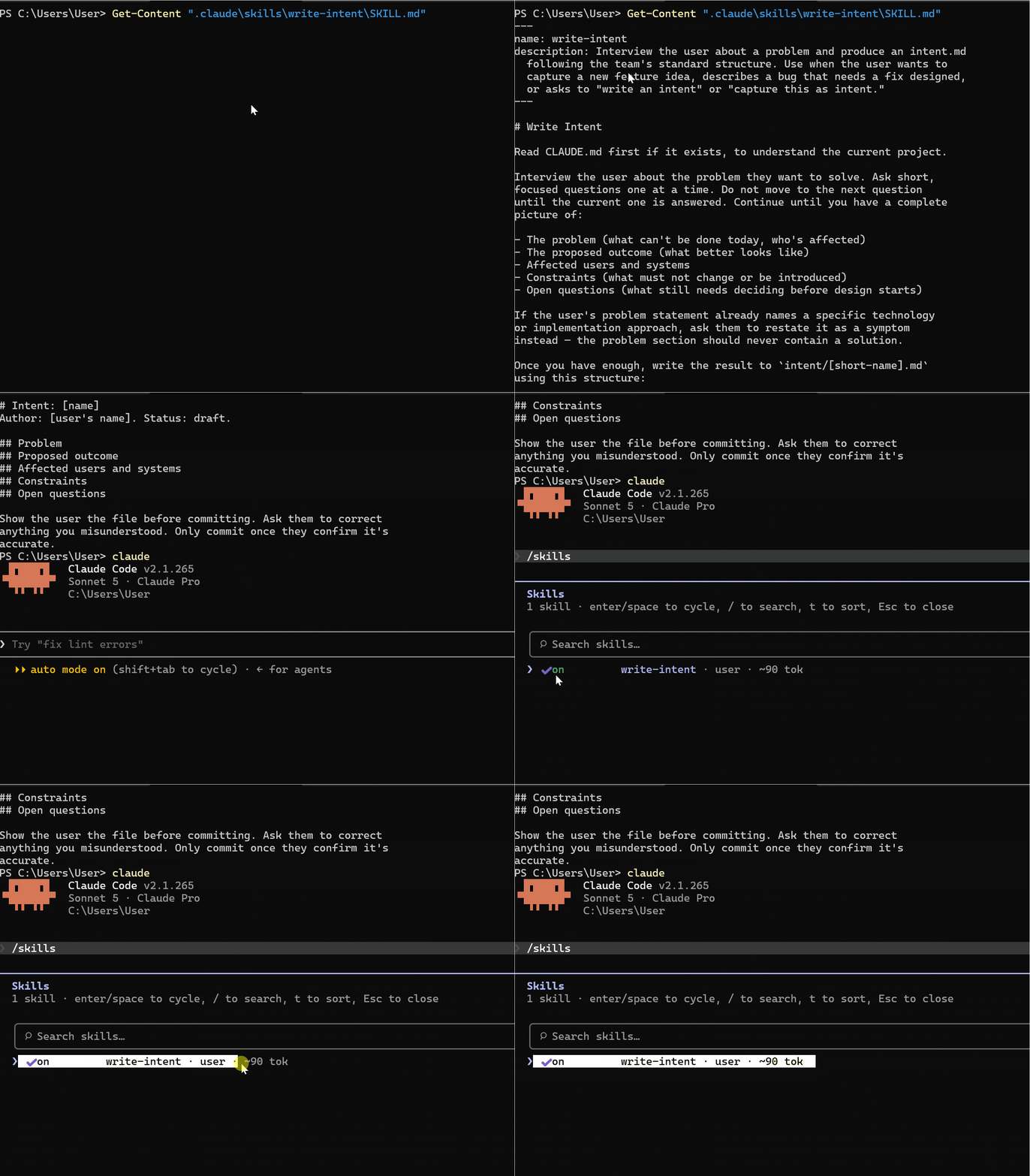
---
name: write-intent
description: Interview the user about a problem and produce an intent.md
  following the team's standard structure. Use when the user wants to
  capture a new feature idea, describes a bug that needs a fix designed,
  or asks to "write an intent" or "capture this as intent."
---

# Write Intent

Read CLAUDE.md first if it exists, to understand the current project.

Interview the user about the problem they want to solve. Ask short,
focused questions one at a time. Do not move to the next question
until the current one is answered. Continue until you have a complete
picture of:

- The problem (what can't be done today, who's affected)
- The proposed outcome (what better looks like)
- Affected users and systems
- Constraints (what must not change or be introduced)
- Open questions (what still needs deciding before design starts)

If the user's problem statement already names a specific technology
or implementation approach, ask them to restate it as a symptom
instead — the problem section should never contain a solution.

Once you have enough, write the result to `intent/[short-name].md`
using this structure:

# Intent: [name]
Author: [user's name]. Status: draft.

## Problem
## Proposed outcome
## Affected users and systems
## Constraints
## Open questions

Show the user the file before committing. Ask them to correct
anything you misunderstood. Only commit once they confirm it's
accurate.
Now, you can ask Claude:
Write an intent for [whatever the idea is]
Intent.md for Non-Engineers
Everything so far assumed you’re in a terminal running Claude Code.
But the whole point of intent.md, per the playbook, is that the originator doesn’t have to be an engineer.
The setup is a connector for Claude to GitHub. Once that connector exists, anyone in the organization can talk to Claude through claude.ai or Cowork
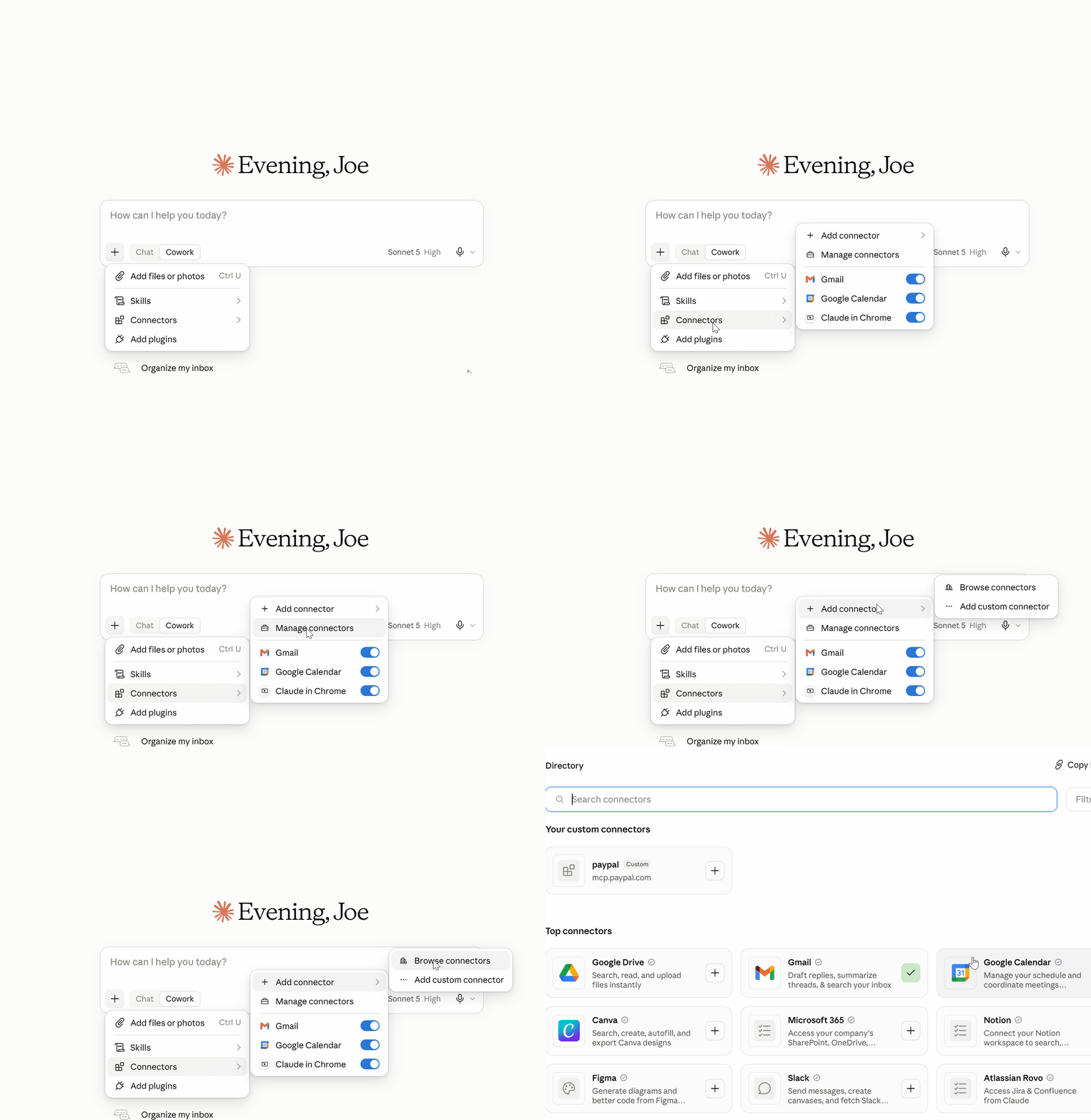
The interview itself is identical to what we ran :
Interview me about a problem I want to solve, using the same
intent.md structure. When you have enough, write it to intent.md
and commit it to the intrfast repo, folder intent/, on a new branch.

Who can write to the intent folder: The product owner reviews and approves, so originators can commit to a branch or open a PR, while approval into the main branch is gated.
Naming convention: Something like intent/2026-09-feature-name.md (date-prefixed) keeps the folder sortable.
Final Thoughts
The next step is taking the intent.md and building the other files in the chain:
Spec.md: the approved intent.md gets fed into a prompt that reads the real codebase and produces a full requirements and design spec, ready for engineering
Plan.md: Claude maps out exactly which files change, in what order, before any code gets written
Real TDD loop: tests written from the plan, code written to pass them, on the actual streak tracker we just designed
PR + review gates: the diff goes through review before it merges, same as any other feature
Self-writing maintenance loop: production monitoring that diagnoses incidents and writes its own intent. md when something breaks
That’s the promise I made when I first wrote about intent.md on Medium: we will take this past the concept and turn it into a real working workflow.
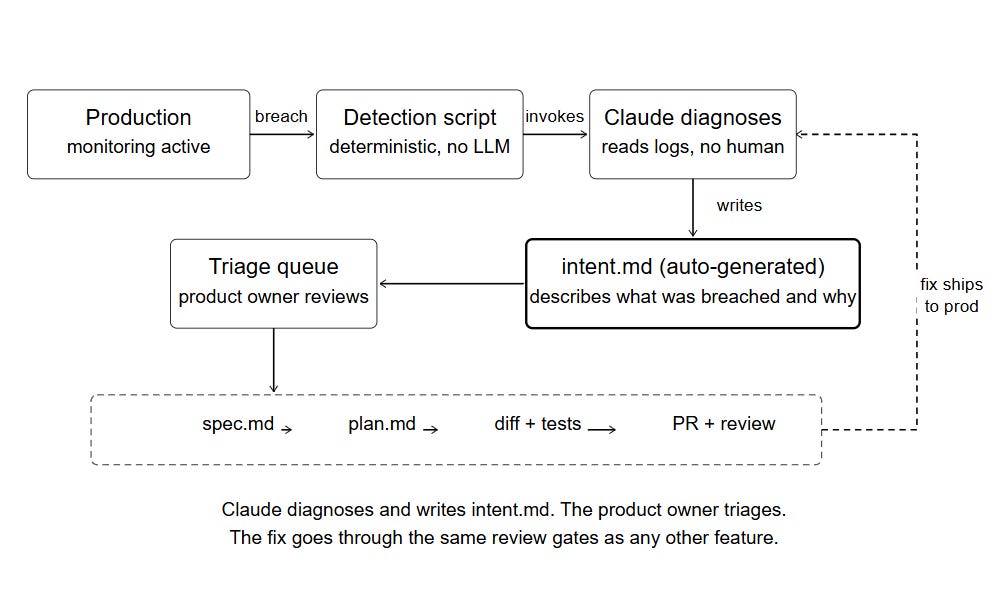
This issue was about mastering intent.md and creating one using Claude Code; the next issue, we build the rest of the chain on this same app.
Thanks to all newsletter supporters: reach me anytime (community, email, or Substack DM). Premium issues, tutorials, and course modules unlock in the membership area as they are released starting this week.
Support the newsletter: $8/month or annual membership — Join Here
Let’s keep this going.
Resources
For this issue, these are the resources available:
Prompts & Full App Files When Completed (Members Resource Library)
Next Upcoming Masterclass Issues
The next issues in this Masterclass Series will cover:
Claude Code SDLC Masterclass — Real Engineering Implementation
Claude Code Subagents Masterclass — Building your AI team
Claude Code MCP Masterclass — Extending Claude’s capabilities
Finally, this newsletter belongs to all of us. If there’s something that can make it better or something you don’t like, please let me know.
See you in the next one.
Claude Code Masterclass

Let’s Build It Together
— Joe Njenga
The new idea isn't the file, it's the interview. One question at a time beats five dumped at once. And the rule that the problem section should never contain a solution kills most bad specs before they start.