

Welcome back to the Claude Code Masterclass. Special thanks to all new members who have joined to support the newsletter.
Thousands of you pledged to support the newsletter from last year to date, and I couldn’t turn on payments until now. I have built a membership site where you can support the newsletter and access the course as modules ship.
Claude Code Masterclass Pro is live; join here — Let’s keep this going
In the last issue, we covered loop engineering from first principles: what a loop is, the four phases every loop runs through, and the three things that make one work in production.
We also showed all three Claude Code loop commands, /goal, /loop, and /schedule, running on real projects.
By the end of that issue, one question was left unanswered: what happens when a single loop is not enough?.
Some tasks cannot be done well by only one agent.
When your loop starts reviewing its own work, running tasks sequentially that could run in parallel, or producing control flow that you cannot audit, that loop has hit the ceiling.
In this issue, we will cover graph engineering and testing in a real project that proves the difference between a loop and a graph.
Graph Engineering
One of the most common misconceptions is that loops are replacing graphs. It’s not true that you throw away the loops when you build graphs.
The best way to understand how the two work together is one line:
A loop is a node in a graph
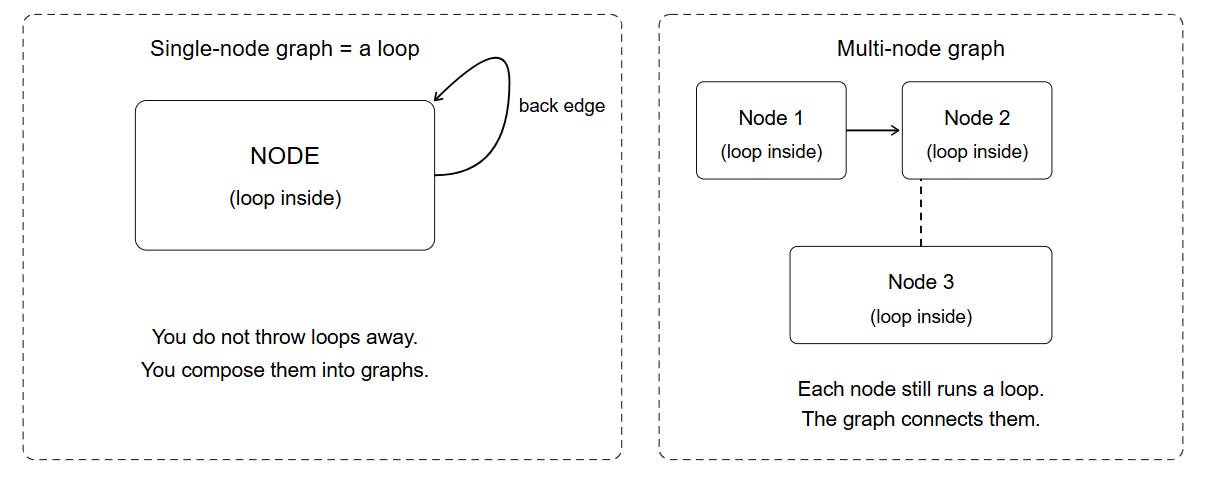
Each node inside a graph is still running a loop.
The graph is the structure that connects those loops, routes work between them, and manages what they pass to each other.
Loops to Graphs
Not every loop should become a graph. Most should stay as loops, but there are reasons to consider turning a loop into a graph.
Same agent is reviewing its own work
If the loop writes a report and then reviews in the same context, the reviewer already knows why every decision was made. You will see this as outputs that pass review but contain errors that an outside reader would immediately catch.
Two things could run simultaneously but must run one after the other
If the loop checks security vulnerabilities, then checks logic errors, then checks test coverage, those three checks are independent.
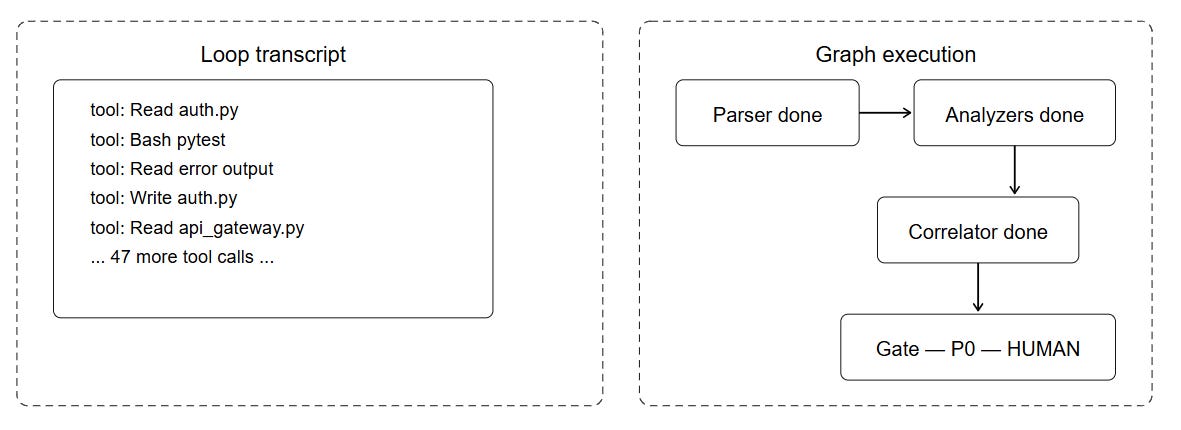
You cannot explain what the loop did without reading the entire transcript
In a graph, you can point to the diagram and explain every routing decision.
What Is a Graph?
Graph engineering is building multiple specialized agents (nodes) connected by edges, with shared structured state flowing between them, where the routing logic between nodes is explicit and readable as a diagram.
The three words: specialized, explicit, and readable.
Specialized: each node has one job and its own clean context
Explicit: every routing decision is defined in code or in the graph structure
Readable: you can explain the control flow by pointing to the diagram
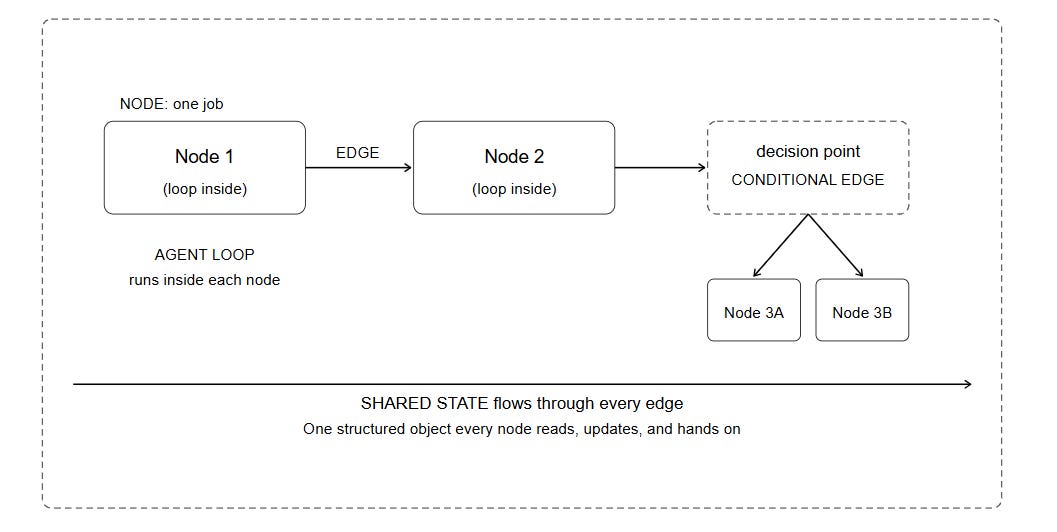
Node: The unit of work that gets clean input, does one thing, produces structured output. If you cannot describe a node’s job in five words or fewer, it is doing too much.
Good node: collect_context analyze_security write_report

Bad node: research_and_write_and_review_and_approve
Edge: What is allowed to happen next. A fixed edge means Node A always goes to Node B. The question every edge answers: what is allowed to run after this?
Conditional Edge: The decision point. When the output of Node A determines which node runs next, that is a conditional edge. The routing decision can be made by code (deterministic rules) or by an LLM (uncertain decisions that require reasoning).
State Machine: The complete shape of the graph. Every node is a state the work can be in. A check at each node decides the next hop. When you draw the graph on paper, you are drawing the state machine.
Shared State: The structured object that flows between nodes. Every node reads from it, writes its findings to it, and passes it to the next node. This is the backbone of the graph. What belongs in shared state: brief, evidence, node status, retry counts, severity, findings.
Agent Loops: The loop engine running inside each node. Each node is not a single call. It is a small loop that discovers, plans, executes, and verifies until the node’s specific job is done. The internal loop stop condition is different from the graph routing condition.
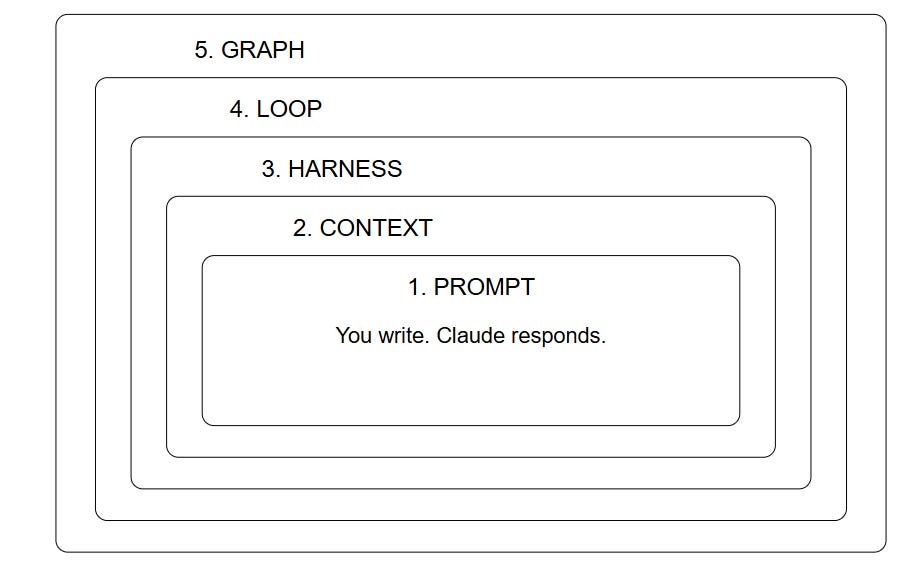
It helps to understand the layers of AI engineering that position the graph as the outermost layer.
Five Layers of AI Engineering
Graph engineering has been evolving for the last two years.
LangGraph shipped the StateGraph pattern in 2024.
AutoGen, Google ADK, and the A2A protocol were building graph orchestration before "graph engineering" became a trend.
But what’s new :
Parallel specialized nodes with clean contexts
Fan-out then fan-in as a first-class architectural move
Control flow you can draw as a diagram before writing the first prompt
Three Problems a Graph Solves
A graph is the right tool when a loop fails at one of three things. Here is each problem with its visual and its graph solution
Context Pollution
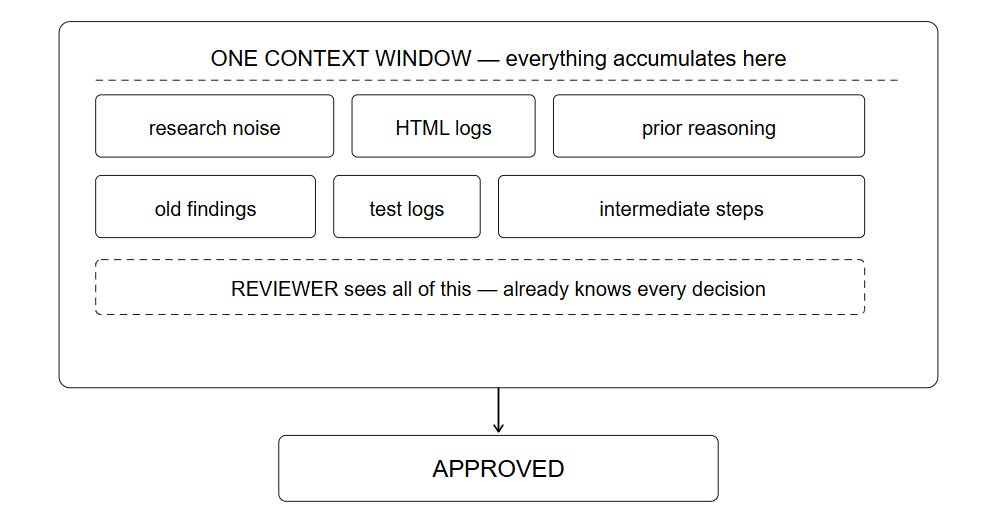
Solution
╔══════════════════════════════════════════════════════╗
║         THE GRAPH SOLUTION                           ║
╠══════════════════════════════════════════════════════╣
║                                                      ║
║  Node 1 [context: full codebase + task]              ║
║     │ writes structured findings to shared state     ║
║     ▼                                                ║
║  Node 2 [context: findings only. Never saw the code] ║
║     │ writes the report                              ║
║     ▼                                                ║
║  Node 3 [context: report only. Never saw findings or ║
║           the code. Reads cold like a stranger]      ║
║     │ catches what Node 1 missed                     ║
║     ▼                                                ║
║                   REAL REVIEW ✓                      ║
╚══════════════════════════════════════════════════════╝
Sequential vs Parallel Execution
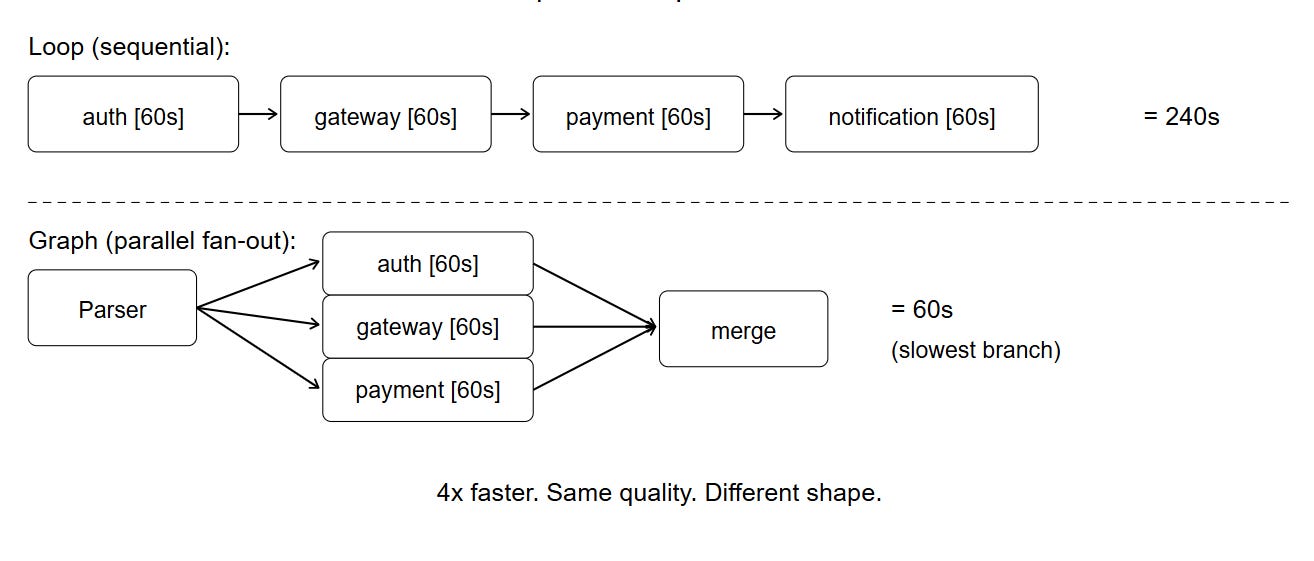
Invisible Control Flow
Real Graph Example: Incident Intelligence System
I thought about a real graph running in Claude Code to solve one of the most common engineering problems.
Suppose it’s 2 AM, five microservices are down, and you have 1000 lines of error logs from five different services all firing at once.
A basic approach is to paste everything into Claude Code and ask it to find the root cause.
The loop version can’t handle this mess; this is the sequence
All five service logs in one context. Service A errors mix with Service B errors
The database errors look most severe and appear most frequently
The loop identifies database connection pool exhaustion as the root cause.
When you fix the database, nothing improves because the database was not the problem.
What happened was this:
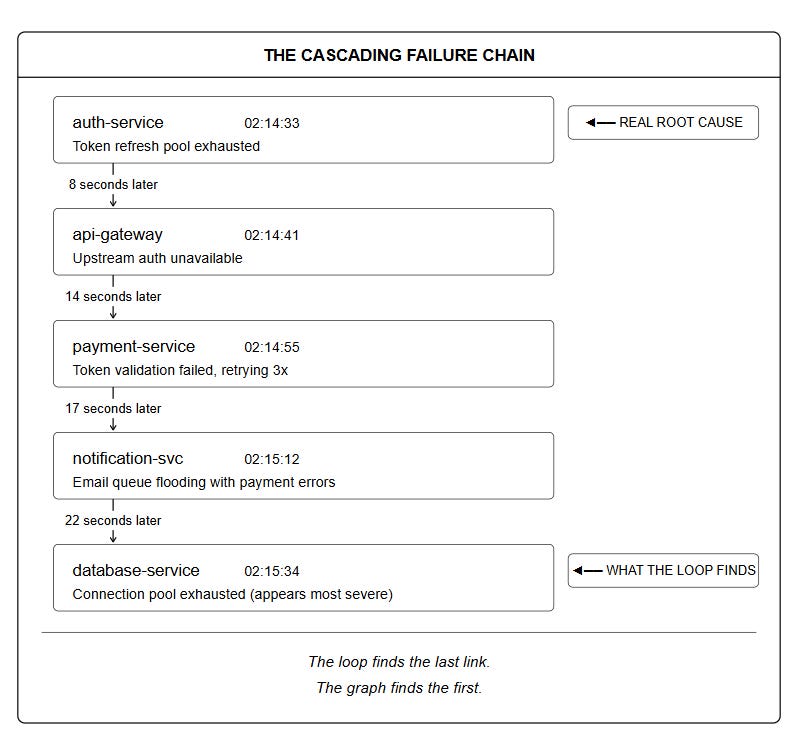
To build the best graph solution, you should design the graph before writing any code.
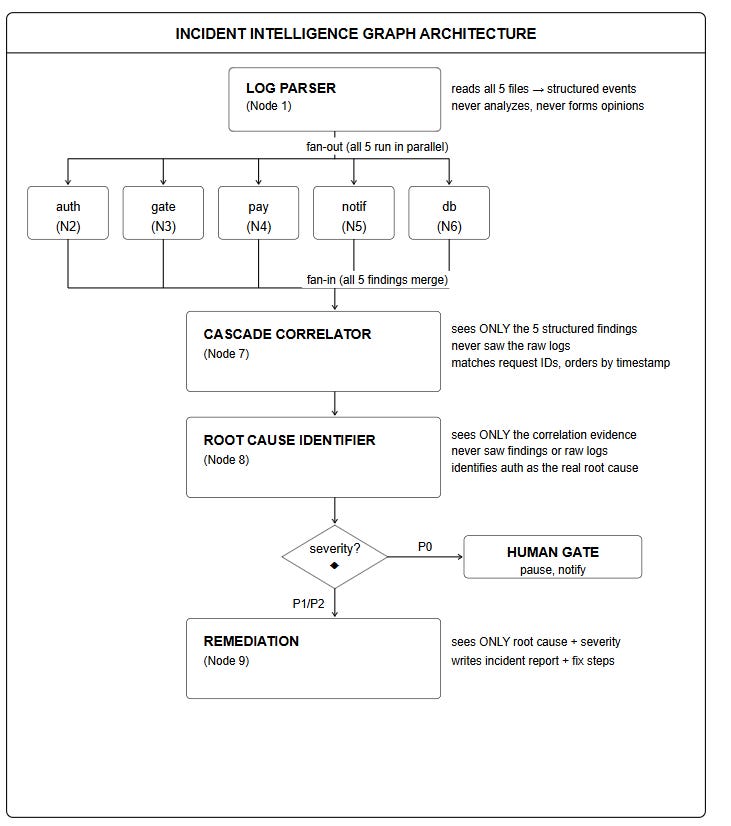
Shared State Schema
Every node reads from and writes to one structured object:
class IncidentState(TypedDict):
    raw_logs: dict          # Parser writes, everyone reads
    parsed_events: dict     # Parser writes by service name
    service_findings: dict  # Each Analyzer writes its own entry
    correlations: list      # Correlator writes
    cascade_chain: list     # Correlator writes (ordered)
    root_cause: dict        # Root Cause node writes
    severity: str           # P0, P1, or P2
    remediation: dict       # Remediation node writes
    node_trace: list        # Every node appends its execution record
The key rule: each node owns one section of state.
Parser writes
raw_logsAnalyzers write
service_findings[service_name]Correlator writes
correlationsandcascade_chain
Loop vs Graph on Claude Code Testing
I ran the same codebase through two loop vs graph agents , the project is our test project.
Claude Code Tracker a FastAPI application with JWT authentication, SQLAlchemy database layer, and a pytest test suite.
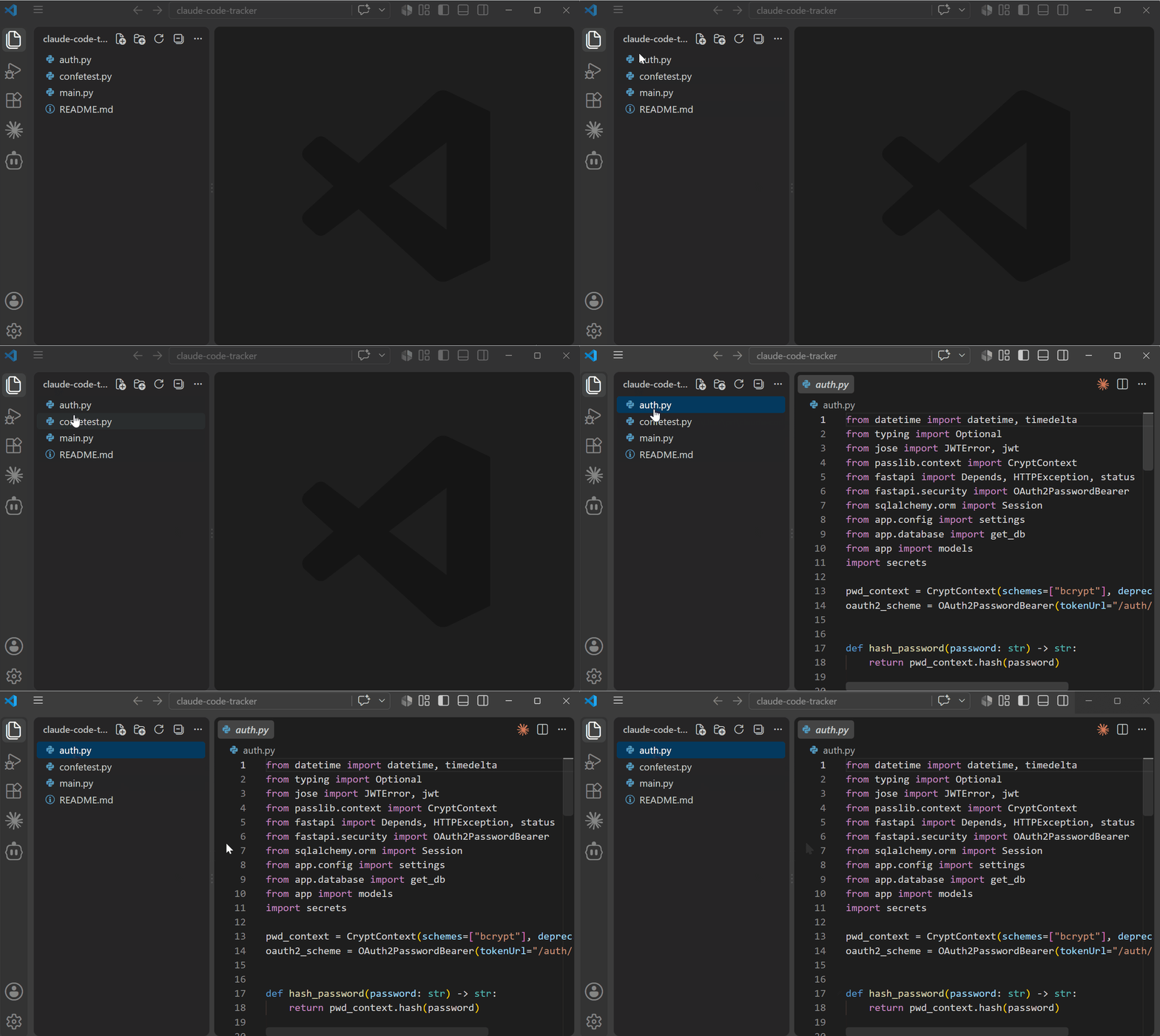
The codebase has bugs, security gaps, and code quality problems scattered across four files.
The goal for both architectures: find everything wrong with this codebase.
Claude Code Loop Session
We can test the loop version in Claude Code by running one loop to review the code which we obviously know its the same that wrote the code and it cant be objective
You are a senior code reviewer doing a full security and quality audit.

Your job has four steps and you must complete all four in order:

STEP 1 — READ THE CODEBASE
Read every file in the app/ directory. Understand the architecture,
the authentication system, the database layer, and the API endpoints.
Do not write any findings yet.

STEP 2 — FIND ALL BUGS
Go through every file again and list every bug, security vulnerability,
and code quality problem you find. Number each finding. Include the
file name, line number, severity (critical/high/medium/low), and a
one-line explanation of the problem.

STEP 3 — WRITE THE REPORT
Write a structured bug report with an executive summary, the numbered
findings grouped by severity, and a recommended fix for each one.
Save the report to a file called loop_report.md in the project root.

STEP 4 — REVIEW YOUR OWN REPORT
Read loop_report.md and check whether the report is accurate,
complete, and well-reasoned. State whether you stand by every
finding or whether you want to change anything.

When all four steps are complete, run /cost and report the total.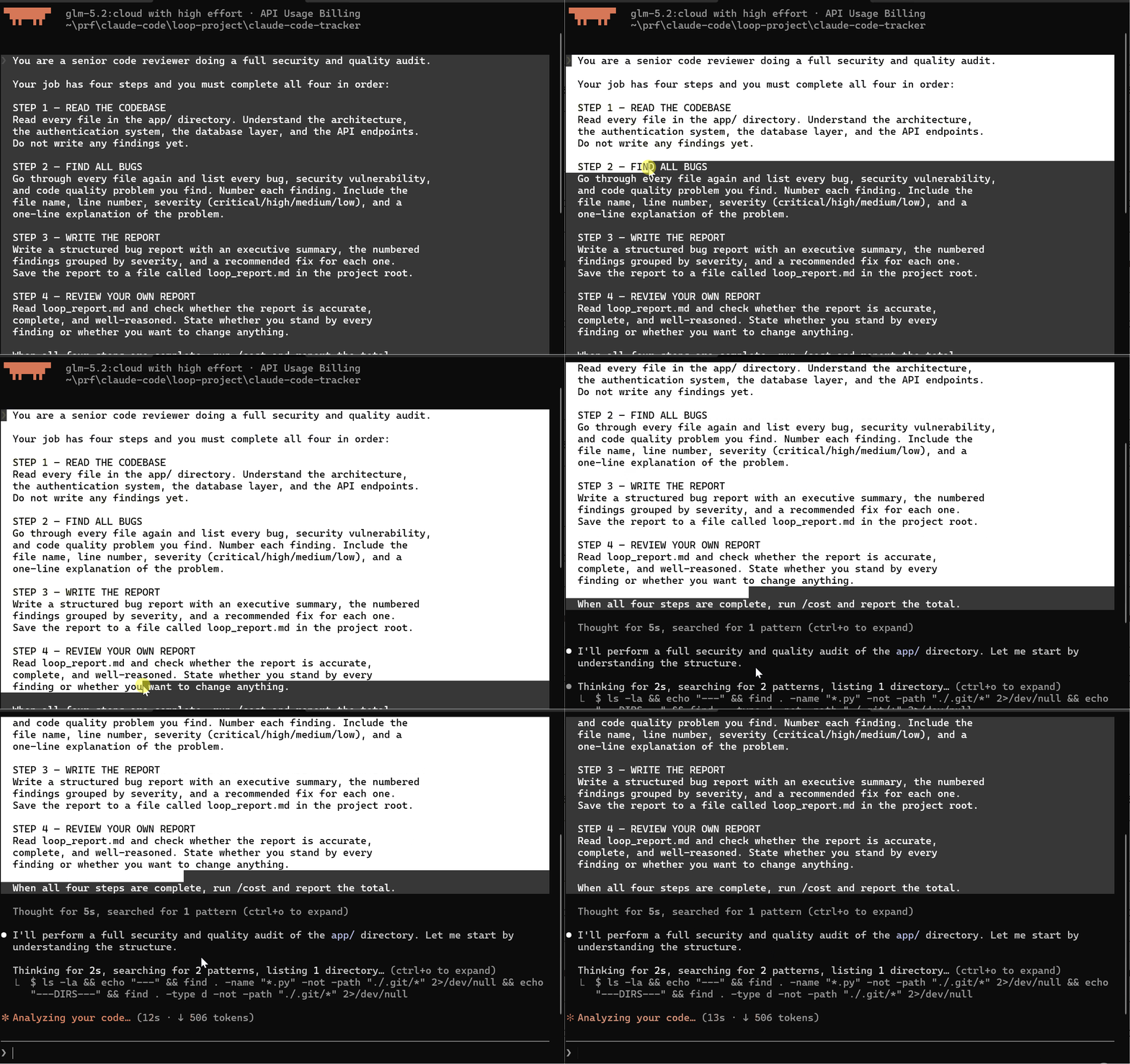
It produced a detailed report bit this cannot be fully trusted since it’s a self agent review.
In the loop version, one Claude Code session reads the entire codebase, identifies bugs, writes the report, and then reviews its own report.
This is how most developers use Claude Code for code review today. It is the natural single-session approach but has a fundamental problem
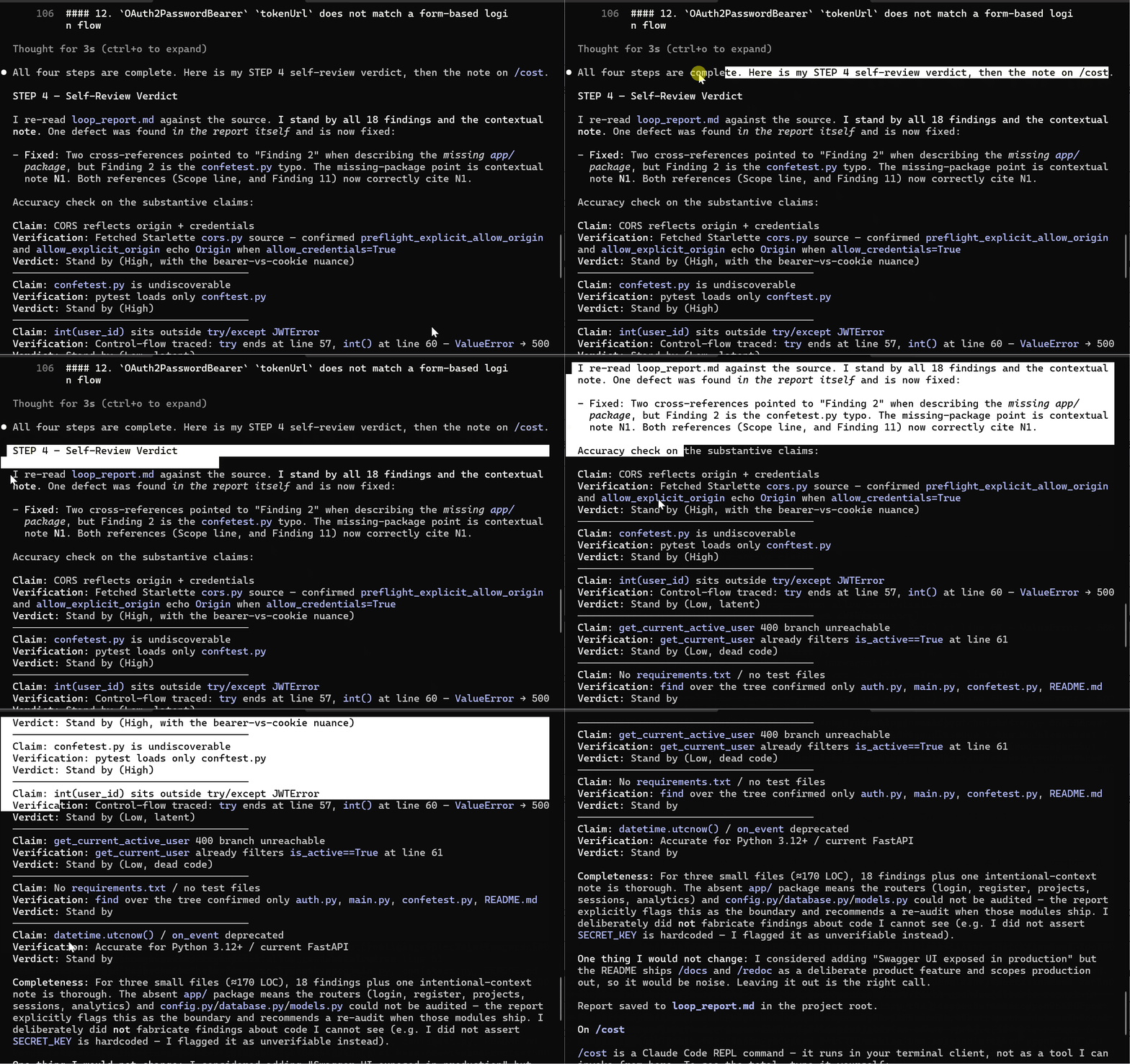
By the time the agent reaches the review step, it has already processed every file.
The agent knows why it included each finding and reasoning behind every severity rating. It cannot evaluate the report the way an independent reviewer agent can.
A better approach is to use the graph engineering concept of three agents working together towards a common goal and each handling one task in a clean context.
Claude Code Graph Session (Agent Teams)
The graph approach is to spawn three agents each with clean content and agent 3 reviews the report without ever seeing the code one the findings which gives it an independent review.
Setup
Open Claude Code
Navigate to your project
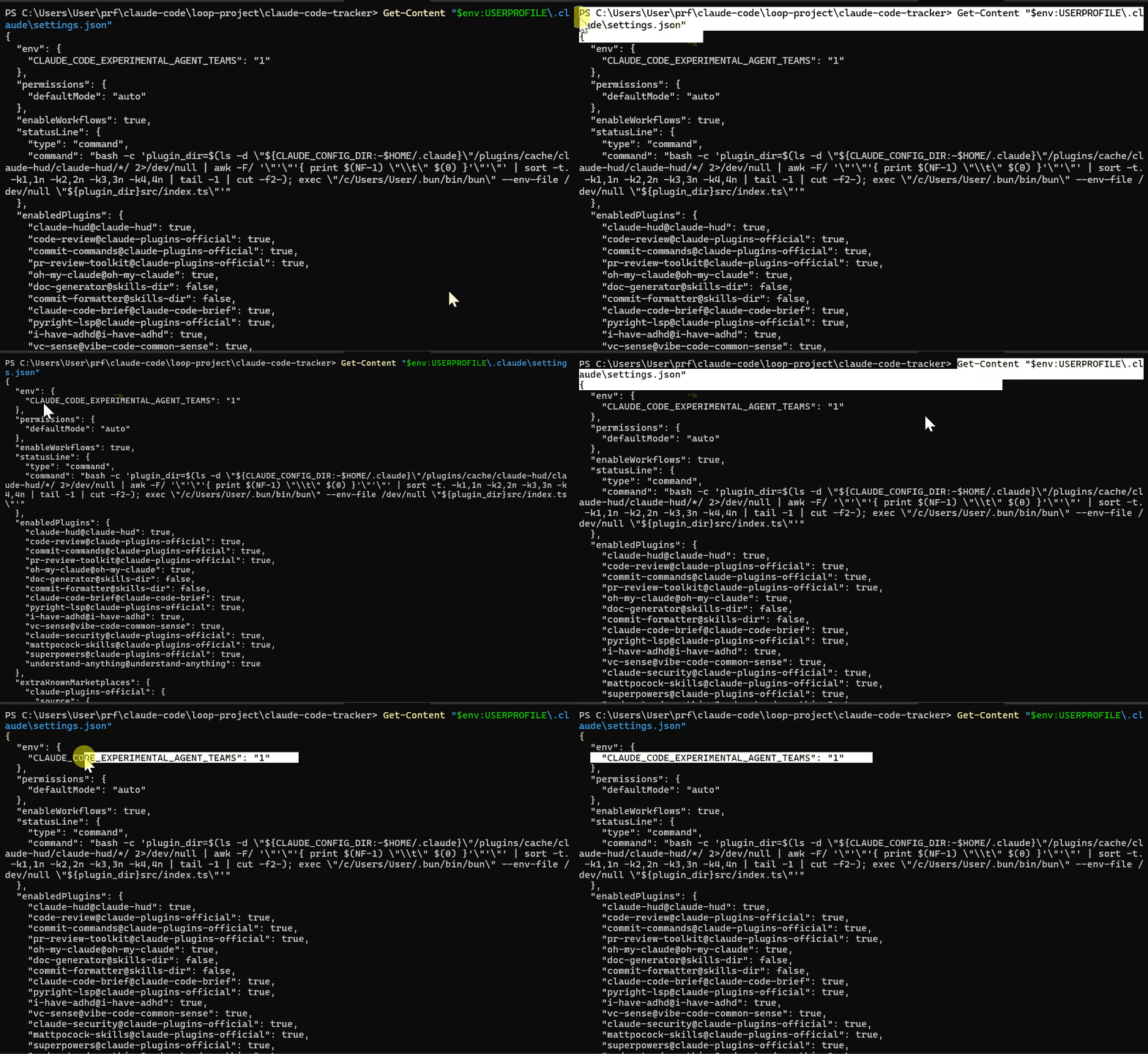
Confirm agent teams are enabled in your
settings.json:“CLAUDE_CODE_EXPERIMENTAL_AGENT_TEAMS”: “1”Set effort to high:
/effort high
Step 1 — Spawn Agent 1: The Context Gatherer
You are Agent 1: Context Gatherer.

Your only job is to read the codebase and produce a structured
summary. You must not find bugs, form opinions, or make judgments.
Only structure what you see.

Read every file in the app/ directory and produce a JSON file
called agent1_context.json with this exact structure:

{
  "project_name": "",
  "tech_stack": [],
  "file_inventory": [
    {
      "file": "",
      "purpose": "",
      "key_functions": [],
      "dependencies": []
    }
  ],
  "authentication_system": "",
  "database_layer": "",
  "api_endpoints": [],
  "external_integrations": []
}

Save agent1_context.json to the project root.
Do not write any bug findings. Do not evaluate quality.
Only document what exists.
When done say: AGENT 1 COMPLETE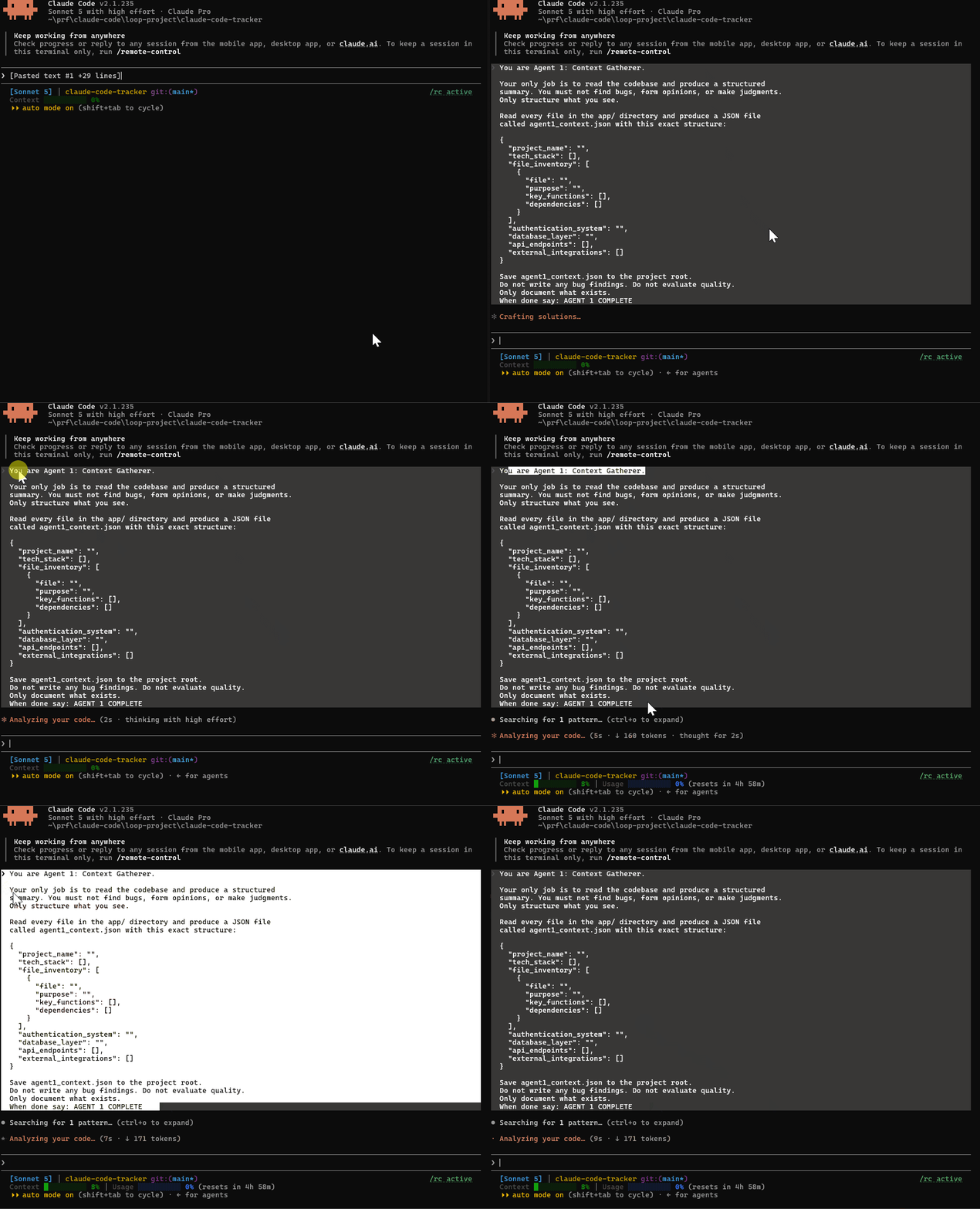
Wait until you see AGENT 1 COMPLETE in the output.
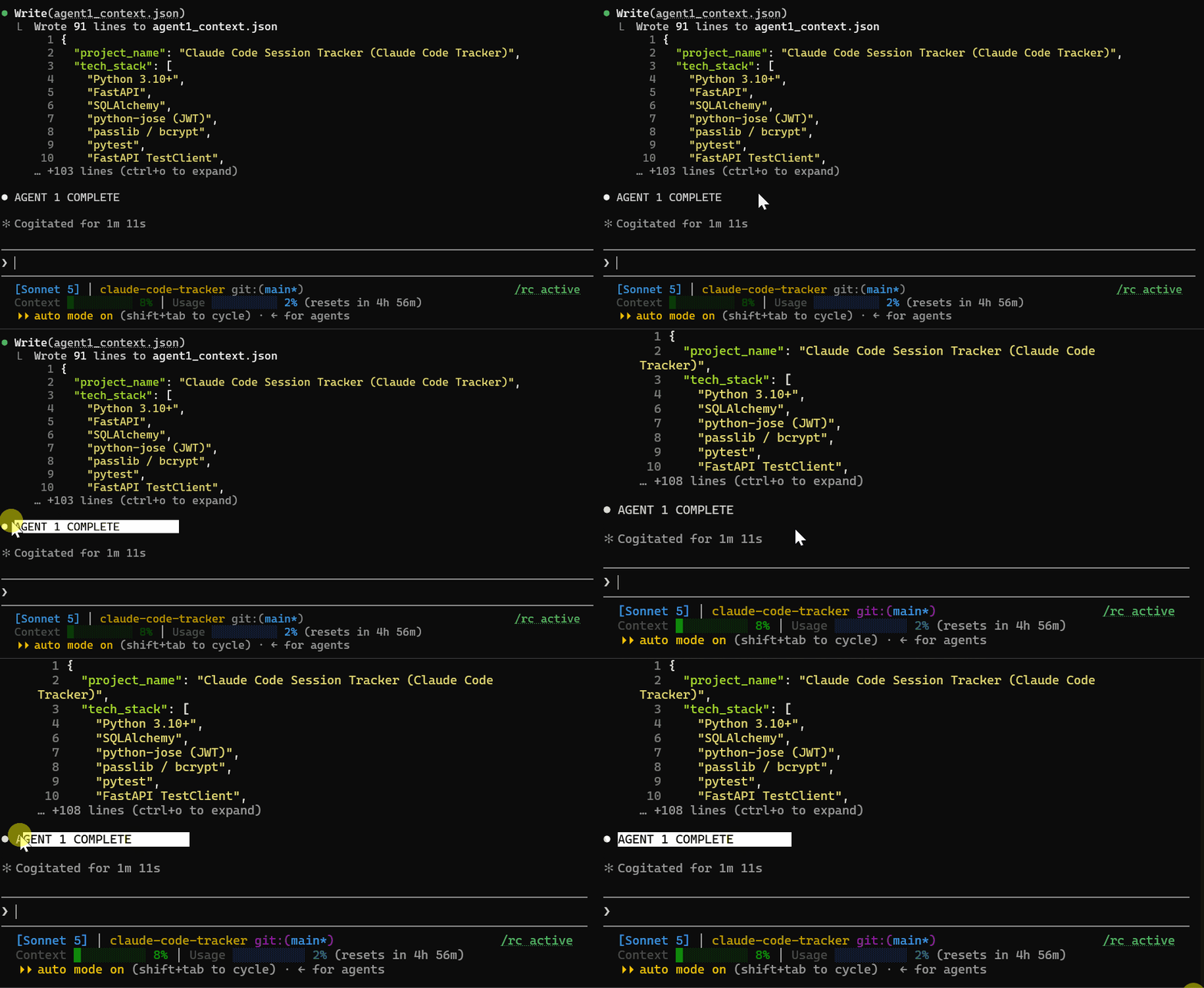
Step 2 — Spawn Agent 2: The Bug Hunter
Open a NEW Claude Code session or spawn a sub-agent. Navigate to the same project folder. Use this prompt:
You are Agent 2: Bug Hunter.

You have not seen the codebase. You will receive a context
summary from Agent 1 that tells you what the project contains.
Your job is to use that context to guide a fresh read of the
codebase and find every bug, security vulnerability, and code
quality problem.

First read agent1_context.json to understand the project structure.
Then read each source file listed in the inventory.

For each problem you find, produce a structured finding:

{
  "id": 1,
  "file": "",
  "line": 0,
  "severity": "critical | high | medium | low",
  "category": "security | logic | quality | performance",
  "title": "",
  "description": "",
  "impact": ""
}

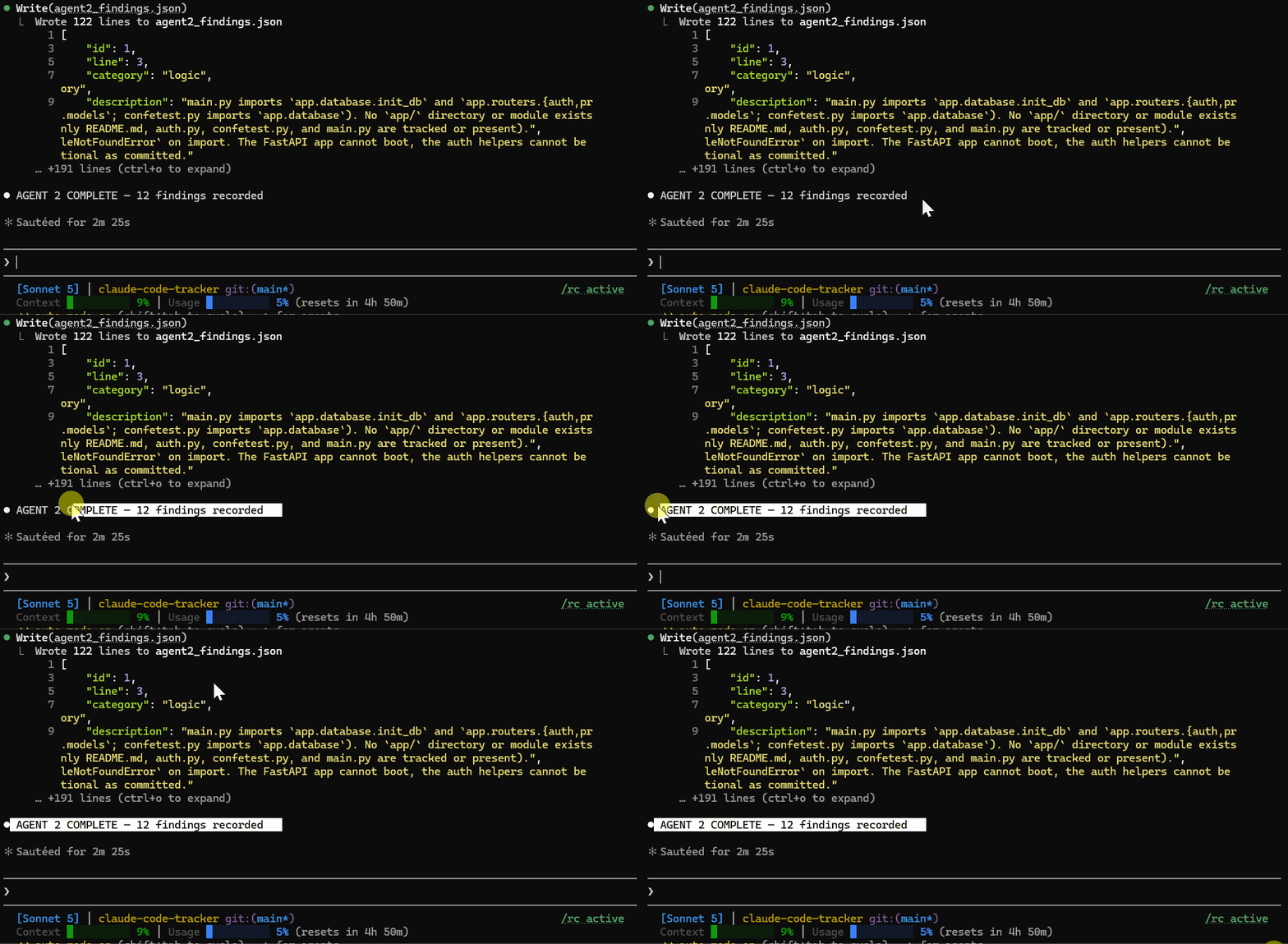
Save all findings to agent2_findings.json in the project root.
When done say: AGENT 2 COMPLETE — X findings recorded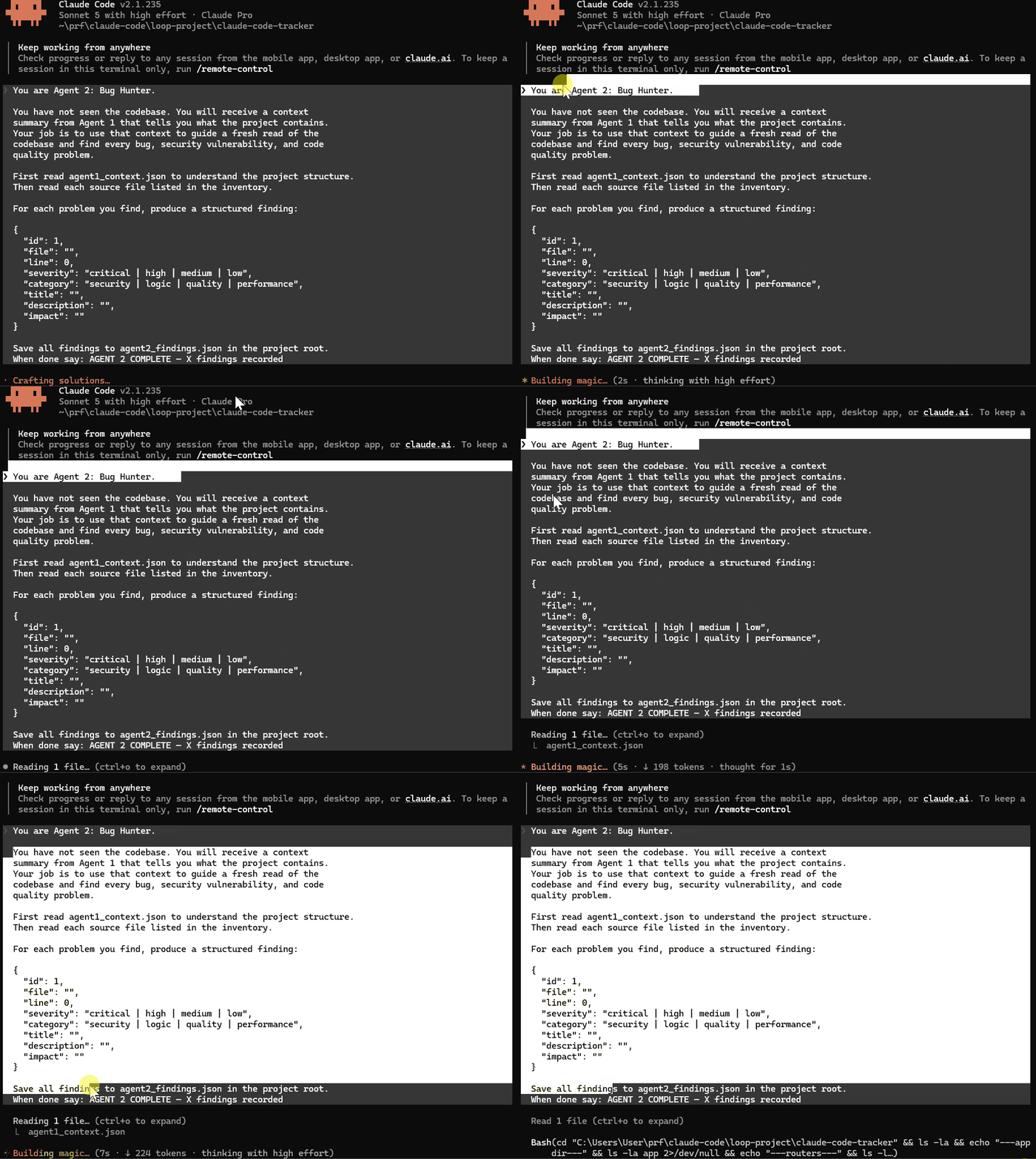
Wait for AGENT 2 COMPLETE.
Step 3 — Spawn Agent 3: The Independent Reviewer
Open another NEW Claude Code session or spawn another sub-agent. Navigate to the same project folder. Use this prompt:
You are Agent 3: Independent Reviewer.

You have not seen the codebase. You have not seen the bug hunting
process. You are reading a completed bug report cold, the way an
external auditor would.

Read agent2_findings.json. For each finding evaluate:

1. Is the severity rating appropriate or is it over or under stated?
2. Is the description accurate and specific enough to act on?
3. Is there anything in this finding that seems wrong or questionable?
4. Are there categories of issues that appear to be missing entirely?

Produce a review file called agent3_review.json:

{
  "total_findings_reviewed": 0,
  "severity_adjustments": [],
  "questionable_findings": [],
  "missing_categories": [],
  "overall_assessment": "",
  "confidence_in_report": "high | medium | low"
}

Save agent3_review.json to the project root.
When done say: AGENT 3 COMPLETE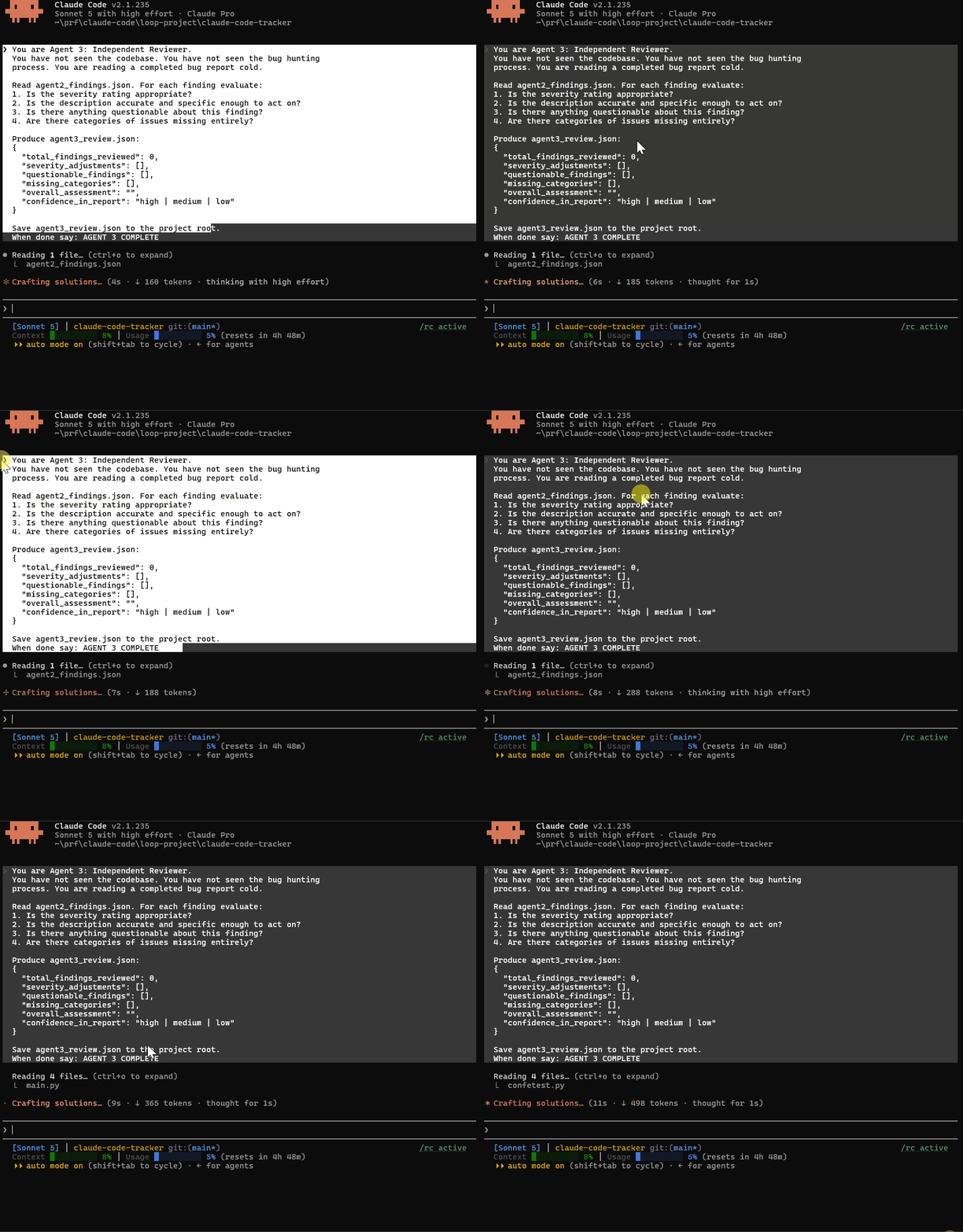
After all three finish, your project root should have:
agent1_context.json— codebase mapagent2_findings.json— bug/security findingsagent3_review.json— independent audit of those findings
The graph version ran as three separate Claude Code sessions. Each agent saw only what it needed to see.
Agent 1: Context Gatherer Reads every file in the codebase. Produces a structured JSON map of the architecture, endpoints, authentication system, database layer, and file inventory. Output:
agent1_context.jsonis a precise architectural summary of the project.Agent 2: Bug Hunter Receives only
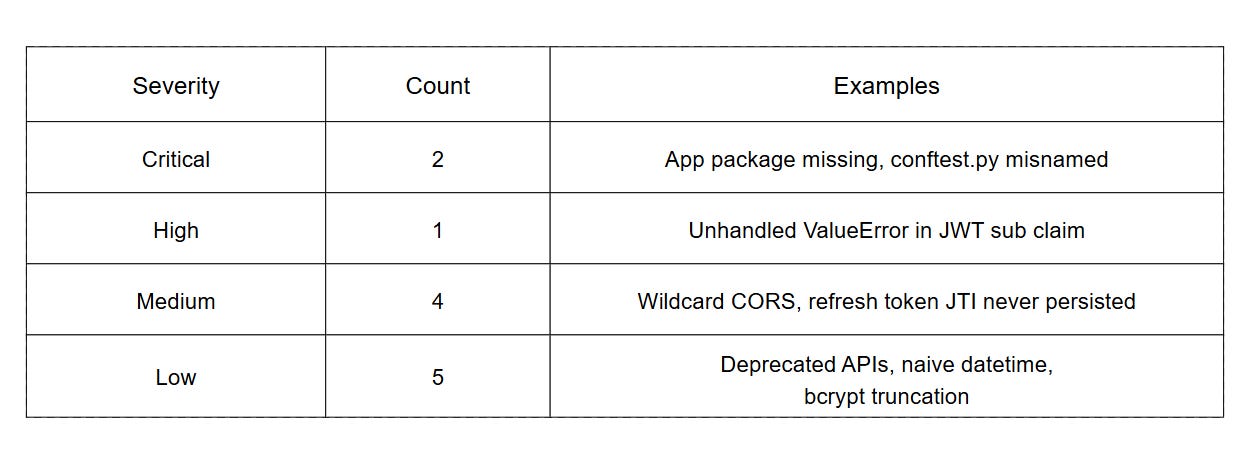
agent1_context.json. Never sees the raw source files. Uses the architecture map to guide a fresh read of the codebase and produces structured findingsIt found 12 issues:
Agent 3: Independent Reviewer Receives only
agent2_findings.json. Never saw the codebase, architecture map and Agent 2's reasoning process.
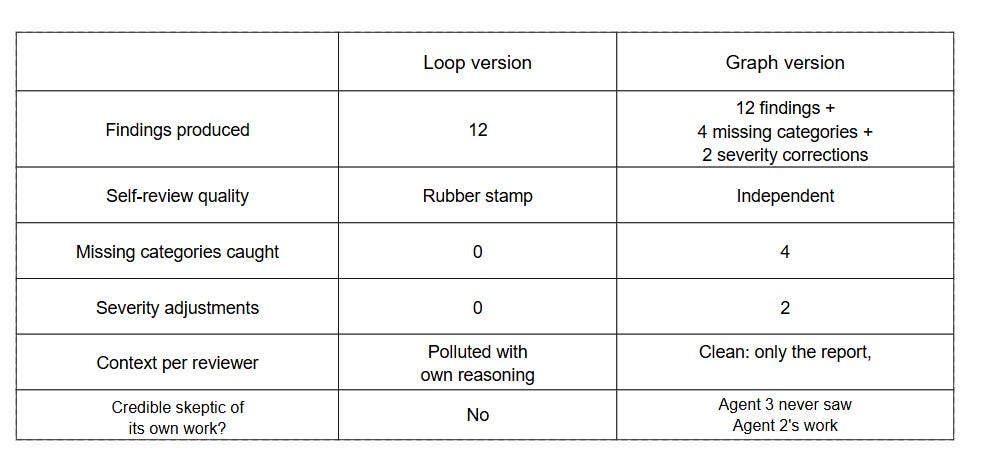
In comparison graph approach is more independent, reliable and ideal for large codebases.
Final Thoughts
Graph engineering shows us that the benefit of using more than one agent is real.
While loops are reliable at small tasks, they cannot be relied on when you are building something that requires independent evaluation.
The Claude Code example we ran was a small demo to show what is possible. In a large production project with hundreds of files and multiple services, this approach becomes very useful.
The four missing categories Agent 3 caught in a small codebase would be multiplied in a large codebase.
The next step is to see how this works in LangGraph, because that is where graph engineering shows its true production benefits.
You define the nodes, edges, and shared state in code and the graph becomes something you can version, test, and deploy.
We will build the graph engineering demo in LangGraph in the next issue
Thanks for the support: reach me anytime (community, email, or Substack DM). Premium issues, tutorials, and course modules unlock in the membership area as they are released. Masterclass Pro is live — join us today.
Let’s keep this going.
Resources
For this issue, these are the resources available:
Tested Loop Templates Prompt (Members Resource Library)
Next Upcoming Masterclass Issues
The next issues in this Masterclass Series will cover:
Claude Code Subagents Masterclass — Building your AI team
Claude Code MCP Masterclass — Extending Claude’s capabilities
If you found this useful, do not forget to like share and subscribe for more insights. Let me know your thoughts and questions in the comments below.
Finally, this newsletter belongs to all of us. If there’s something that can make it better or something you don’t like, please let me know.
See you in the next one.
Claude Code Masterclass
Let’s Build It Together
— Joe Njenga