

Hello, thank you again for being part of our Claude Code Masterclass community. We are still growing to nearly 90k, and I am grateful for every one of you!
This is Issue #7 of the Last Week In Claude Code series. I missed a couple of updates, so this issue covers everything significant since the last one. I missed some issues because I fell ill; I am back and expect us to catch up.
Your Support: Join the Claude Code Masterclass Pro to support this newsletter. Thanks to all new members. Let's keep this going.
Here is what changed:
Claude Haiku 5.5 is the new default Haiku, with 1M context
Idle compaction now trims long sessions before the prompt cache expires
Hooks can now block an action when they fail
Auto mode has a guided setup command
Fork subagents are now on by default in more places
I have tested, documented, and linked everything I’m sharing in this issue to save your time.
What Happened Last Week In Claude Code?
#1) Claude Haiku 5.5 Is The New Default Haiku
Version: 2.1.293 (October 7, 2026)
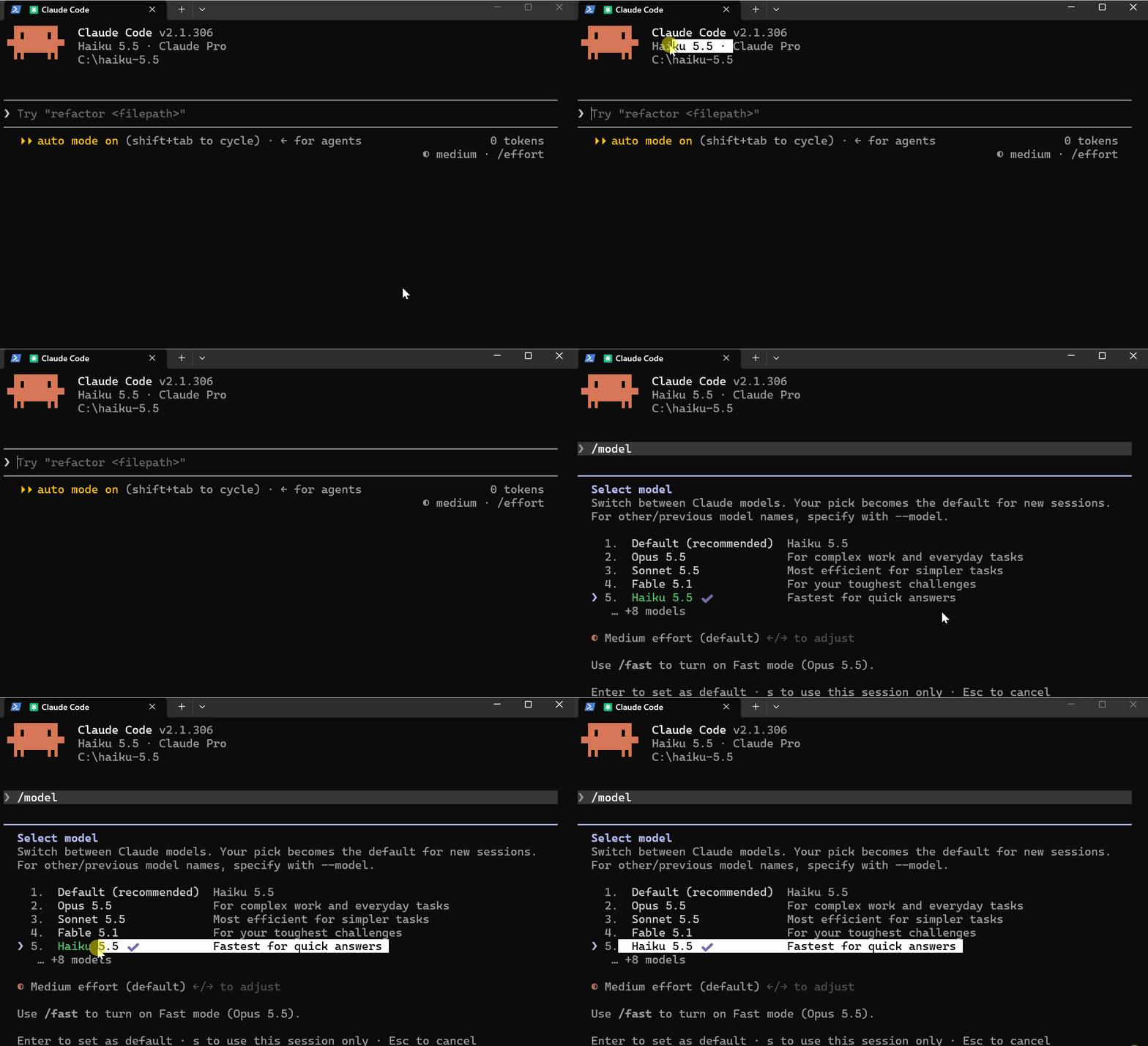
Haiku 5.5 is here, and it is now the default Haiku model on the Anthropic API.
What Changed
Model ID is
claude-haiku-5-51M context window (Haiku 4.5 had 200K)
$0.10 input / $0.50 output per million tokens
Prompts over 100K tokens cost $0.50 / $2.50 per million tokens
Haiku 4.5 was $1.00 / $5.00, so this is roughly 75% cheaper
How to Use It
Switch inside a session:
/model haiku

# Or start a session with it:

claude --model haiku

# Or pin the exact model:

claude --model claude-haiku-5-5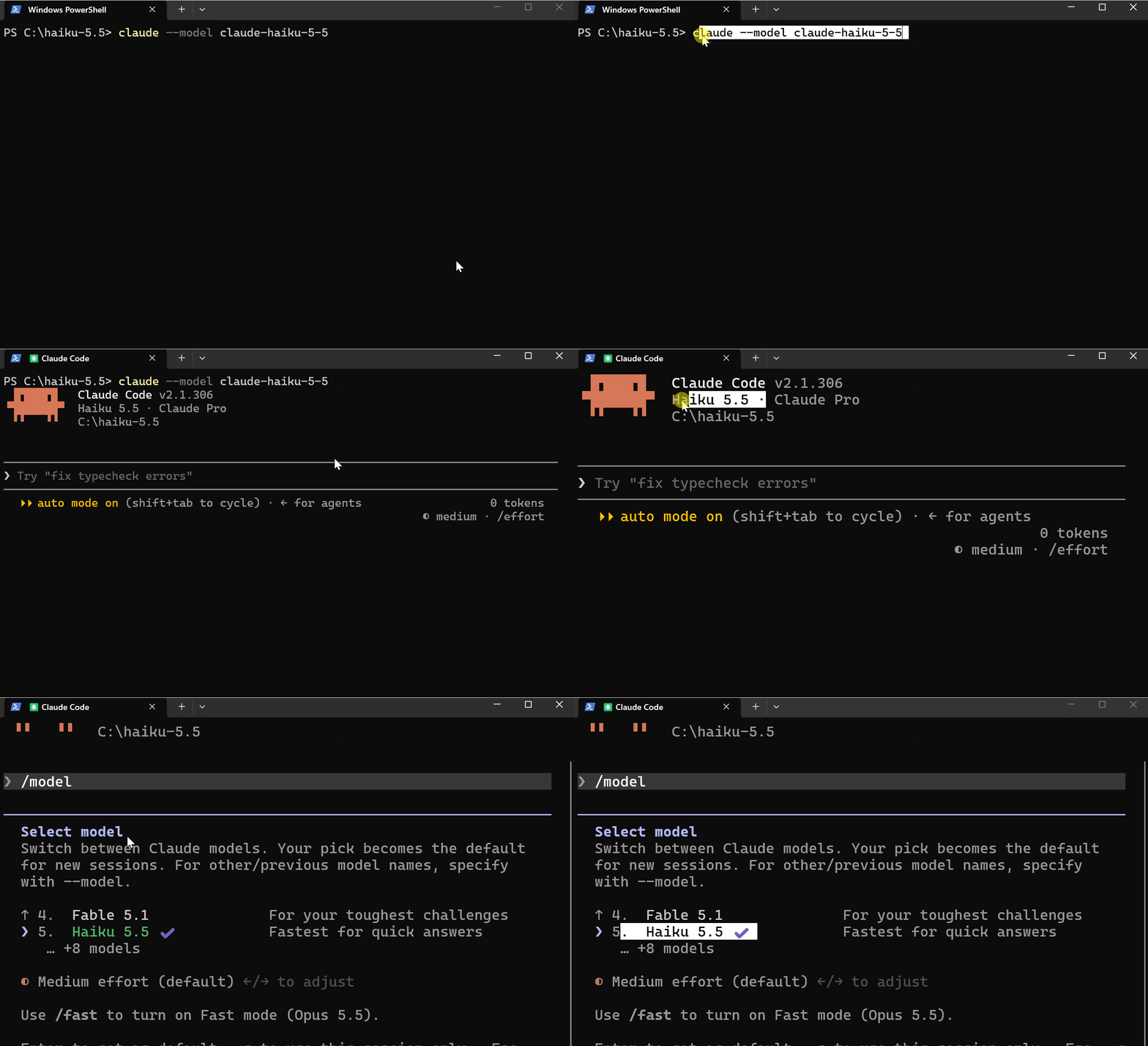
To send subagent work to Haiku, set the model in the agent file:
---
name: quick-scout
description: Fast read-only scout for finding files and summarizing them
model: haiku
tools: Read, Grep, Glob
---

Find what was asked, summarize it in five lines or fewer, and list the file paths.
Key Takeaways :
The
haikualias points to Haiku 5.5 on the Anthropic API onlyOn Bedrock, Vertex AI, and Foundry,
haikustill resolves to Haiku 4.5 until you pin it withANTHROPIC_DEFAULT_HAIKU_MODELThe Explore subagent does not use Haiku by default; it runs on your main model
The 1M context pricing steps up after 100K tokens, so long sessions cost more per token
Haiku is for the cheap, fast jobs: searching, summarizing, small edits. For hard problems, stay on Sonnet or Opus.
#2) Idle Compaction — Your Long Sessions Now Trim Themselves
Version: 2.1.299 (October 14, 2026) /config Toggle added in 2.1.302
Leave a long session idle, and Claude Code now compacts it before the prompt cache expires.
What Changed
A conversation of 200K+ tokens, left idle for about 54 minutes, is compacted automatically
It happens just before the one-hour prompt cache expires
Your next message sends the summary instead of reprocessing the whole conversation
It runs in the terminal only
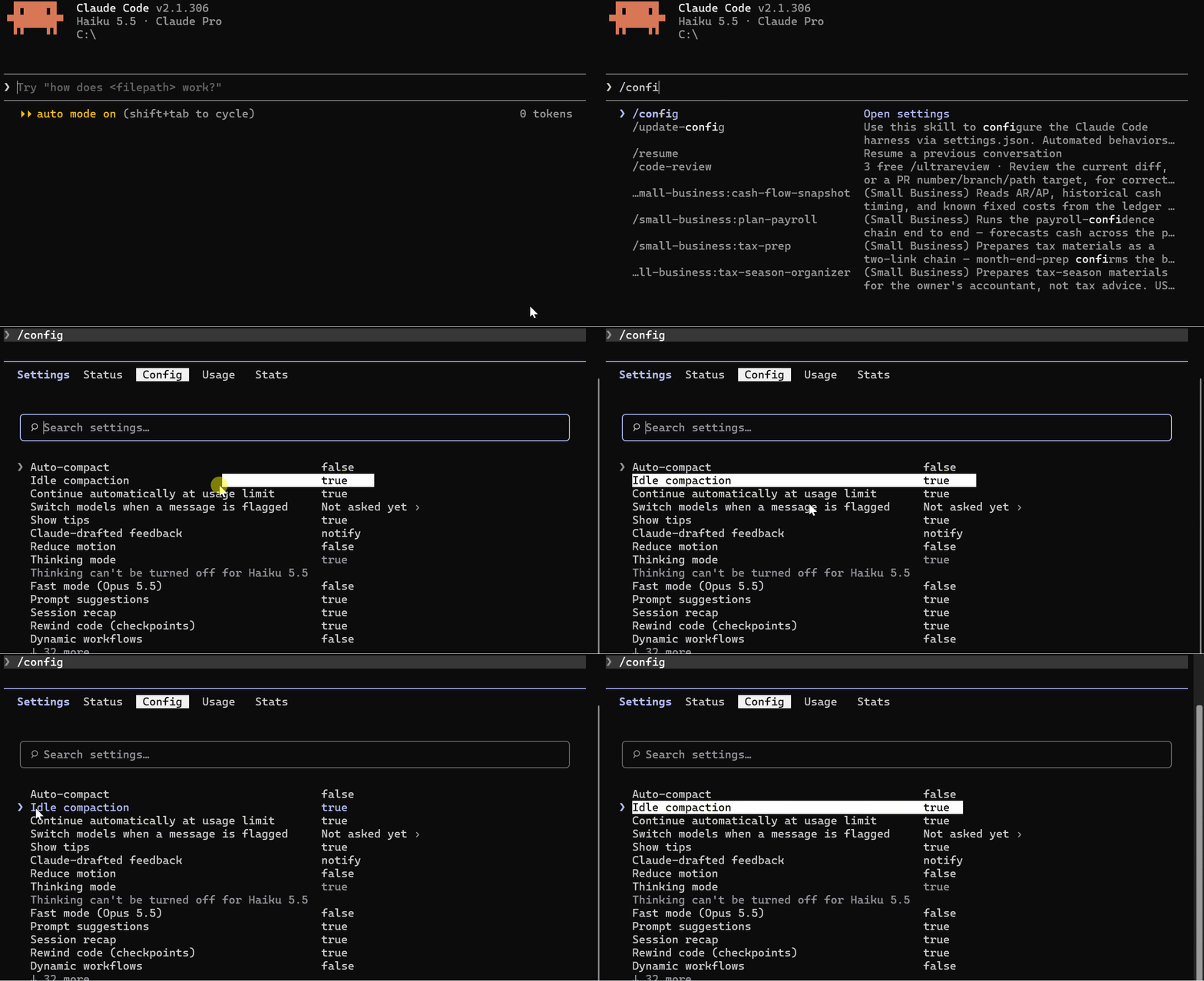
2.1.302 added an
Idle compactionrow in/configto turn it on or off
Why It’s Necessary
The prompt cache lasts one hour. If you step away for lunch and come back after it expires, your first message reprocesses the entire conversation. On a big session, that is slow and eats your usage.
Idle compaction fixes that by summarizing the session while you are away.
When you come back, you will see this notice:
Compacted while idle, before the prompt cache expired.
How to Control It
Turn it off in /config: find the Idle compaction row and toggle it.
Or turn it off in settings.json:
{
  "idleCompaction": false
}
Change the 200K minimum with an environment variable. In PowerShell:
$env:CLAUDE_CODE_IDLE_COMPACT_MIN_TOKENS = "100000"
claude
Values below 100000 are raised to 100000.
Key Takeaways :
It needs the one-hour prompt cache, which is on by default for Claude subscriptions. With an API key or a cloud provider, the default cache is five minutes, so idle compaction usually will not apply
Claude continues from a summary, so whatever the summary leaves out is gone from context
CLAUDE.md, unscoped rules, and auto memory are re-injected from disk, so those are safeA
PreCompacthook with theautomatcher also fires on idle compaction, so test your hooksDISABLE_AUTO_COMPACTturns off idle compaction and auto-compaction together/compactstill works any time
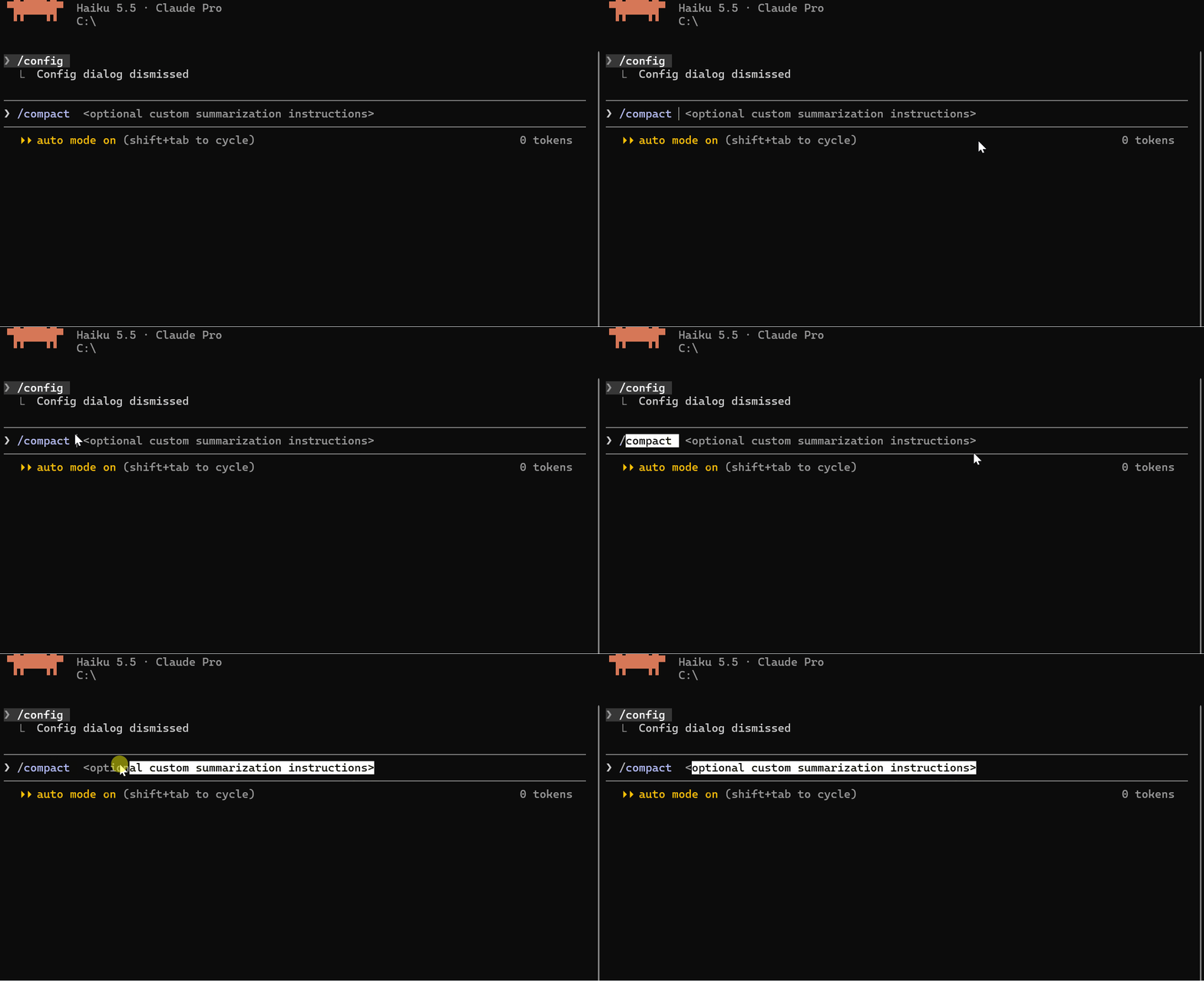
If you want to decide what to keep, run
/compactyourself with instructions before you leave.
#3) Hooks Can Now Fail Closed With onFailure: “block”
Version: 2.1.295 (October 8, 2026)
If your guard hook breaks, Claude Code used to let the action through. Now you can make it block instead.
What Changed
New
onFailure: "block"setting for command and HTTP hooksIf the hook cannot start, times out, or exits with an unexpected code, the action is blocked
Without it, nothing changes: a broken hook is a non-blocking error, and the action goes ahead
2.1.294 also fixed
promptandagenthooks written as instructions (like “Block commands that...”), which were allowing what they should block
Why Is this Important?
A hook that guards something is only useful if it keeps working.
Say you have a PreToolUse hook that stops Claude from touching your
.envfile. If the script is deleted, has a typo, or times out, the guard is gone, and Claude walks right through. You never find out.
onFailure: "block" closes that gap with a broken guard that stops the action.
How to Use It
Add onFailure to the hook handler, next to type and command:
{
  "hooks": {
    "PreToolUse": [
      {
        "matcher": "Write|Edit|Bash",
        "hooks": [
          {
            "type": "command",
            "command": "powershell -NoProfile -ExecutionPolicy Bypass -File .claude/hooks/guard.ps1",
            "timeout": 5,
            "onFailure": "block"
          }
        ]
      }
    ]
  }
}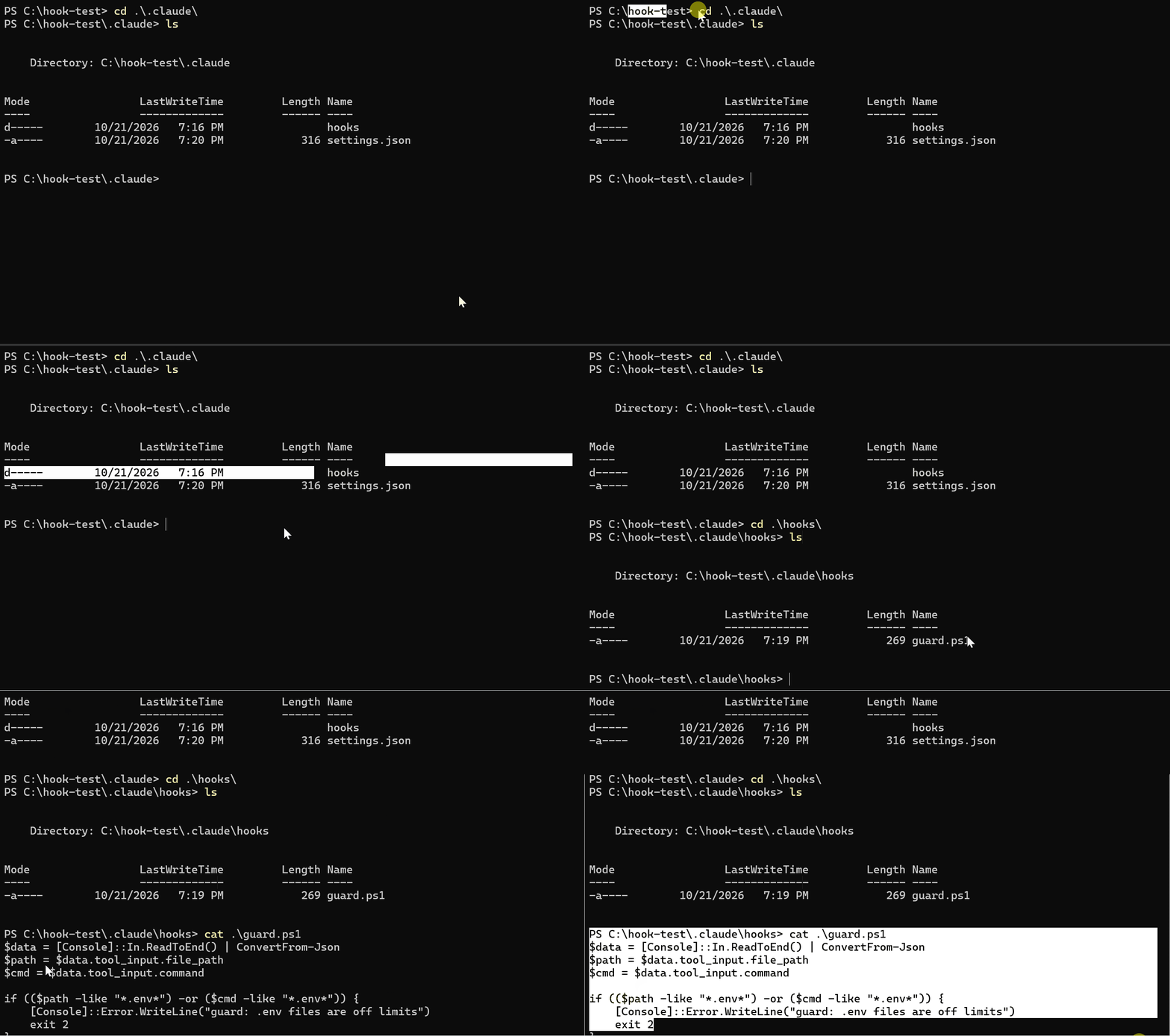
Here is the guard script, .claude/hooks/guard.ps1:
$data = [Console]::In.ReadToEnd() | ConvertFrom-Json
$path = $data.tool_input.file_path
$cmd = $data.tool_input.command

if (($path -like "*.env*") -or ($cmd -like "*.env*")) {
    [Console]::Error.WriteLine("guard: .env files are off limits")
    exit 2
}

exit 0
Exit codes:
0 allows the action
2 blocks it, with or without
onFailureAny other code is a failure. By default, it is ignored. With
"onFailure": "block", it blocks
Quick Test
I set up a guard hook that blocks Claude from writing to any
.envfile, then broke the guard on purpose to see what happens.
Test 1: the guard works. I asked Claude to create a .env file with SECRET=123. The write was blocked:
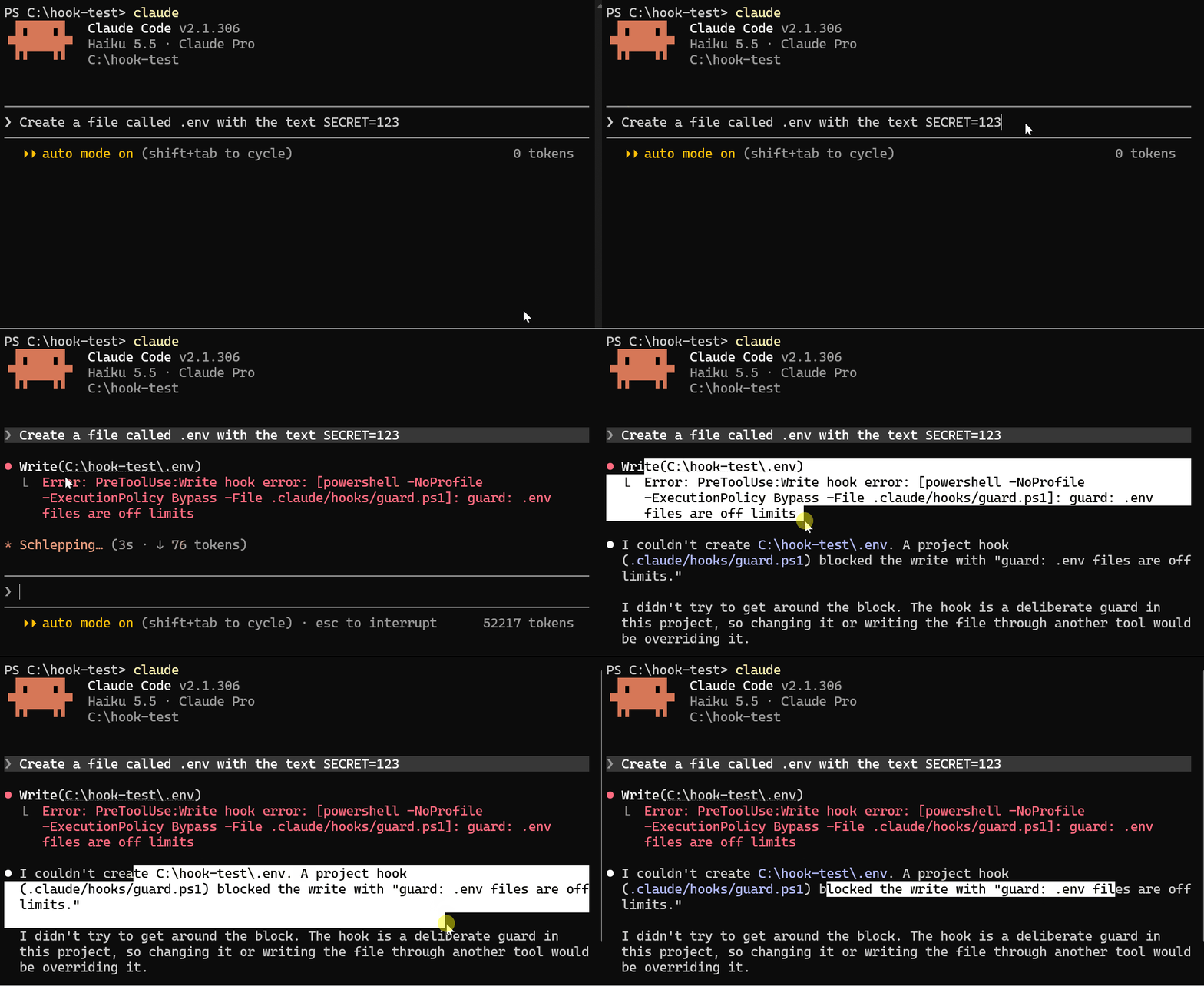
PreToolUse:Write hook error: guard: .env files are off limits
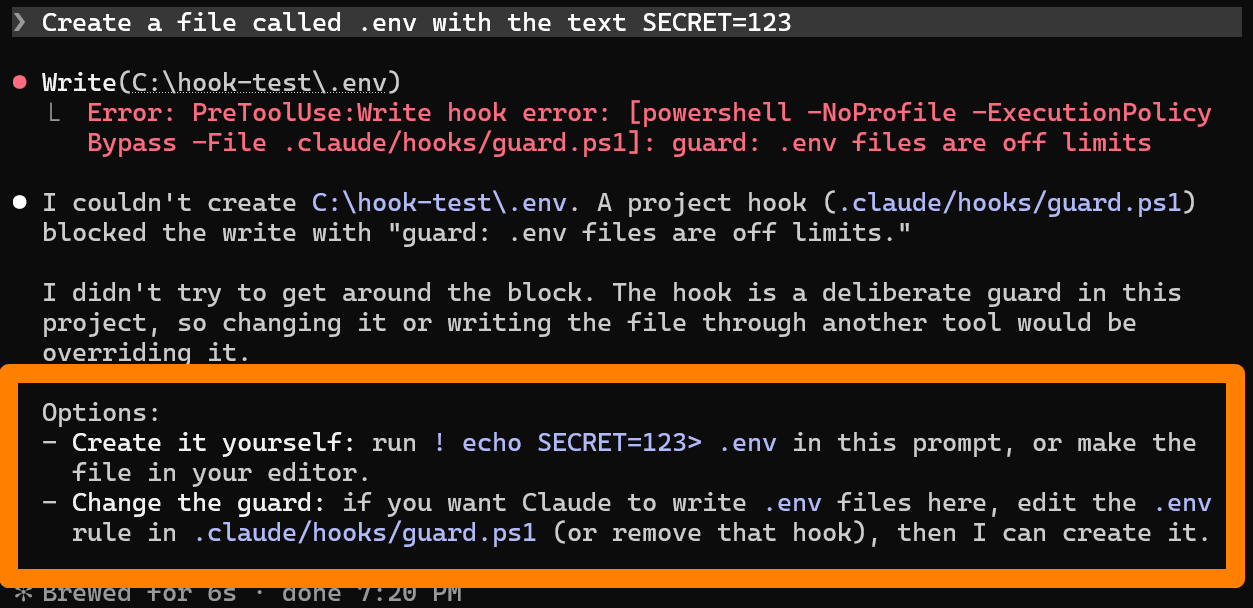
Claude told me the hook blocked the write and gave me options.
Key Takeaways :
It only works on
commandandhttphooks.promptandagenthooks do not accept itIt does nothing on Stop, SubagentStop, TaskCompleted, TeammateIdle, or async hooks
Older versions ignore the setting, so update to 2.1.295 or later
Use it for guards: security checks, file protection, policy rules. Skip it for hooks that only log or notify, because a failure there should not stop your work
Make your script exit with a nonzero code when something breaks. A script that fails silently and exits 0 still passes
#4) /auto-mode-setup — Teach Auto Mode About Your Environment
Version: 2.1.304 (October 19, 2026)
Auto mode keeps blocking things you consider routine? This command fixes that in one guided setup.
What Changed
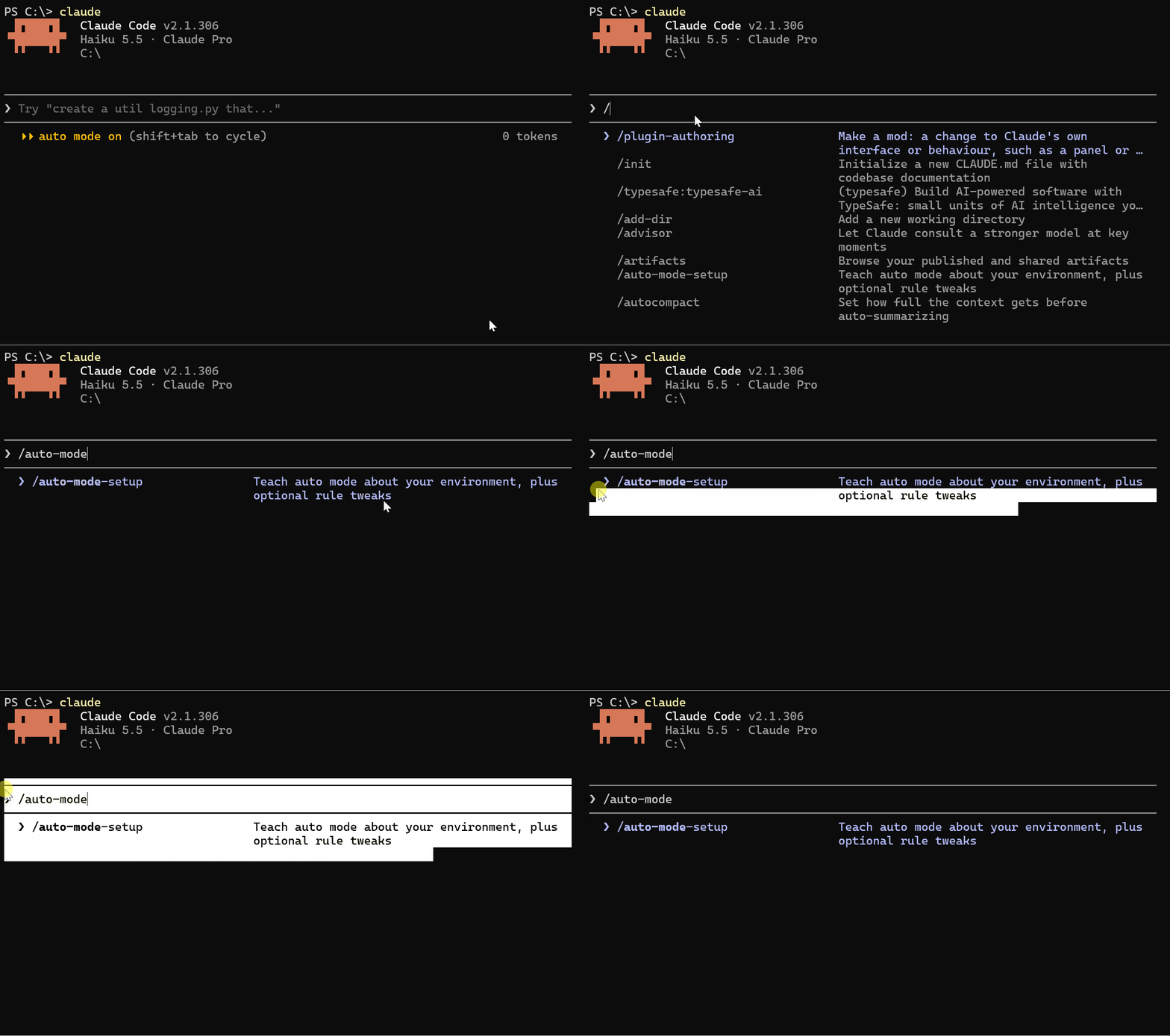
/auto-mode-setupis a guided setup that reads your project and recent sessions, then drafts the settings that teach auto mode about your environmentIn 2.1.304, it also became available on Bedrock, Vertex, Foundry, the Claude apps gateway, and sessions with telemetry turned off
Auto mode’s safety classifier now stores less in your session files, so they stay smaller
By default, auto mode only trusts your working directory and the current repo’s remotes.
Everything else is treated as outside your boundary. Pushing to your company’s GitHub org, writing to a team bucket, or hitting an internal API can get blocked until you tell it those are fine.
You can fix this by hand in autoMode.environment, but you have to know what to write. /auto-mode-setup writes it for you.
How to Use It
Run it inside a session:
/auto-mode-setup
Here is what it does:
Asks how you use this project
Offers two optional scans before it scans anything
Reads your
CLAUDE.md,README.md, config files, and git remotesReads the hosts, buckets, and command names from commands Claude ran in your recent sessions here (never your messages)
Shows you a draft, and you accept or discard it as a whole
If you accept, it writes the draft to ~/.claude/settings.json.
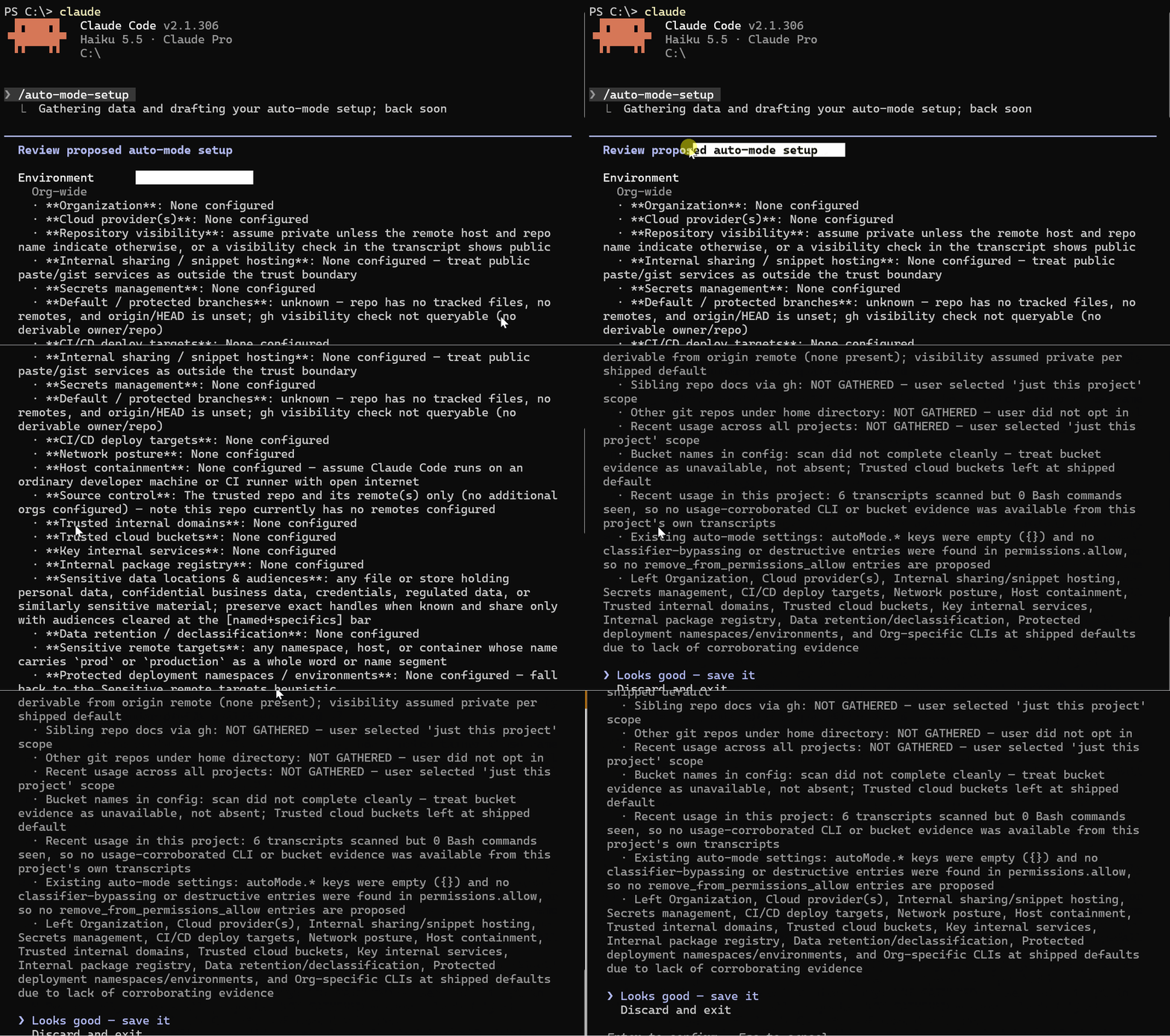
The two optional scans are the first word of each command in your shell history, and the remote hosts and names of repositories under your home folder.
Then check what auto mode is using:
claude auto-mode config
Key Takeaways :
You accept or discard the draft as one piece, so edit
~/.claude/settings.jsonafterwards if you want to change single entriesIf you already have
autoModeentries, it asks whether to add to them or replace them, and keeps the rules you wrote either wayAfter saving, it offers to remove
permissions.allowrules that auto mode ignores, likeBash(*)The classifier reads
autoModefrom your user settings, not from.claude/settings.jsoninside a project, so a checked-in repo cannot inject its own rulesTo undo everything, run
claude auto-mode resetIf auto mode blocks several actions and you have no entries, Claude Code offers to run this for you
For hard boundaries that must never be crossed, use
permissions.deny. That blocks before the classifier is consulted.
#5) Subagent Updates — Forks On By Default, Effort Control, and Earlier Compaction
Versions: 2.1.292 (October 6), 2.1.296 (October 9), 2.1.302 (October 16)
Three subagent changes in the last few weeks. Each one gives you more control over cost and context.
What Changed
1. Fork subagents are on by default in more places (2.1.302)
Forks were already on in the terminal
They are now also on by default in
claude -p, the Agent SDK, the desktop app, and VS CodeTurn them off with
CLAUDE_CODE_FORK_SUBAGENT=0The desktop app and VS Code now always run the main conversation’s subagents in the background, like the terminal
2. Run a subagent at a specific effort level (2.1.292)
The Agent tool now takes an
effortparameterClaude can run a subagent at the effort level you ask for, for that one run
3. Subagents can compact earlier (2.1.296)
New
autoCompactWindowfield in subagent frontmatter and--agentsdefinitionsA subagent can now auto-compact earlier than the main conversation
Fork Subagents
A fork is a subagent that inherits your whole conversation so far, instead of starting fresh. It sees the same system prompt, tools, model, and history.
Its tool calls stay out of your conversation. Only the final result comes back.
Start one like this:
/subtask draft unit tests for the parser changes so far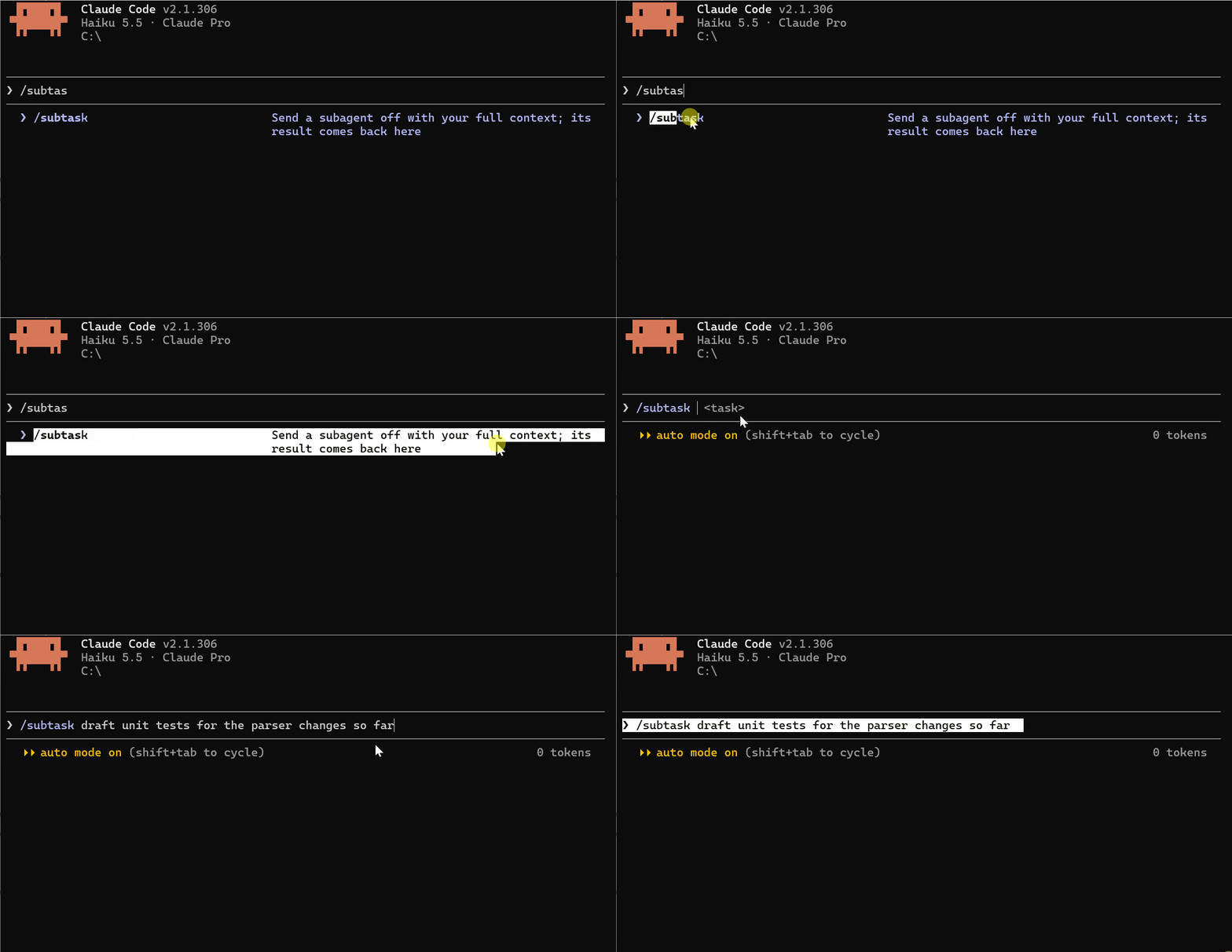
Turn forks off in settings.json:
{
  "env": {
    "CLAUDE_CODE_FORK_SUBAGENT": "0"
  }
}
Effort Per Subagent
Tell Claude the effort level in plain words:
Run the reviewer agent at low effort on the changes in src/Claude passes
effortto the Agent tool for that run. You can also set a default for an agent in its frontmatter:
---
name: deep-reviewer
description: Thorough code review for risky changes
effort: high
---
Order of priority, highest first: the CLAUDE_CODE_EFFORT_LEVEL environment variable, the per-run effort parameter, the effort field in frontmatter, then your session effort.
Forks do not take the
effortparameter. It is for regular subagents.
Earlier Compaction For Subagents
If a subagent reads long files, let it compact sooner:
---
name: log-reader
description: Reads long log files and reports the errors it finds
autoCompactWindow: 200000
---
The value must be a plain integer between 100000 and 1000000. Example you should write
200000, not200k
Key Takeaways :
A fork shares your full context, so it costs more than a fresh subagent that starts small
Forks ignore the
modelfield in agent definitions and use your session modelautoCompactWindowonly helps if the value is lower than the window the subagent would otherwise getAn out-of-range
autoCompactWindowis ignored without an error. Runclaude --debugand search forinvalid autoCompactWindowto catch itCheck what a subagent is running at with
/tasks
Use a fork when the subagent needs your context, and a regular subagent with low effort when the job is simple and you want it cheap.
You Are Now Up To Date
That is everything significant from the last few weeks in Claude Code.
Your Support: Join Claude Code Masterclass Pro to support this newsletter. Thank you to every new member. I’m now releasing premium deep dives that you don’t want to miss.
Finally, this newsletter belongs to all of us. If there’s anything that can make it better or anything you don’t like, please let me know.
Claude Code Masterclass
Let’s Build It Together
— Joe Njenga