

Hello, thank you again for being part of our Claude Code Masterclass community. We are still growing, and I am grateful for every one of you.
This is Issue #6 of the Last Week In Claude Code series.
Your Support: I’m still requesting you to support the newsletter through our Claude Code Masterclass Pro where you can access premium tutorials, newsletters, and upcoming course as modules are released.
Thanks to all new members —Let’s keep this going.
Last week had important updates:
Claude Code can now draft UI designs from the CLI
A new built-in output style cuts response verbosity
Fork mode is now on by default: subagents inherit full conversation context
I tested the DeepSeek Harness, an open-source Claude Code alternative
I have tested, documented, and linked everything I’ m sharing in this issue to save your time.
What Happened Last Week In Claude Code?
#1) Design Mode — Draft UI Artboards From the CLI
Version: Research Preview — v2.1.233+
Claude Code can now design your UI before it builds it.
The
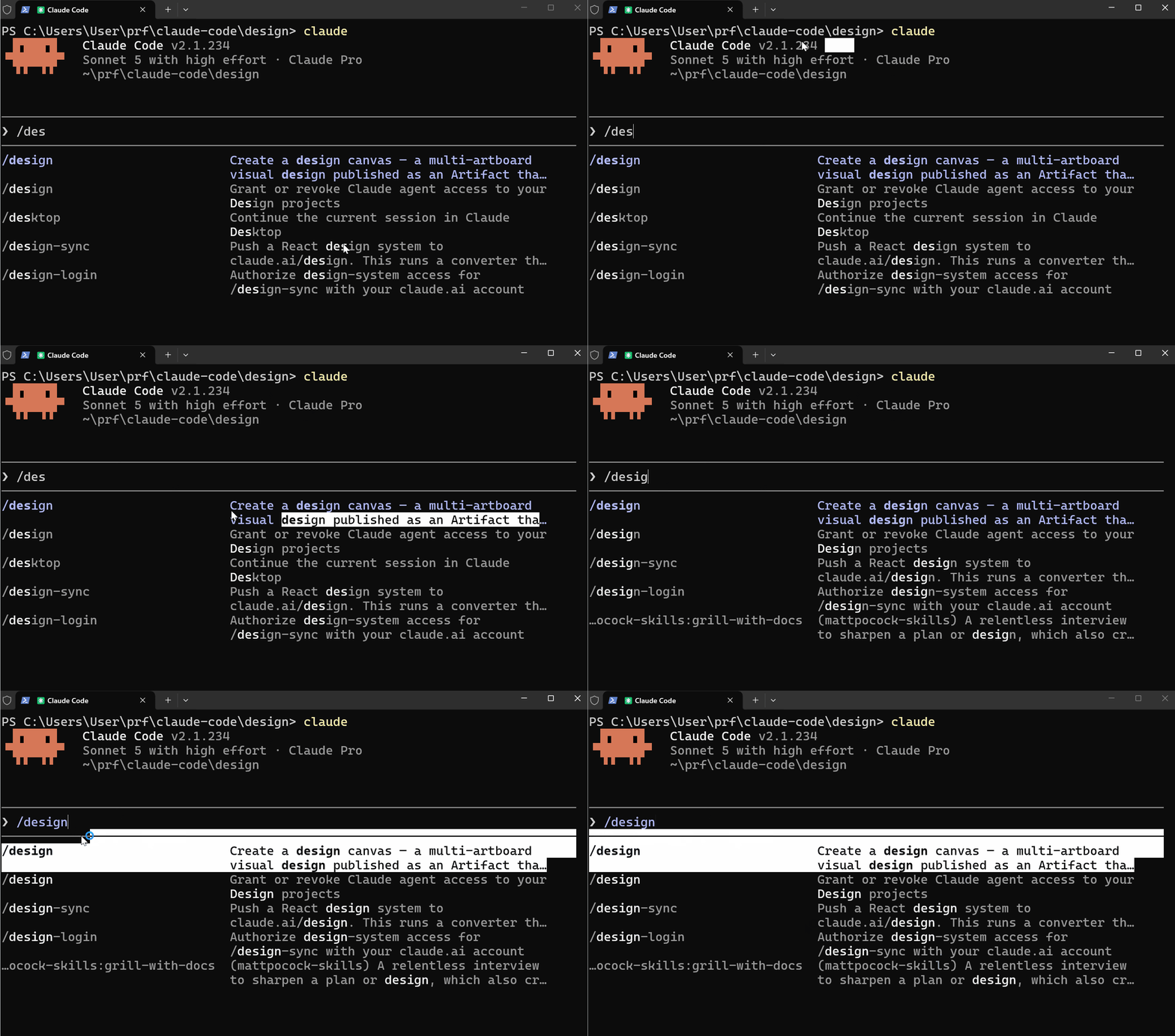
/designskill brings Claude Design’s artboard workflow into the CLI and Claude Code Desktop.
Give it a brief, and Claude publishes a canvas of editable artboards for you to pick from, then builds the one you choose.
What It Does
/design a few options for a developer dashboard that shows API usage , active sessions , an recent errors
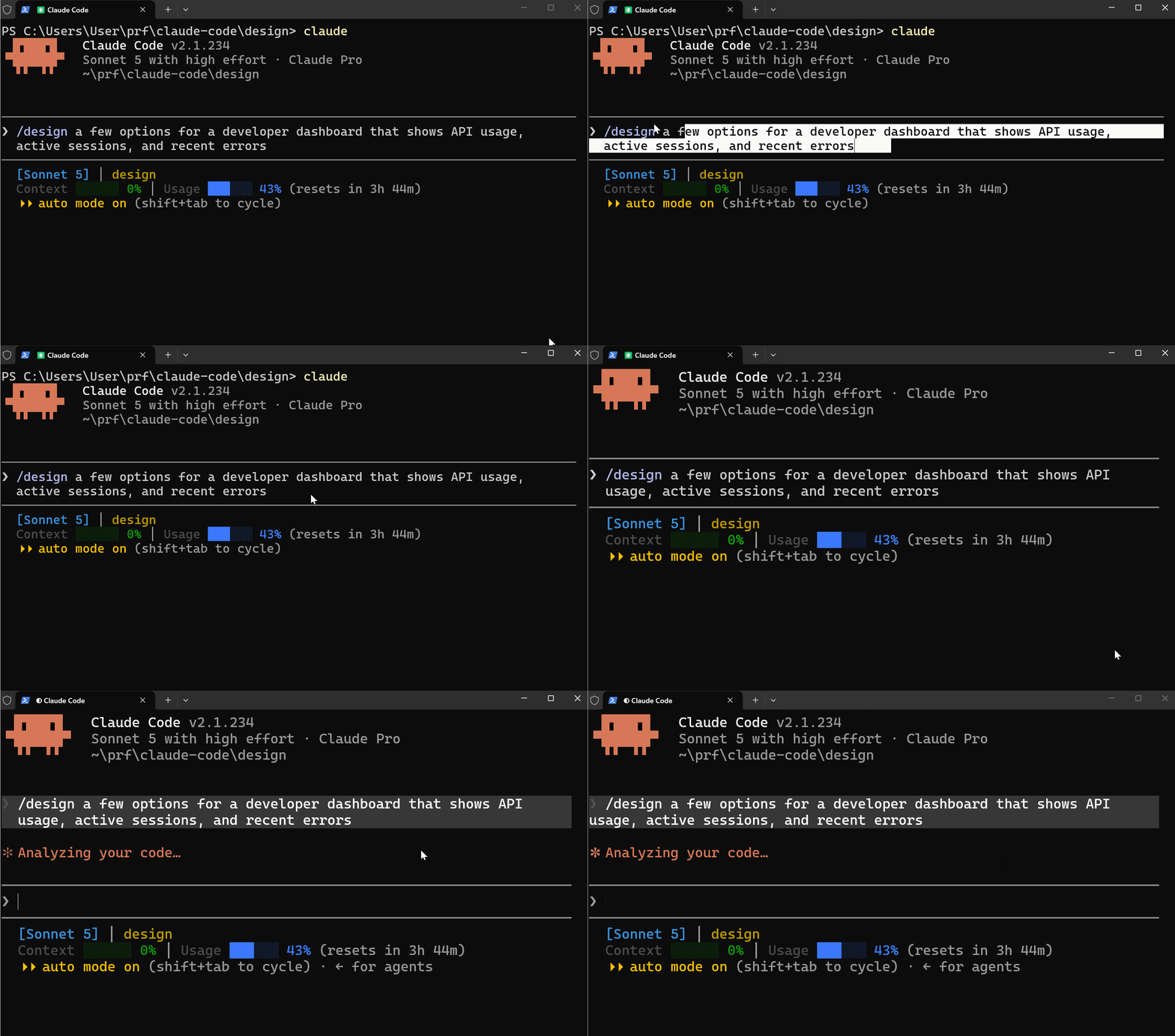
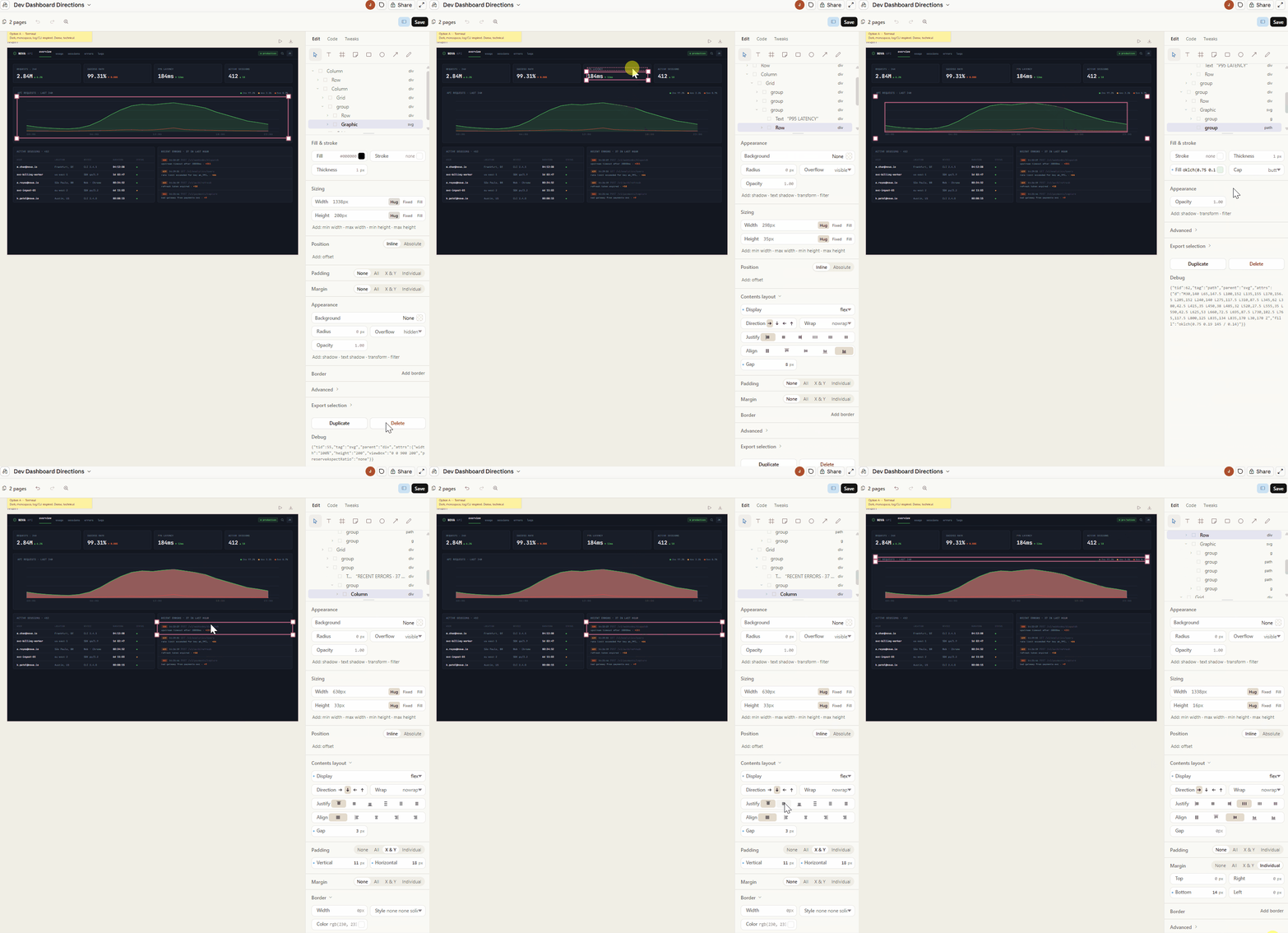
Claude generates multiple UI options and publishes them as a shareable canvas link. You pick one, tell Claude which to implement, and it builds it.
This removes the back-and-forth of describing UI in words.
What to Know
Available on Pro, Max, Team, and Enterprise plans
Requires v2.1.233 or later ( I tested on v2.1.234)
Built on Claude Code artifacts
Works in both the CLI and Claude Code Desktop
How to Use It
/design { Your description of the design you want } Claude prints a link to the published canvas. Open it, pick an artboard, and tell Claude which option to implement.
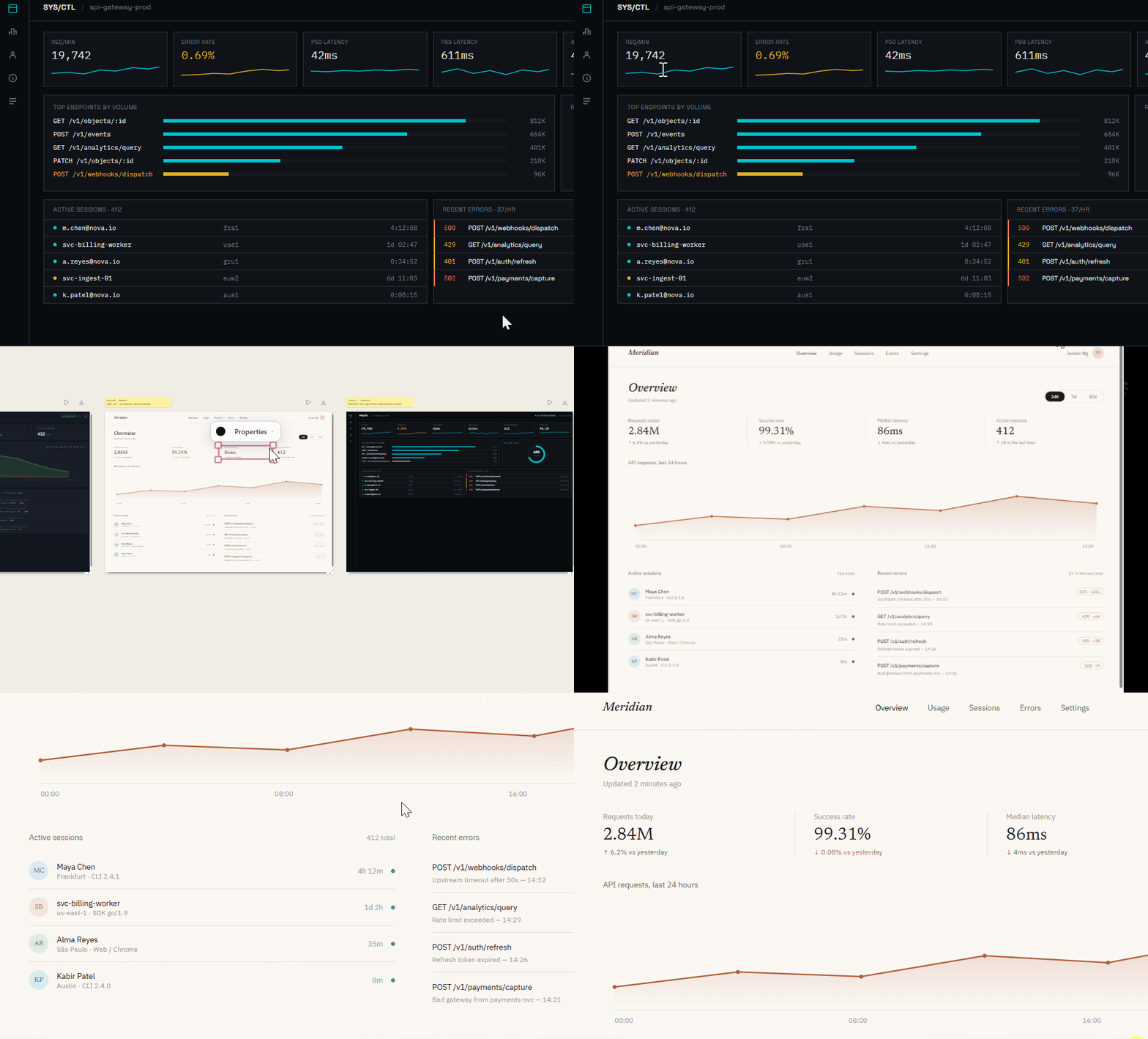
I shared a detailed walkthrough of
/designin my latest tutorial read it here
#2) Concise Output Style — The New Way to Kill Fluff
Version: 2.1.237
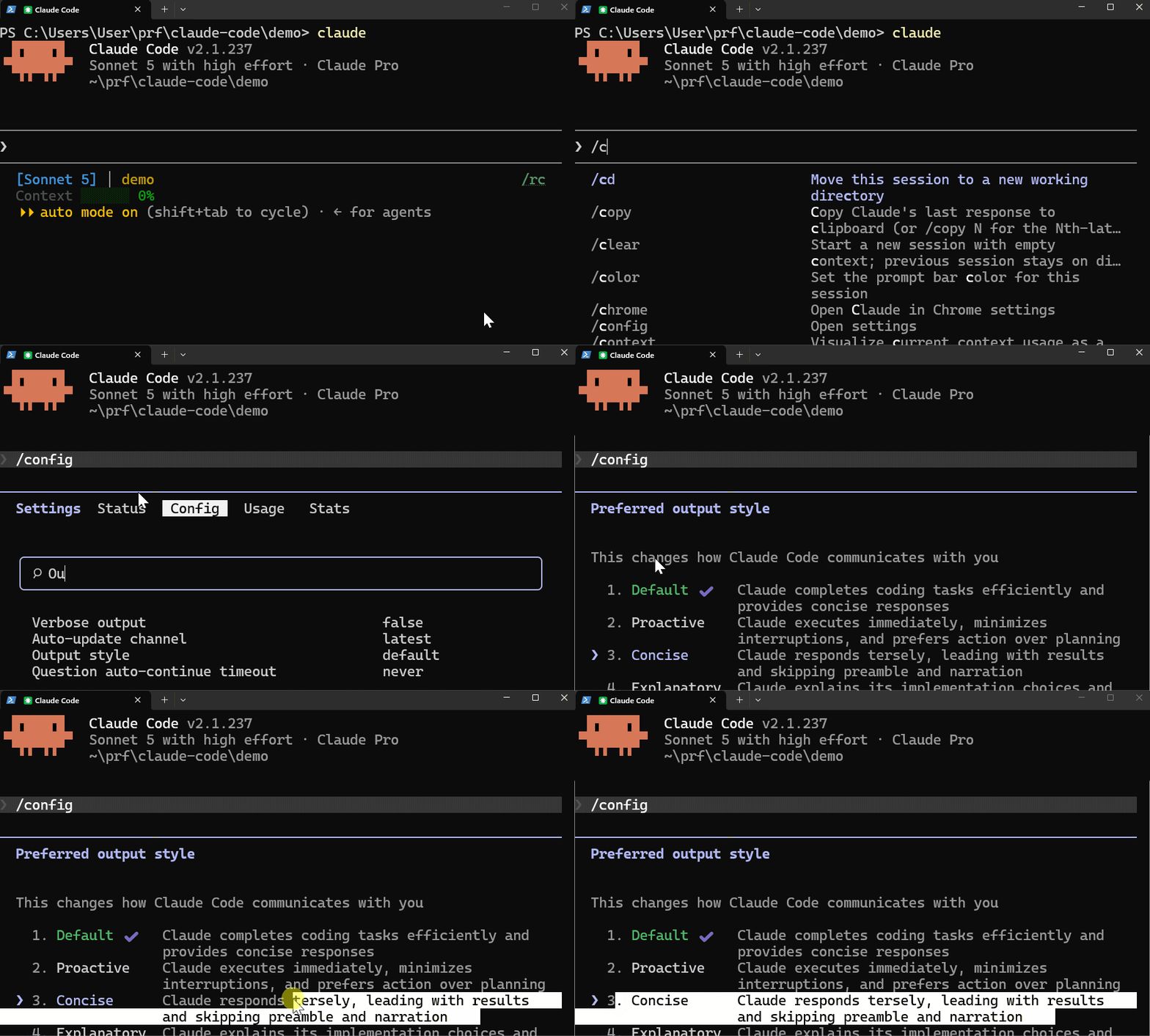
Claude Code v2.1.237 introduced a built-in Concise output style that cuts the verbose reponses.
If you don't like long Claude explanations before it starts working on a task or after completion, concise mode removes that narration.
Five Built-In Output Styles
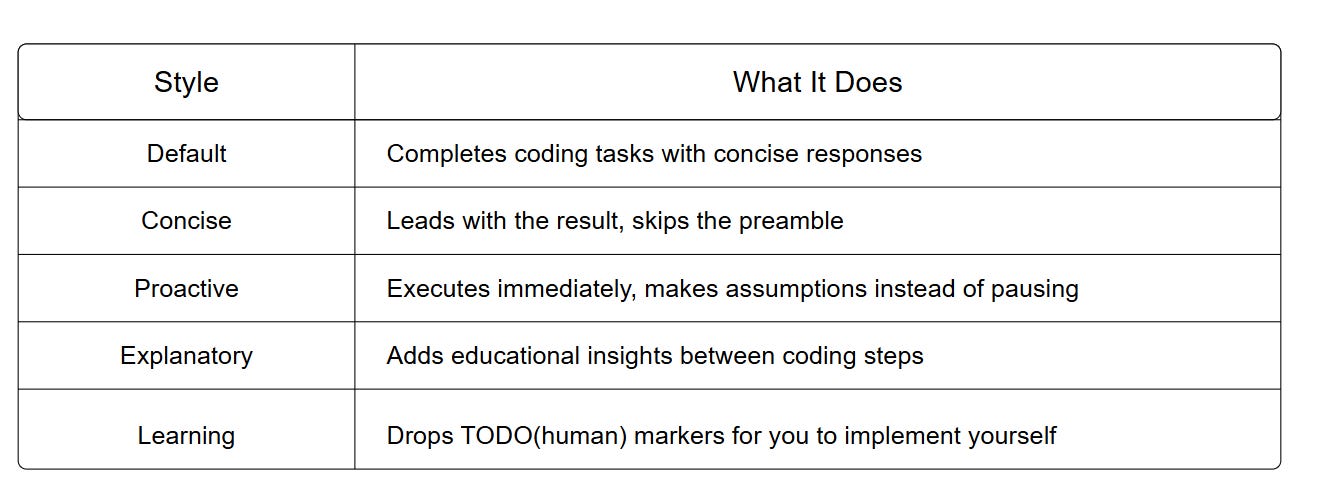
Concise is the new addition. It does the work as Default but skips all narration before and after.
How to Enable It
Option 1 — /config (project-scoped):
/config → Output style → Concise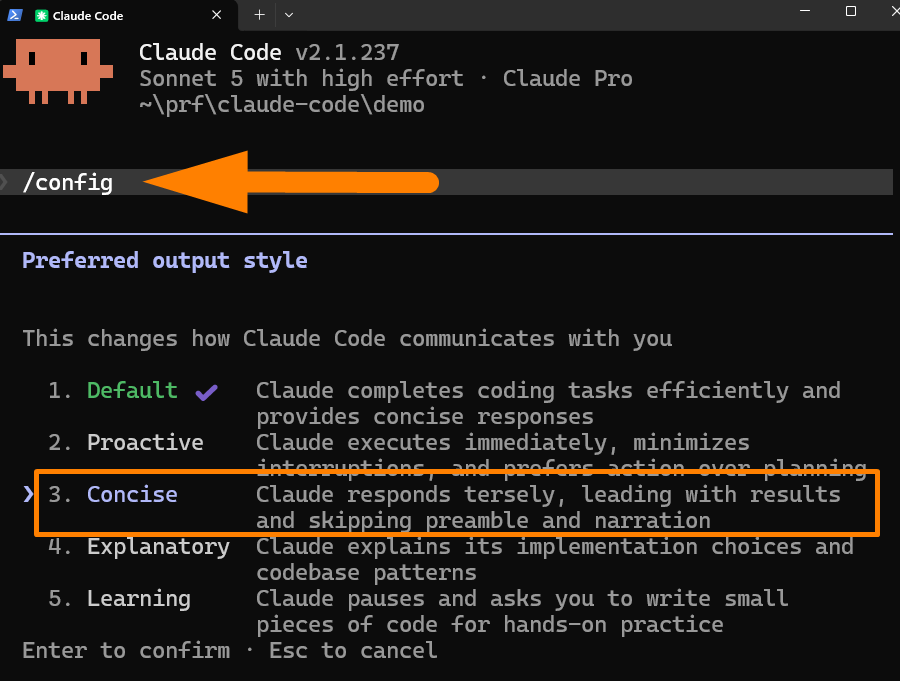
Option 2 — Global settings (applies everywhere):
// ~/.claude/settings.json

{ "outputStyle": "Concise" }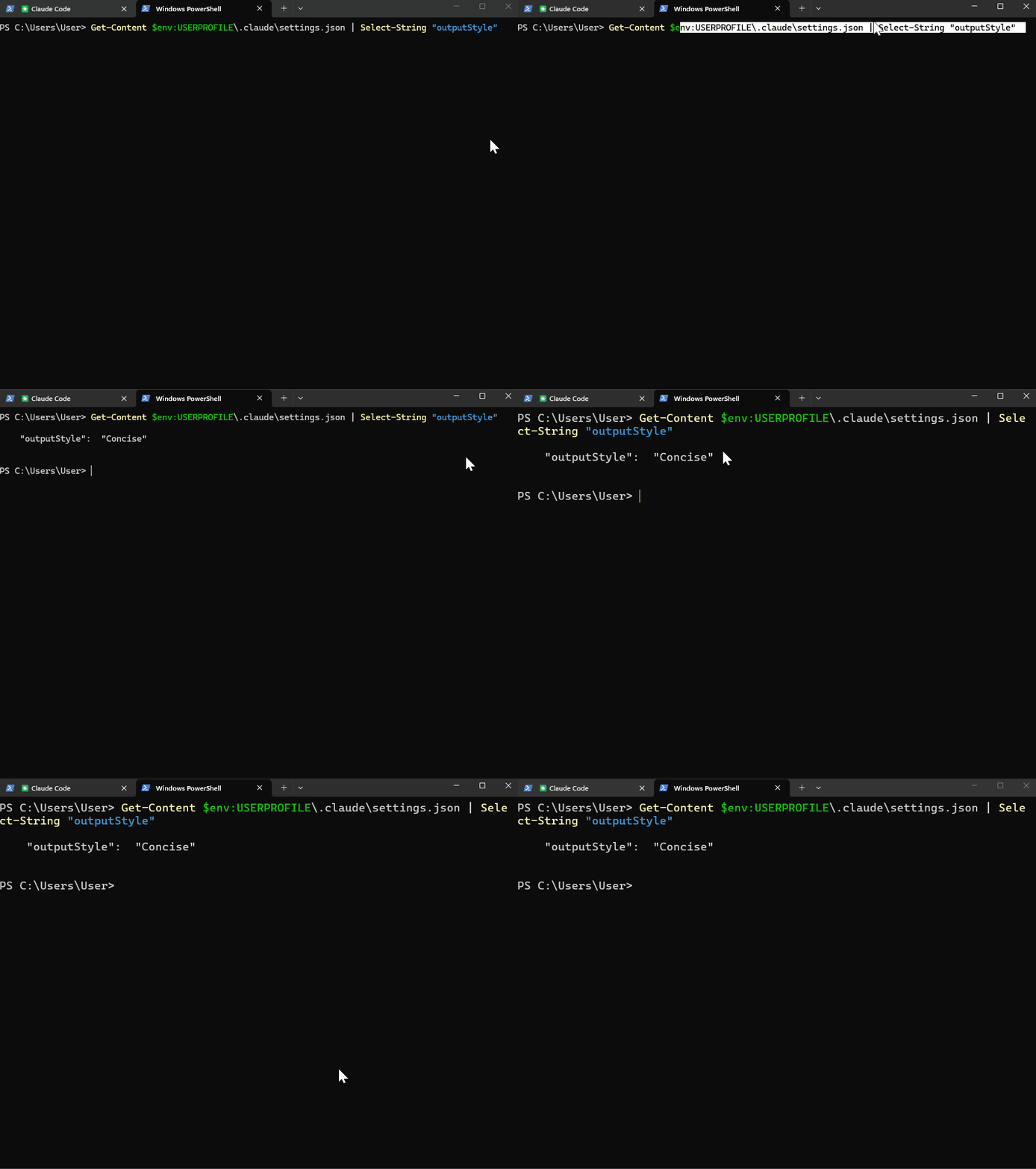
Run /clear after enabling for the change to take effect in your current session.
Note :
Output styles load once at session start if you change a style mid-session and nothing changes until you run /clear.
Custom styles are also supported, you can create and save a Markdown file with frontmatter to:
~/.claude/output-styles/ for personal styles or .claude/output-styles/ for project-level styles shared with your team.
For Example :
---
name: API Impact
description: Frame every change in terms of its API surface effect
keep-coding-instructions: true
---
For every code change, lead with one of three labels: Breaking, Additive, or Internal.
Follow with a one-sentence summary of how the change affects API consumers.
Keep implementation detail in a separate section below.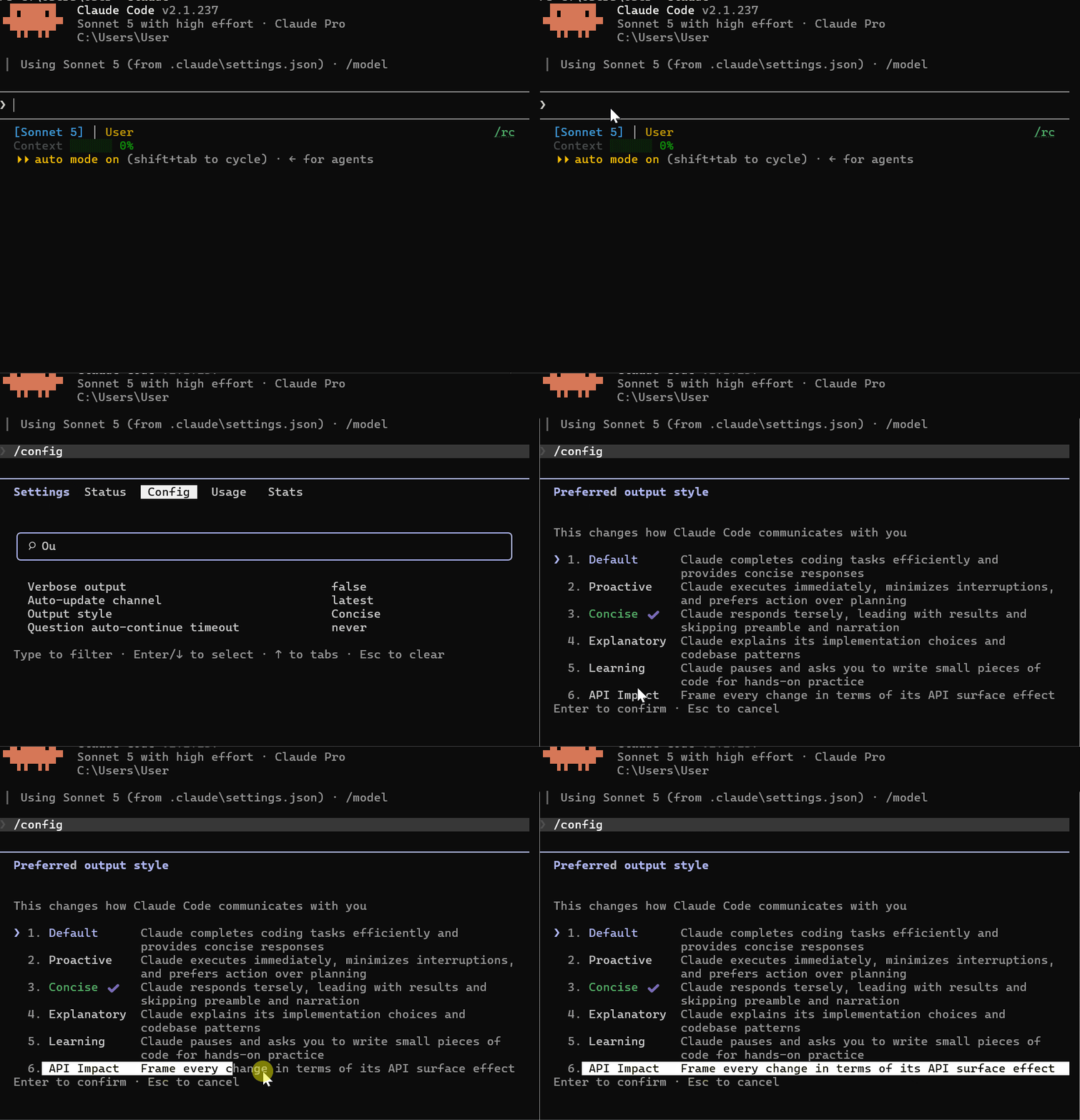
I tested Concise mode and documented all five styles in detail — I Tried Claude Code Concise Mode (The New Way to Kill Fluff)
#3) Fork Mode On by Default — Subagents Now Inherit Your Full Context
Version: 2.1.232
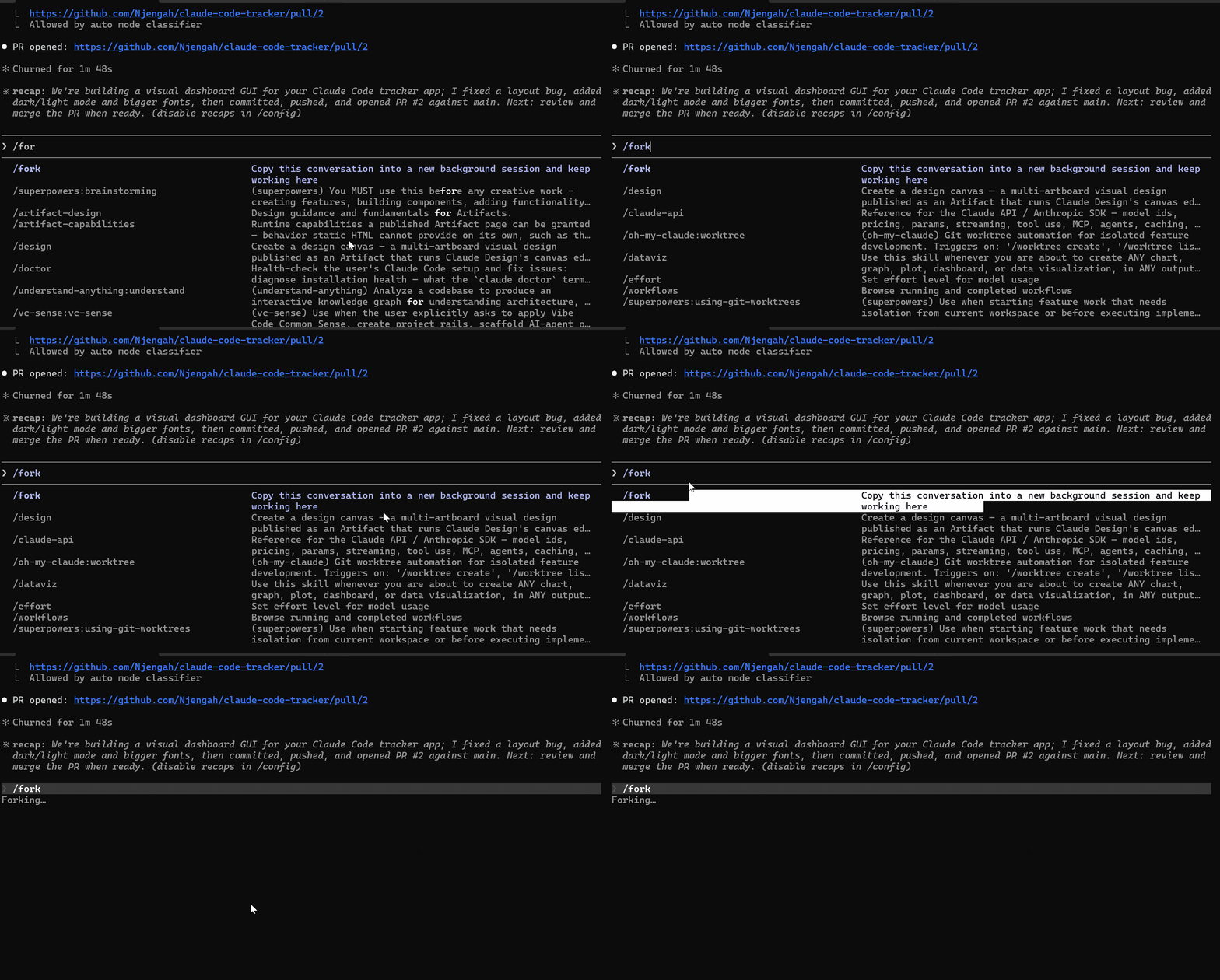
Fork mode is now on by default in interactive sessions.
What Changed
Before this, when Claude spawned a subagent, it started fresh without memory of your conversation, and context from the session.
Now subagents inherit the full conversation and prompt cache from the parent session.
Start a fork with any task that needs everything discussed so far:
/subtask draft unit tests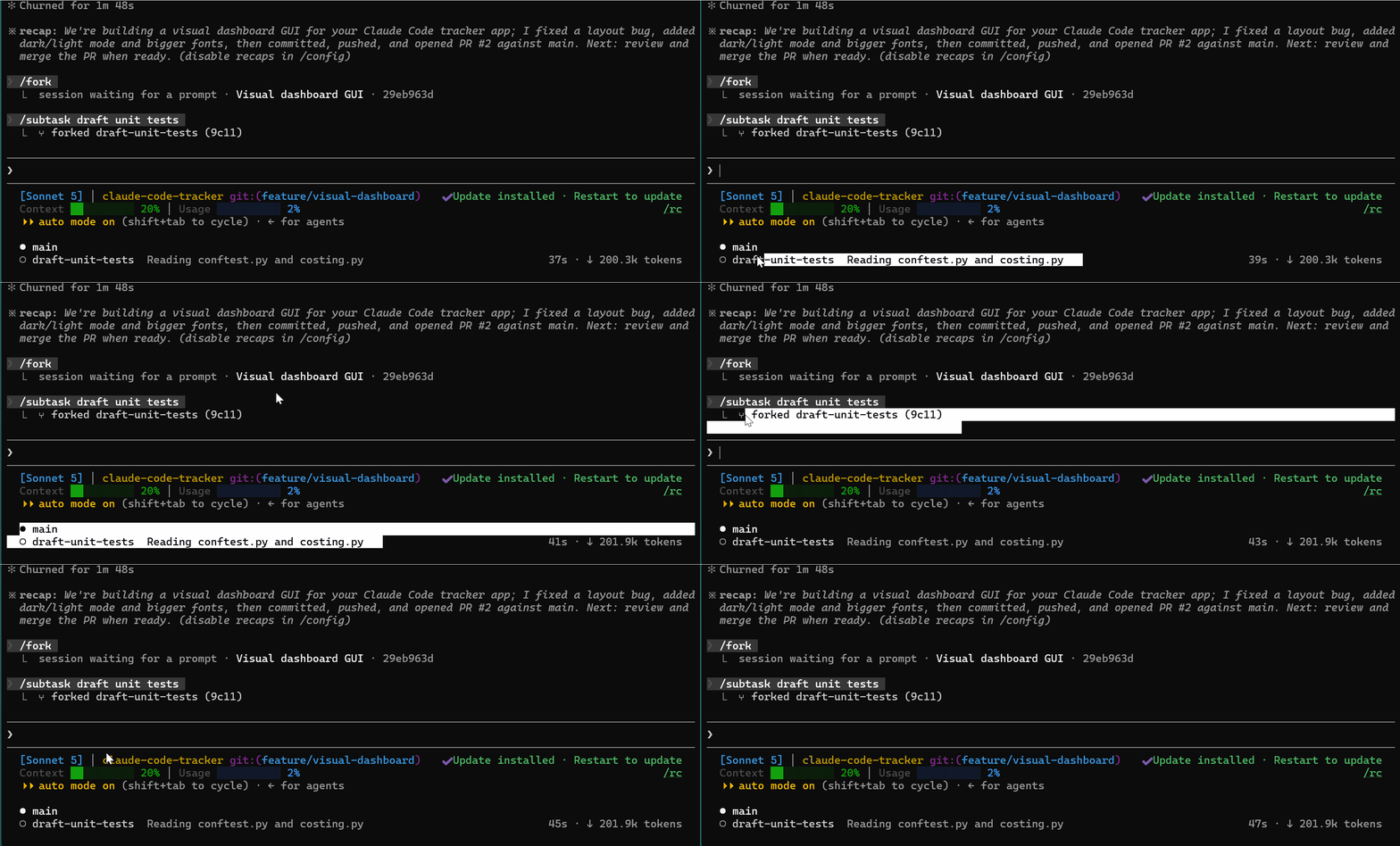
The fork appears in the panel below your prompt. Its result arrives in your conversation when it finishes.
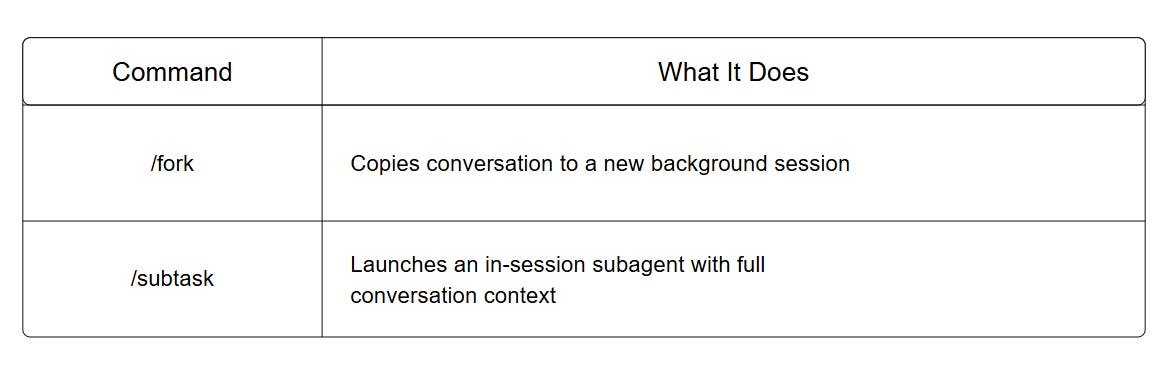
Subagents Claude spawns in interactive sessions now also run in the background by default.
Turn It Off
If you prefer the old behavior:
CLAUDE_CODE_FORK_SUBAGENT=0#4) Quick Wins — @ Sessions, & Auto-Continue
@ Mention Another Session
Version: 2.1.232
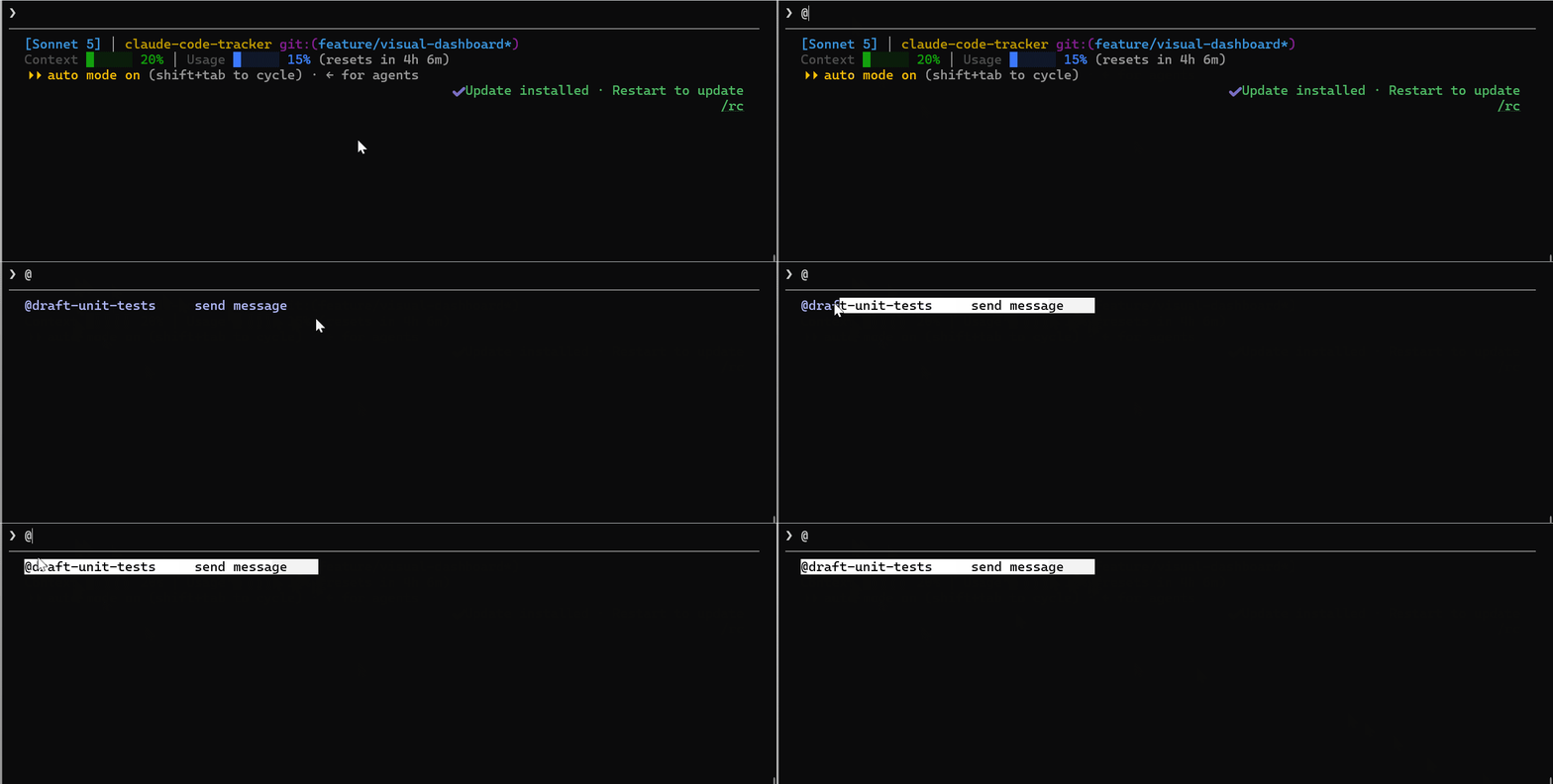
Type @ in the prompt to mention another Claude session by name. Claude messages it directly with SendMessage
@my-backend-session check if the API changes break anything
Auto-Continue After Usage Limit
Desktop
When you hit your session limit in the Claude Code Desktop Code tab, a new Auto-continue when limits reset checkbox appears on the limit card.
Check it and leave the session open. The Desktop app retries the interrupted turn automatically after the limit resets and shows you the retry time.
External Models Testing & Tools

DeepSeek Harness — A Free, Fully Modular Claude Code Alternative
DeepSeek open-sourced its agent harness an open-source alternative to Claude Code that hit 170k+ stars in just a few days after launch.
It is a terminal agent that reads your codebase, runs tools, and writes code autonomously. The difference from Claude Code is that everything inside it is a replaceable plugin.
You can replace the model, sandbox, filesystem layer, shell execution, and agent loop. Claude Code is powerful but its control flow is locked.
How to Install
npx @deepseek-ai/dsh webOr from the repo:
git clone https://github.com/deepseek-ai/deepseek-harness.git
cd deepseek-harness
pnpm install && pnpm run build && pnpm dsh web
The Web UI opens at http://127.0.0.1:3080.
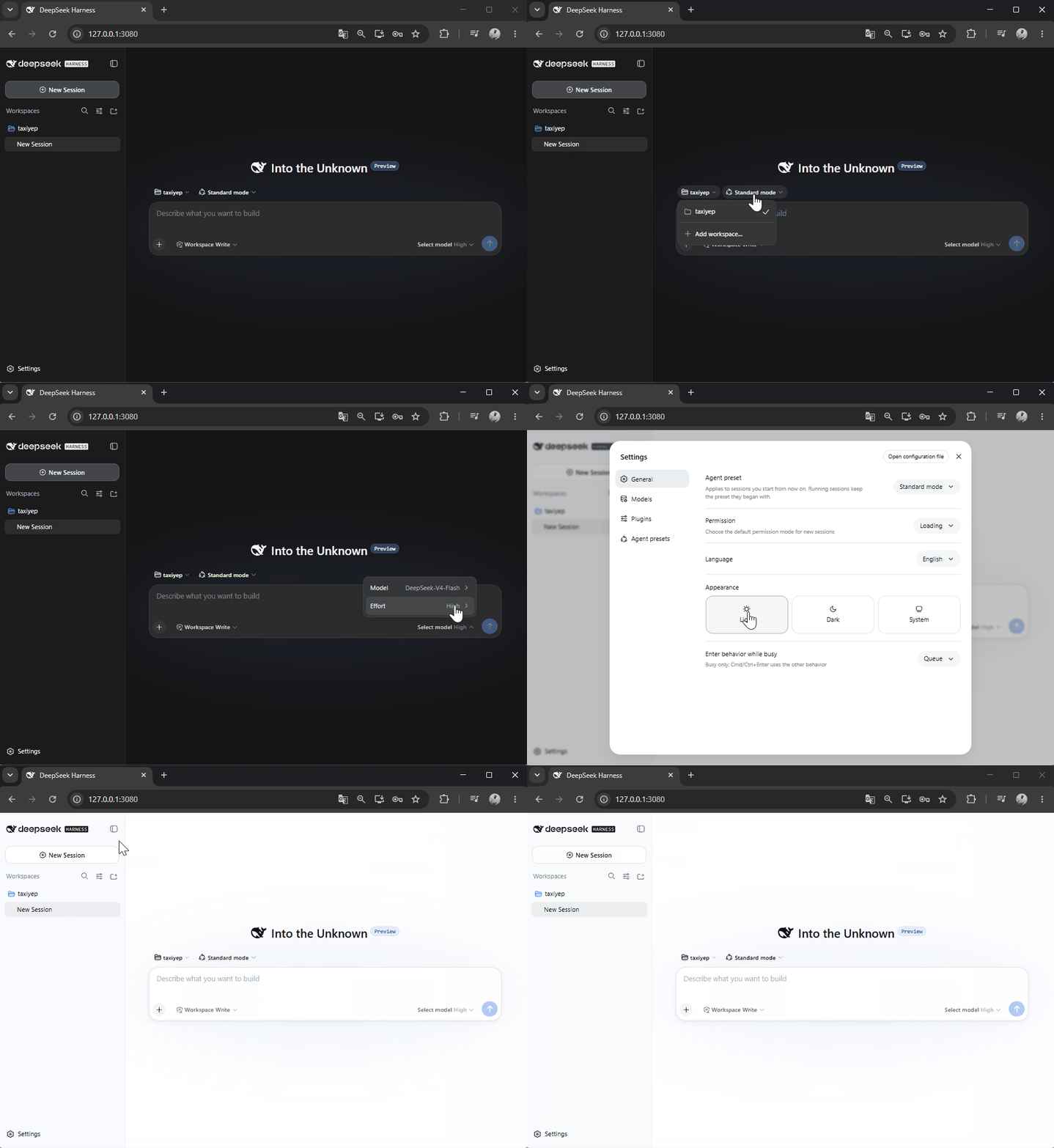
I tested it as a Claude Code alternative and documented the full results.
I Tried the (New) Claude Code Rival DeepSeek Harness — read the full breakdown here
You are now up to date with the latest major Claude Code updates.
I appreciate your support, and feel free to reach out. You can access the premium tutorials, newsletters, and course updates or modules as they are released in our membership area. You can also get in touch with me anytime in our private community, via email, or direct message here on Substack. Claude Code Masterclass Pro is live; join us today and let’s keep this going.
Finally, this newsletter belongs to all of us. If there’s anything that can make it better or something you don’t like, please let me know.
Claude Code Masterclass
Let’s Build It Together
— Joe Njenga