

Hello, thank you for being part of our Claude Code Masterclass community.
We are now 78k members; it’s unbelievable, and I am grateful for every one of you.
Last Week In Claude Code is back.
I have been heads down building the ultimate masterclass course, and I owe you continued updates; let's keep this going.
The good news is that Claude Code has matured a lot since last issue.
The pace of breaking changes has slowed, workflows are more stable, and the updates that have shipped are mostly features you layer on top of what already works.
This issue covers everything significant that was released since Issue #3: late June through mid-July 2026.
I have tested what matters, skipped trivial additions or fixes, and organized it so you can get up to speed fast.
What Happened: Last Few Weeks?
#1) Claude Fable 5 — The Most Capable Model Anthropic Has Ever Released to the Public
Version: 2.1.170 — June 9, 2026
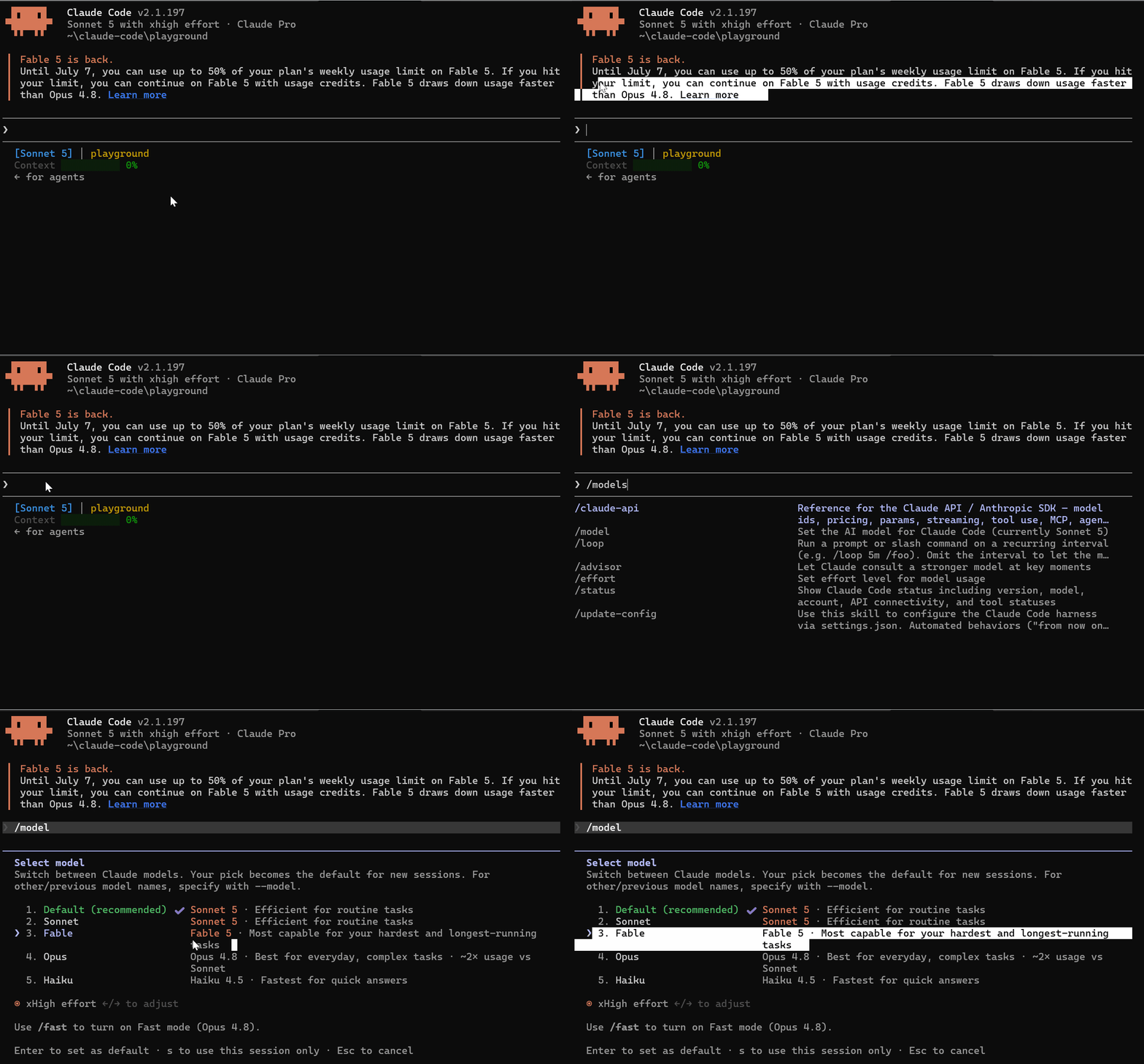
Anthropic released Claude Fable 5 — a Mythos-class model that they have made safe for general use. Their words: “Fable’s capabilities exceed those of any model we’ve ever made generally available.”
Mythos was previously only available to a small number of trusted organizations through Project Glasswing due to cybersecurity concerns.
Fable 5 is the first time that level of capability has been opened to the public.
How to Access It
claude update
Update to version 2.1.170 or later, and you will see Fable 5 in your model picker.
/model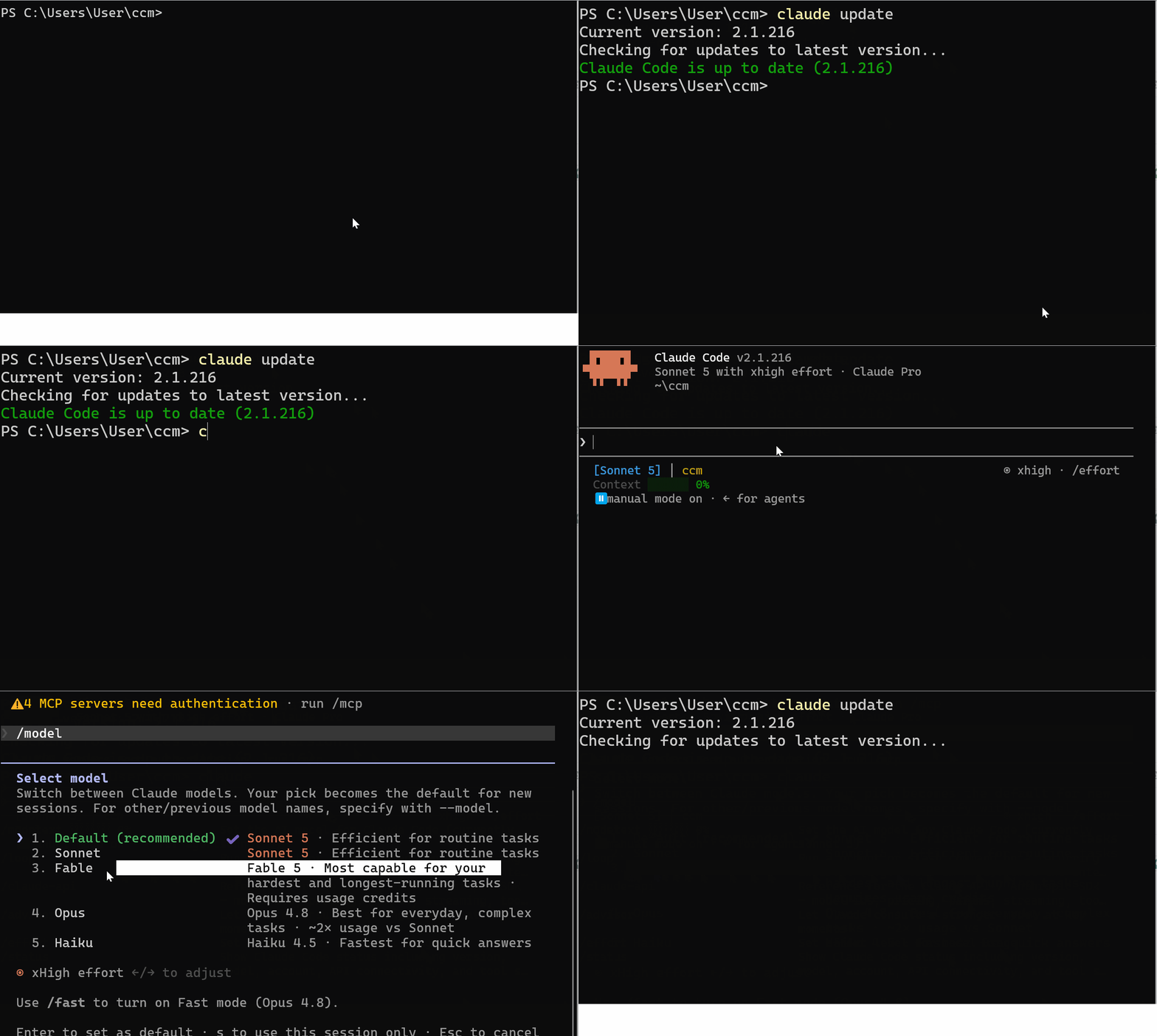
What to Know
Available on Max, Team, and Enterprise plans
Uses usage credits — check your balance before running heavy tasks
The usage limit keeps getting reset, so ensure you follow the updates before using it heavily.
My Take
This is the model to reach for on your hardest problems: architecture decisions, complex debugging, security-critical code reviews.
Tasks where you previously used
ultrathinkand still felt like something was missing.
#2) Claude Sonnet 5 & Subagents in Background — The Default Stack Changed
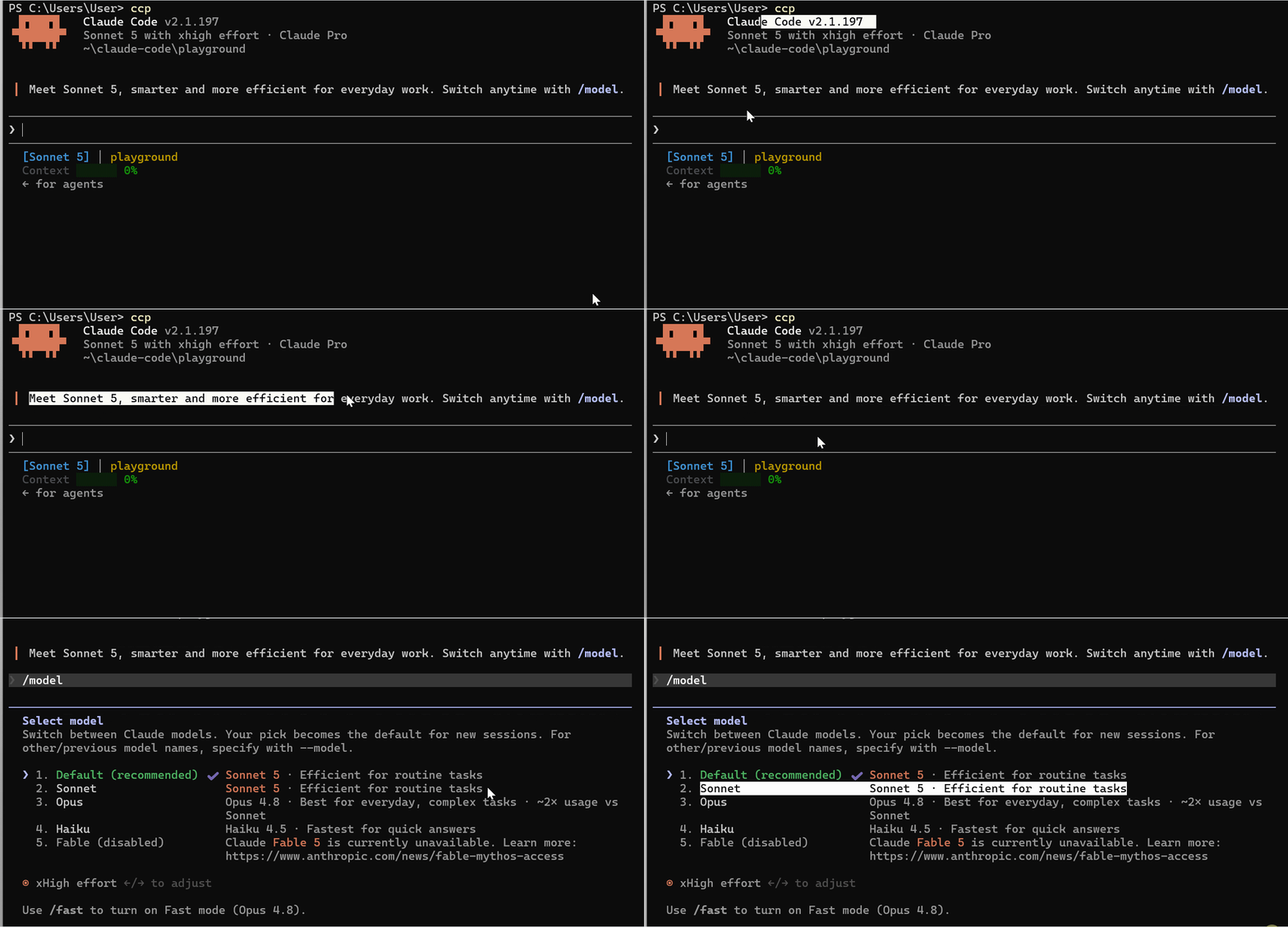
Two big changes were released back-to-back at the end of June.
Claude Sonnet 5 — New Default Model
Version: 2.1.197 — June 30, 2026
Sonnet 5 is now the default model in Claude Code. If you open Claude Code today without picking a model, you are running Sonnet 5.
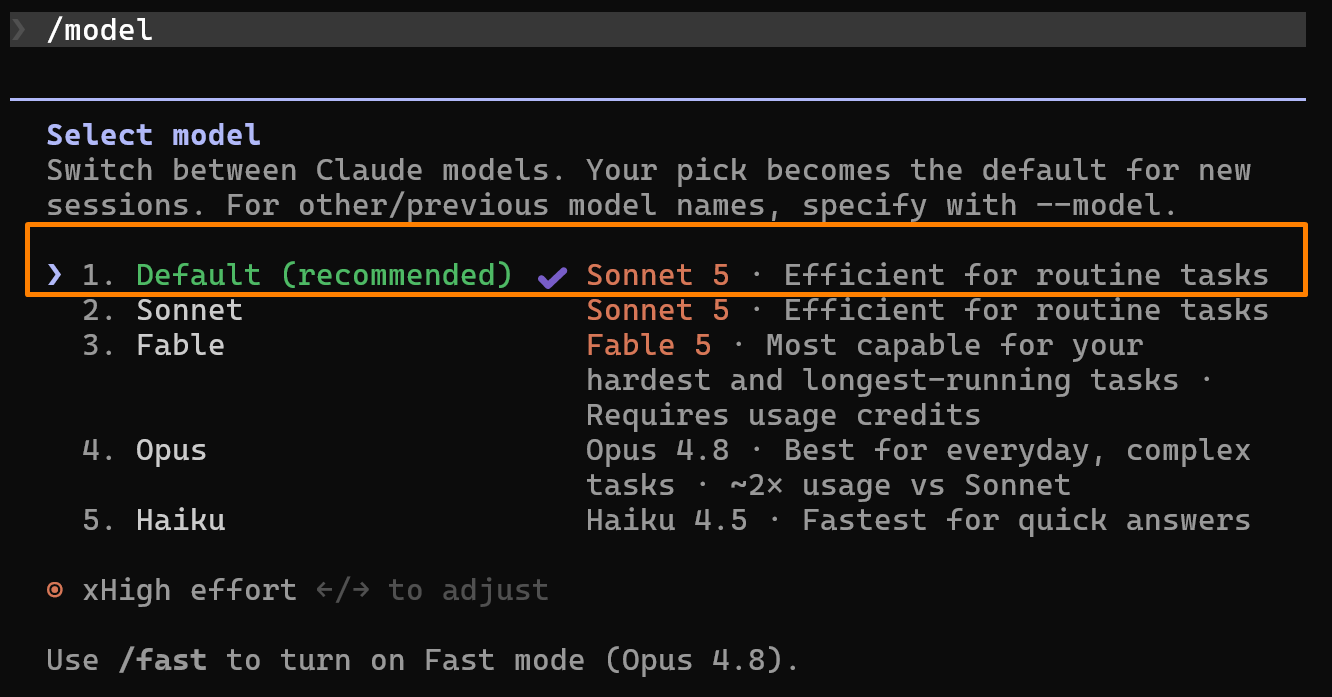
What changed:
1M token context window — native, not an add-on
128k max output tokens
Promotional pricing — $2/$10 per million tokens through August 31, 2026
At that price, with that context, this is the best value model Anthropic has put in Claude Code.
Subagents Now Run in the Background by Default
Version: 2.1.198 — July 1, 2026
This one changes how multi-agent work feels.
Before this, when Claude spawned a subagent, you waited. The main session sat there while the subagent ran.
Now subagents run in the background automatically.
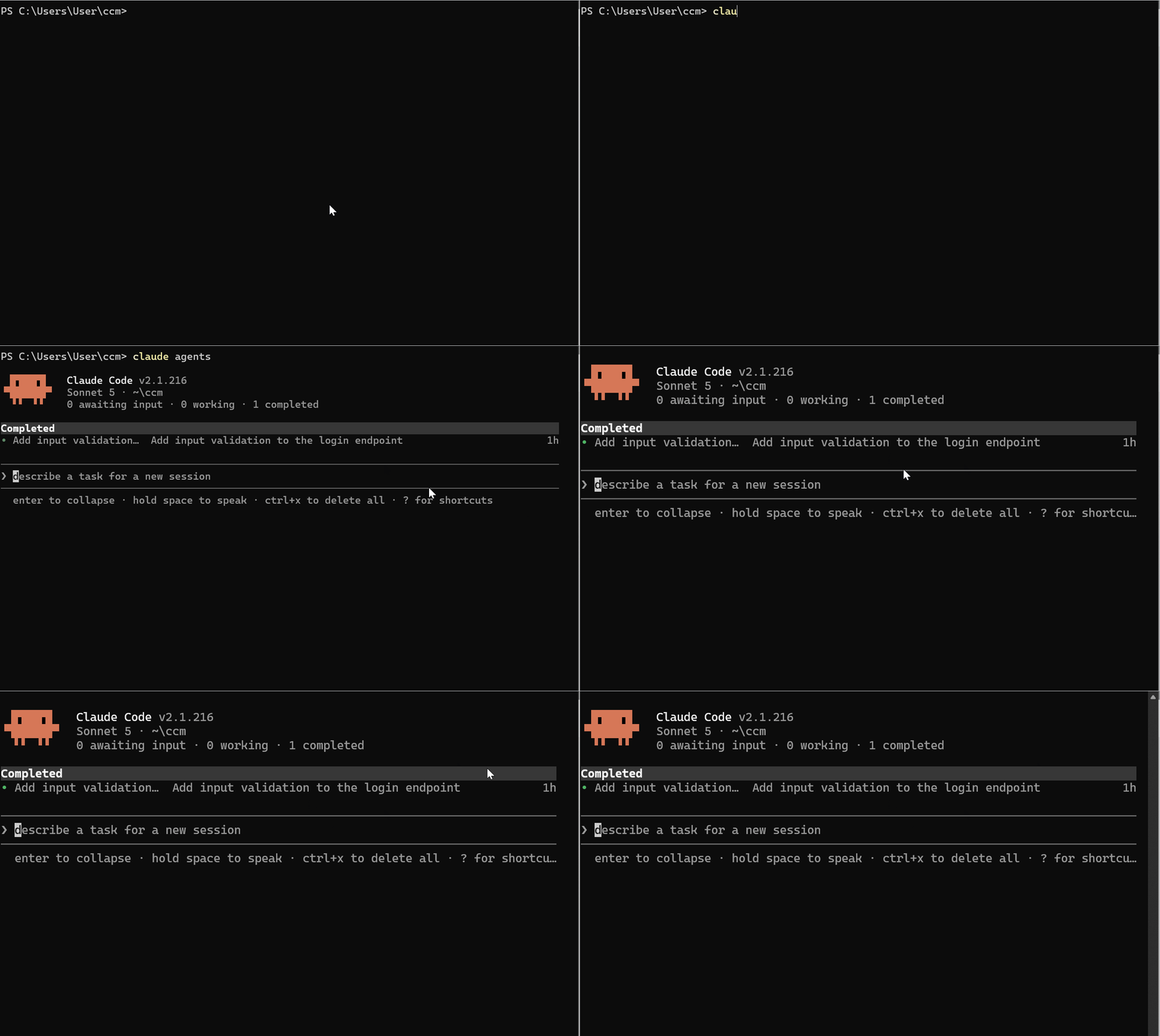
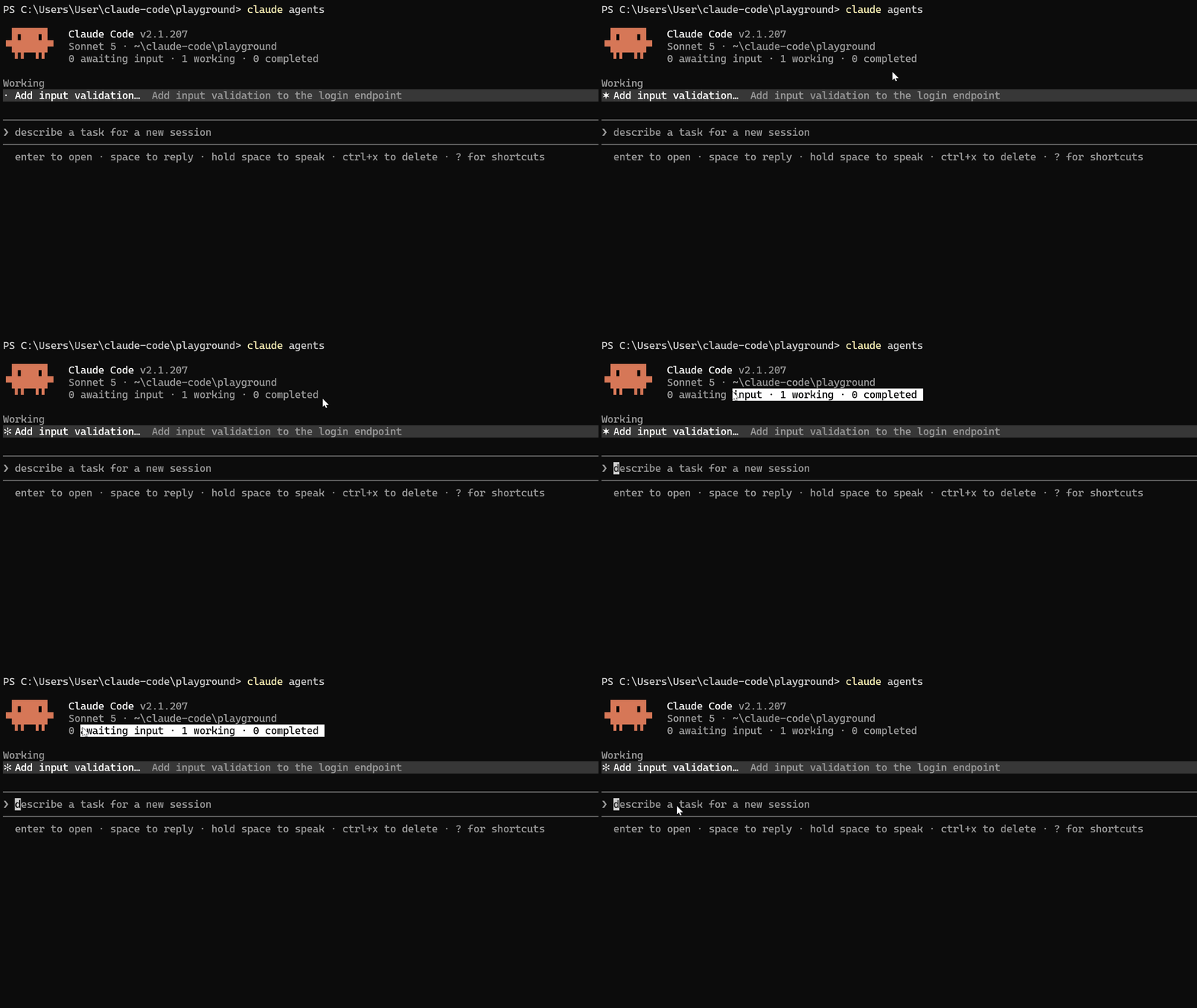
Claude keeps working on other tasks while they run and gets notified when they finish. You can also view the agents by opening the agents panel.
Run this command
claude agents 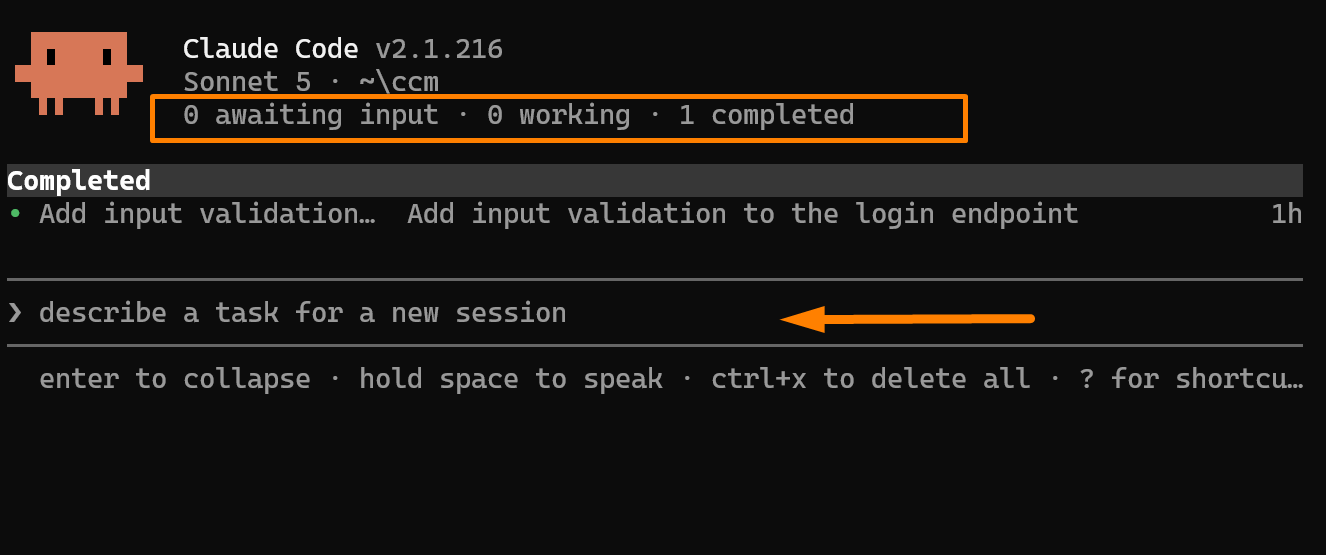
Background Agents :
Claude no longer blocks waiting for a subagent to complete
You see progress in
claude agentswhile the main session stays activeBackground agents that finish code work in a worktree now automatically commit, push, and open a draft PR — without stopping to ask
These two together: a faster default model with 1M context, and subagents that don't block your session make parallel workflows significantly smoother.
#3) /fork, /subtask & Session Caps — Multi-Agent Just Got Guardrails
Version: 2.1.212 — July 17, 2026
Three changes in one release that affect how you manage parallel work.
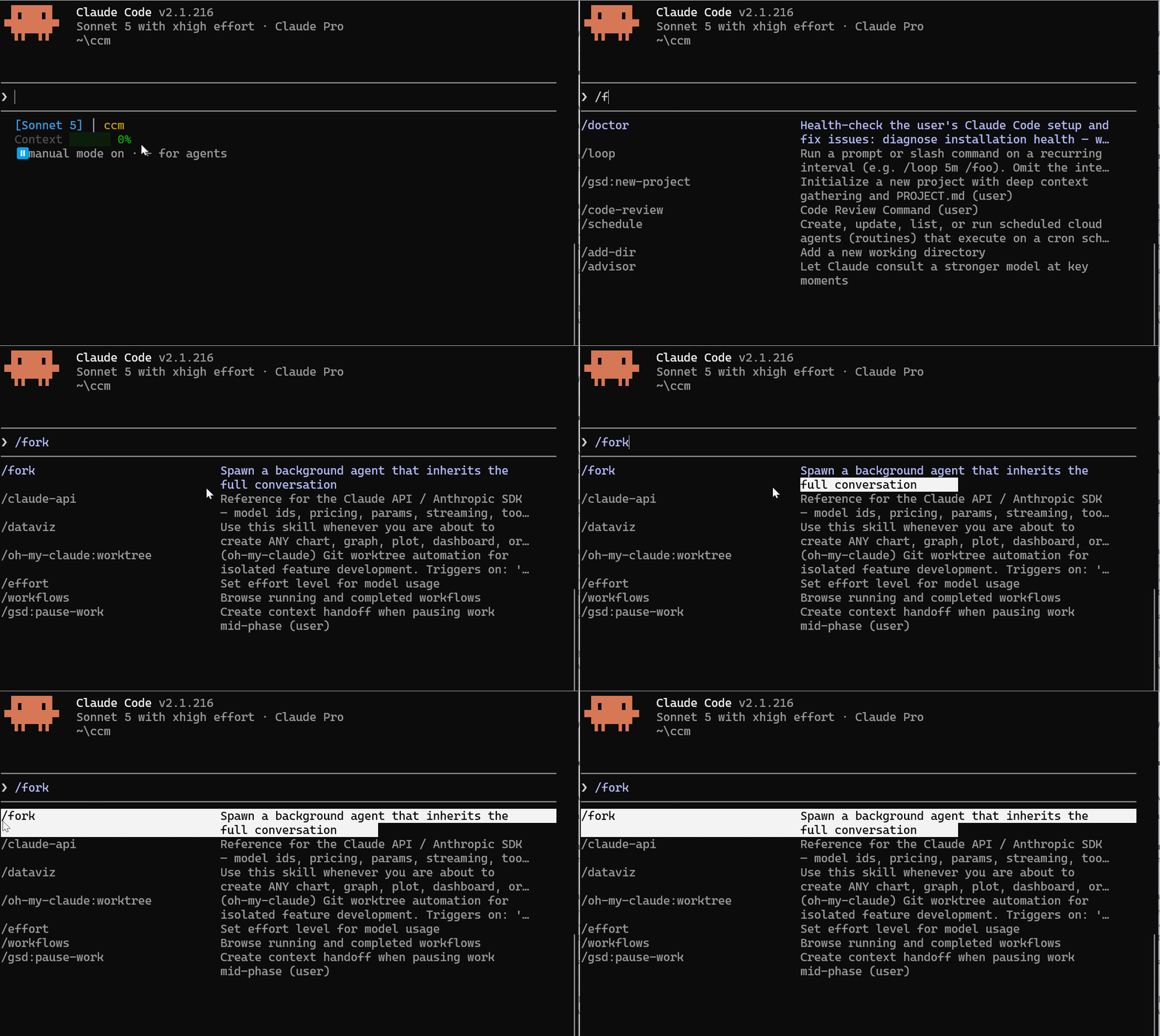
/fork Now Creates a Background Session
/forkused to spin up an in-session subagent — it ran inside your current session, and you watched it work.
Now /fork copies your conversation into a new background session with its own row in claude agents, while you keep working in your current session.
The in-session subagent that /fork used to launch is now /subtask

Session-Wide Caps on WebSearch and Subagents
Runaway loops are now stopped automatically.
# WebSearch calls per session (default 200)
CLAUDE_CODE_MAX_WEB_SEARCHES_PER_SESSION=200

# Subagent spawns per session (default 200)
CLAUDE_CODE_MAX_SUBAGENTS_PER_SESSION=200
Run /clear to reset the budget mid-session.
MCP Tool Calls Auto-Background After 2 Minutes
A slow MCP tool call used to freeze your entire session. Now it moves to the background automatically after 2 minutes so your session stays usable.
# Change the threshold (milliseconds)
CLAUDE_CODE_MCP_AUTO_BACKGROUND_MS=120000

# Disable entirely
CLAUDE_CODE_MCP_AUTO_BACKGROUND_MS=0
#4) Performance & Stability — July Cleaned Up a Lot
Versions 2.1.200 through 2.1.216 (July 3–20) shipped the heaviest round of performance and stability fixes since Claude Code launched.
7x Faster Tool Rounds
Version: 2.1.208 — July 14
Per-tool-call CPU overhead is now cached instead of rebuilt on every call: up to 7x faster at high MCP tool counts. Update, and it works automatically.
Multiple Memory Leaks Fixed
Version: 2.1.208 — July 14
MCP stdio server stderr accumulating up to 64 MB per server
LSP documents staying open indefinitely — now capped at 50
Async hook output retained after backgrounding
Unbounded growth in SDK sessions from large tool-result payloads
If you have been hitting slowdowns in long sessions, this is the update.
Live Elapsed-Time Counter on Tool Calls
Version: 2.1.210 — July 14
Long-running tool calls now show a live ticking counter.
Before this, a slow tool call looked completely frozen with no indication it was still running.
/verify and /code-review Now Manual Only
Version: 2.1.215 — July 19
Claude no longer runs these on its own: you invoke them directly when you want them:
/verify
/code-review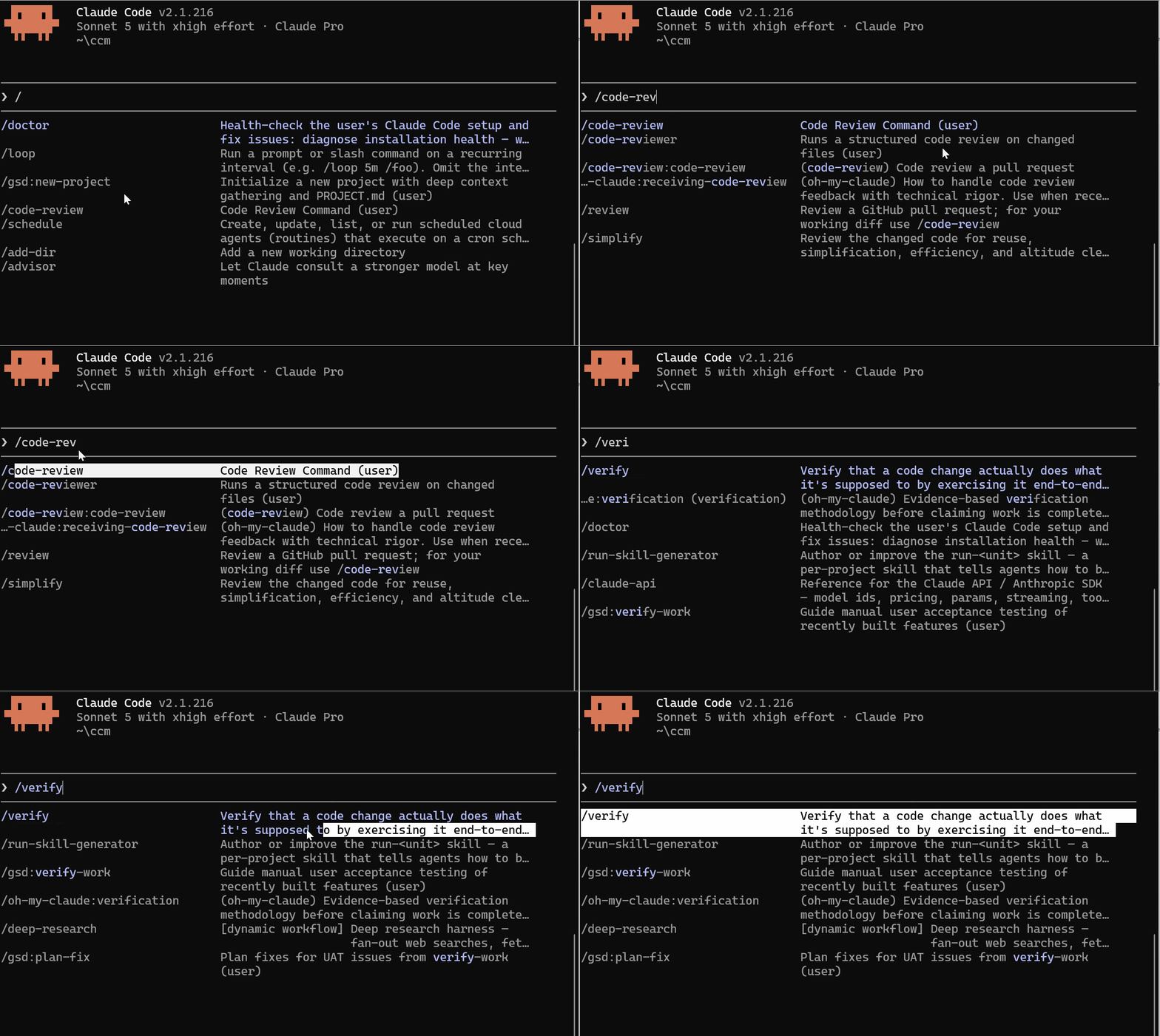
Permission Mode Renamed to “Manual”
Version: 2.1.200 — July 3
Update your config to stay current:
{ "defaultMode": "manual" }--safe-mode — Troubleshoot Without Your Config
Version: 2.1.169 — June 8
Start Claude Code with everything disabled: CLAUDE.md, plugins, skills, hooks, and MCP servers; all turned off in one flag.
claude --safe-mode

# Or via environment variable
export CLAUDE_CODE_SAFE_MODE=1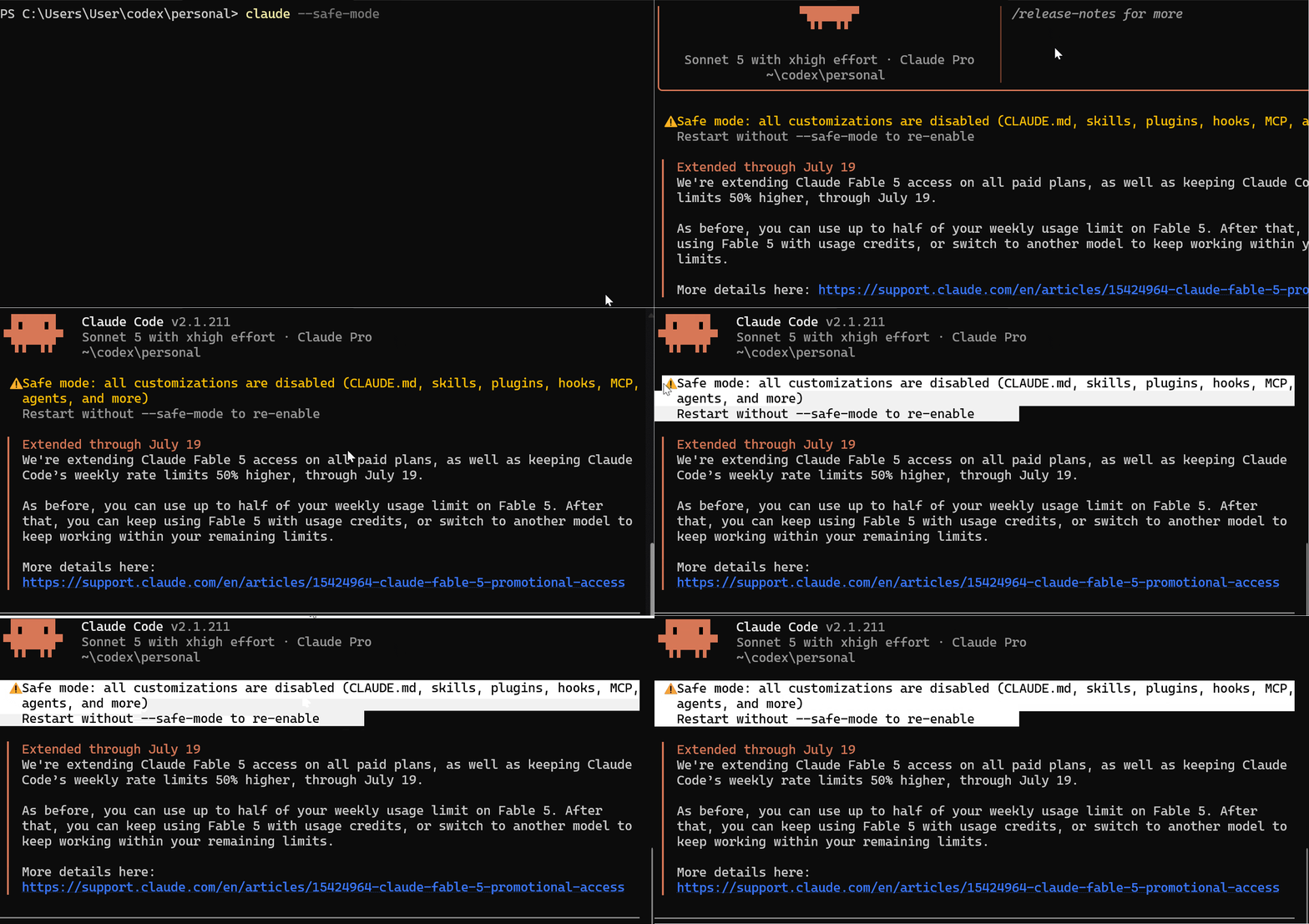
Useful when something is broken, and you need to isolate whether it is your configuration or Claude Code itself.
Before this, debugging a broken session meant manually disabling things one by one. Now you start clean in one command and add things back until you find the problem.
I shared a detailed review here on the Medium tutorial.
That’s everything significant since Issue #3.
I know it’s been a while. I appreciate the patience and the messages from those of you who reached out, asking when the next issue is coming. That means more than you know.
The plan from here is back to weekly issues, no more gaps. If there is a feature you want me to test and break down, reply to this email and let me know.
Tomorrow I will publish the Hooks Masterclass, which has been long-time coming — Thank you once again!
See you next week in Last Week In Claude Code
Finally, this newsletter belongs to all of us. If there’s anything that can make it better or something you don’t like, please let me know.
Claude Code Masterclass
Let’s Build It Together
— Joe Njenga