

Hello, thank you for being part of our Claude Code Masterclass community.
We are now 28k+ members (and I’m honestly blown away by your support, your pledges, and the incredible energy you’ve brought) — I’m grateful for every single one of you!
I am working day and night to deliver the best practical Claude Code education material.
This is the #3 issue in the Last Week In Claude Code series — /btw, /voice full test, 1M context window, and diagrams & charts.
Last week brought some useful Claude Code updates: a command to chat while Claude works, voice mode now rolled out to everyone (I built a full app with it), a 1 million context window for Opus and Sonnet, and a diagrams feature that might replace Canva for technical visuals.
What Happened Last Week In Claude Code?
#1) /btw Command — Chat While Claude Works
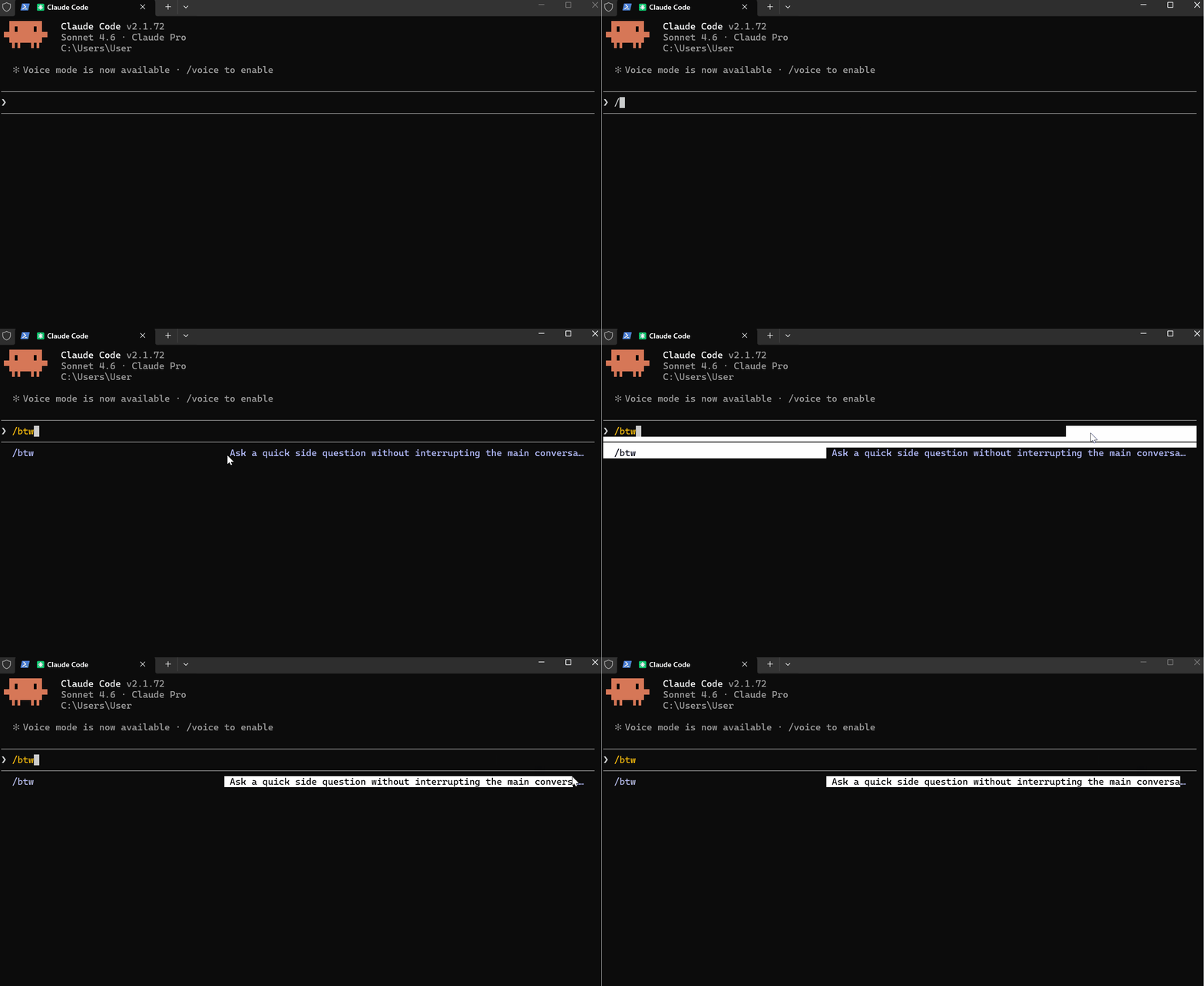
Claude Code /btw lets you ask side questions while Claude is working on a task.
If you’ve been mid-task, watching Claude work through a complex operation, and suddenly have a question, you either wait or interrupt.
The /btw command fixes this.
How It Works
/btw <question>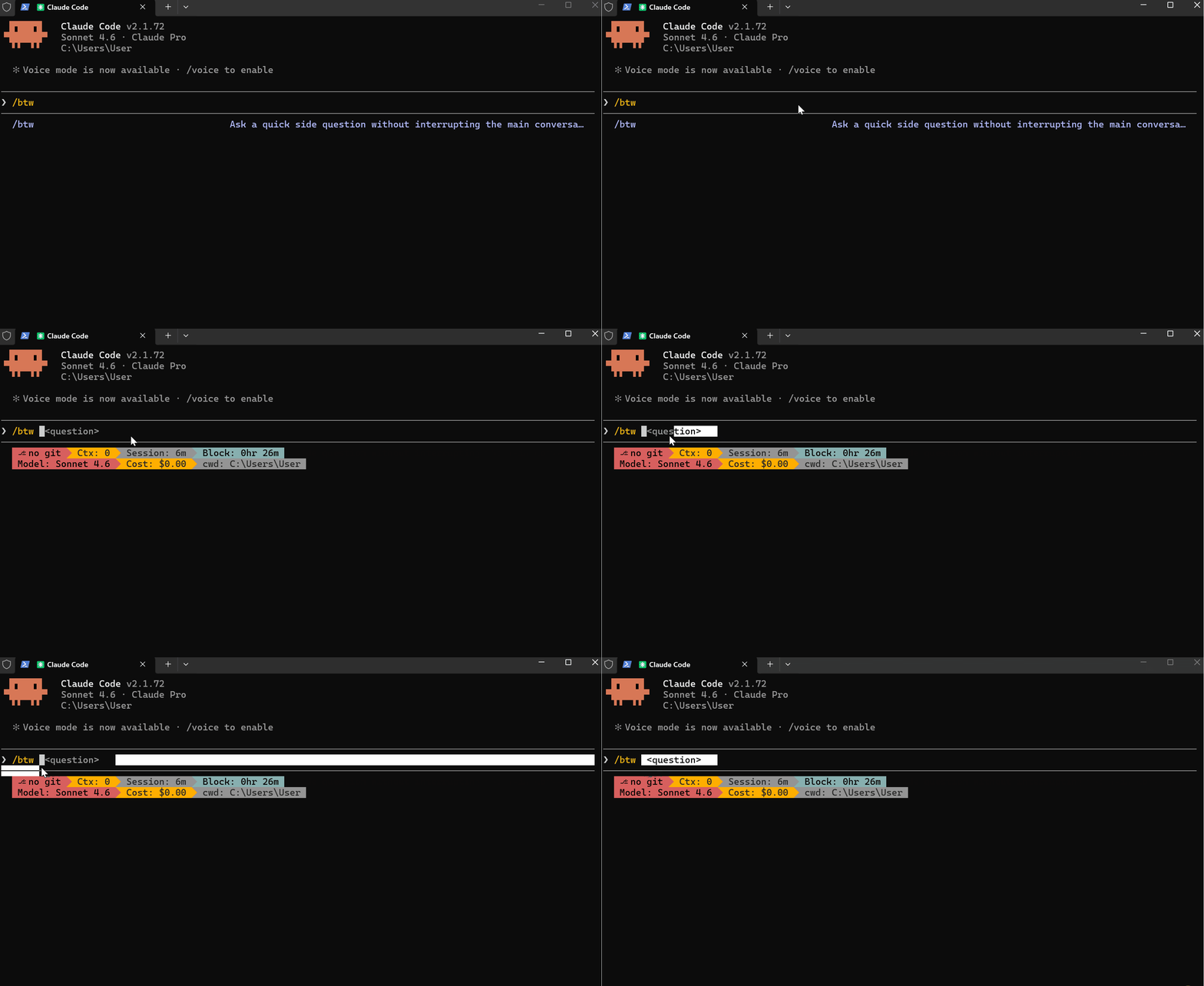
For example:
/btw what does retry logic do?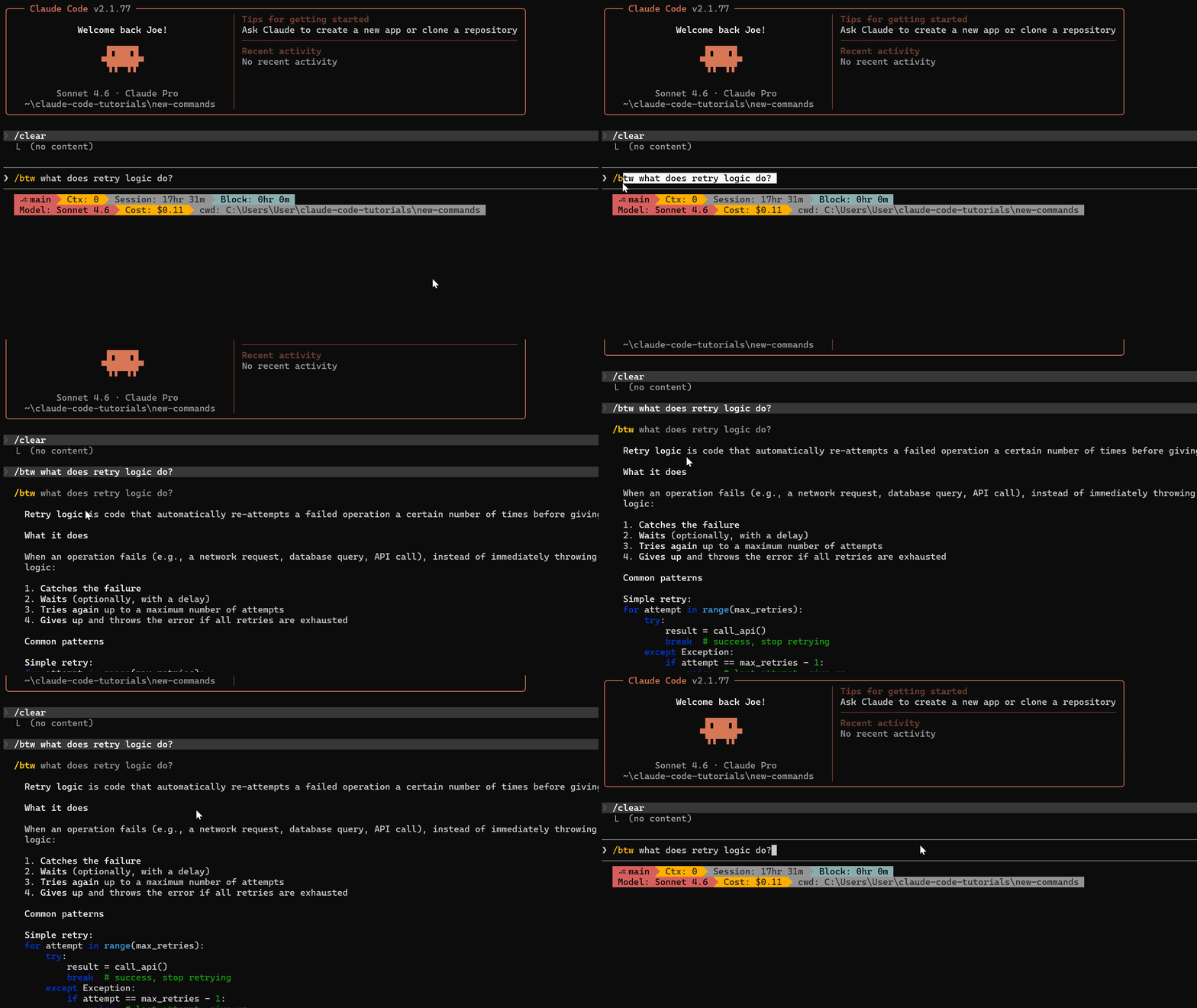
Claude opens an overlay with the answer. Your main task continues running in the background.
Press Space, Enter, or Escape to dismiss it and return to your session.
Key Features
Runs in parallel — Your main task doesn’t pause or wait
Overlay response — Answer appears in a pop-up, not inline
No history pollution — The side question doesn’t get added to your main conversation context
Single-turn only — You get one response, no back-and-forth
No tool access — The response comes from Claude’s knowledge and current session context
Requirements
Available in Claude Code version 2.1.72 and later.
claude --version
claude update
I tested /btw with real examples and documented the setup and use cases.
You can learn more here — I Tried (New) Claude Code /btw Command (Now You Can Chat As You Code)
#2) /voice Full Test — I Built a Complete App With Voice
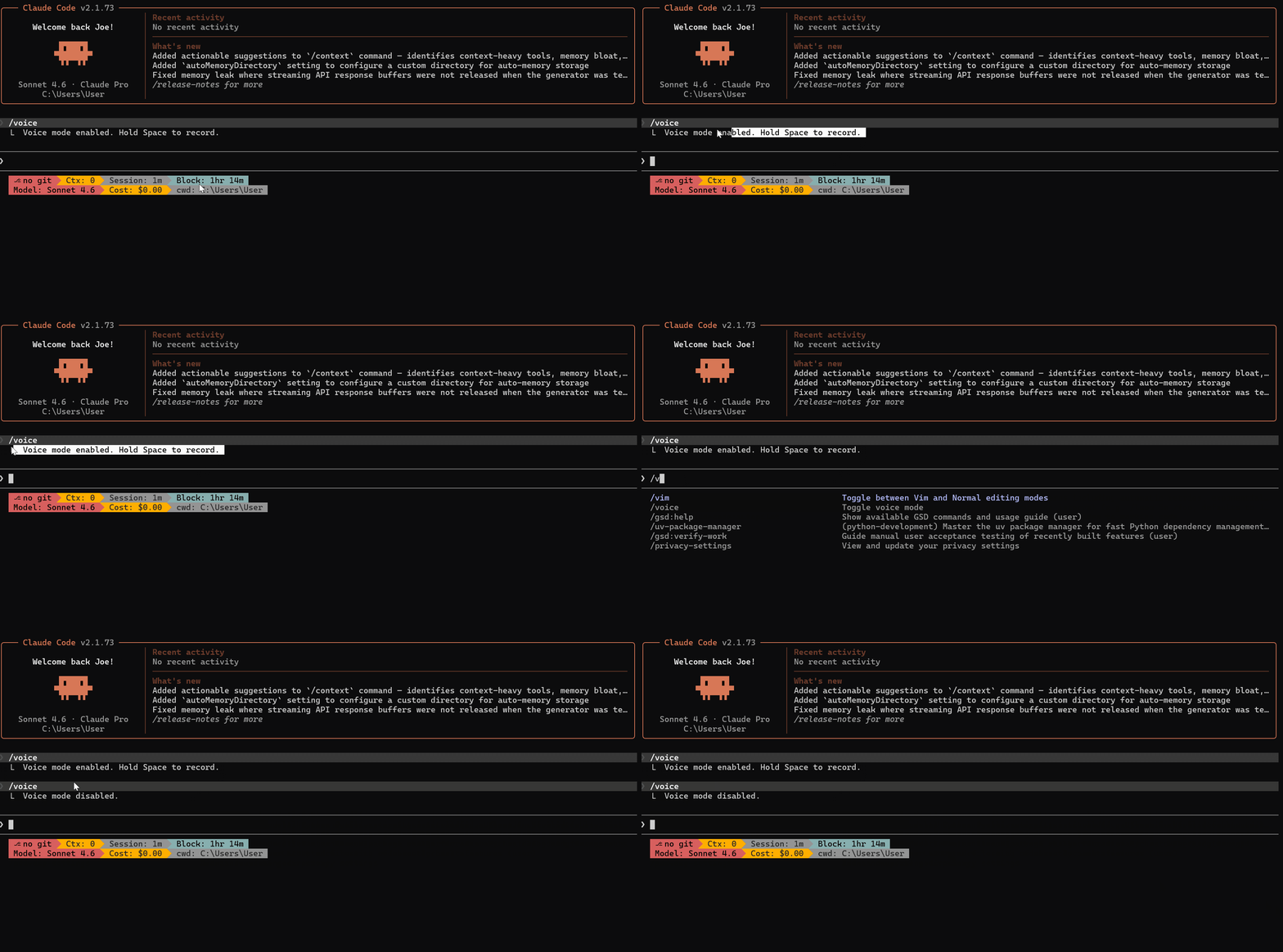
Anthropic rolled out Claude Code /voice to all users. I put it through a real build.
Last week I introduced /voice, but didn’t have access. Now I do — and I built a food ordering system entirely with voice.
The Build
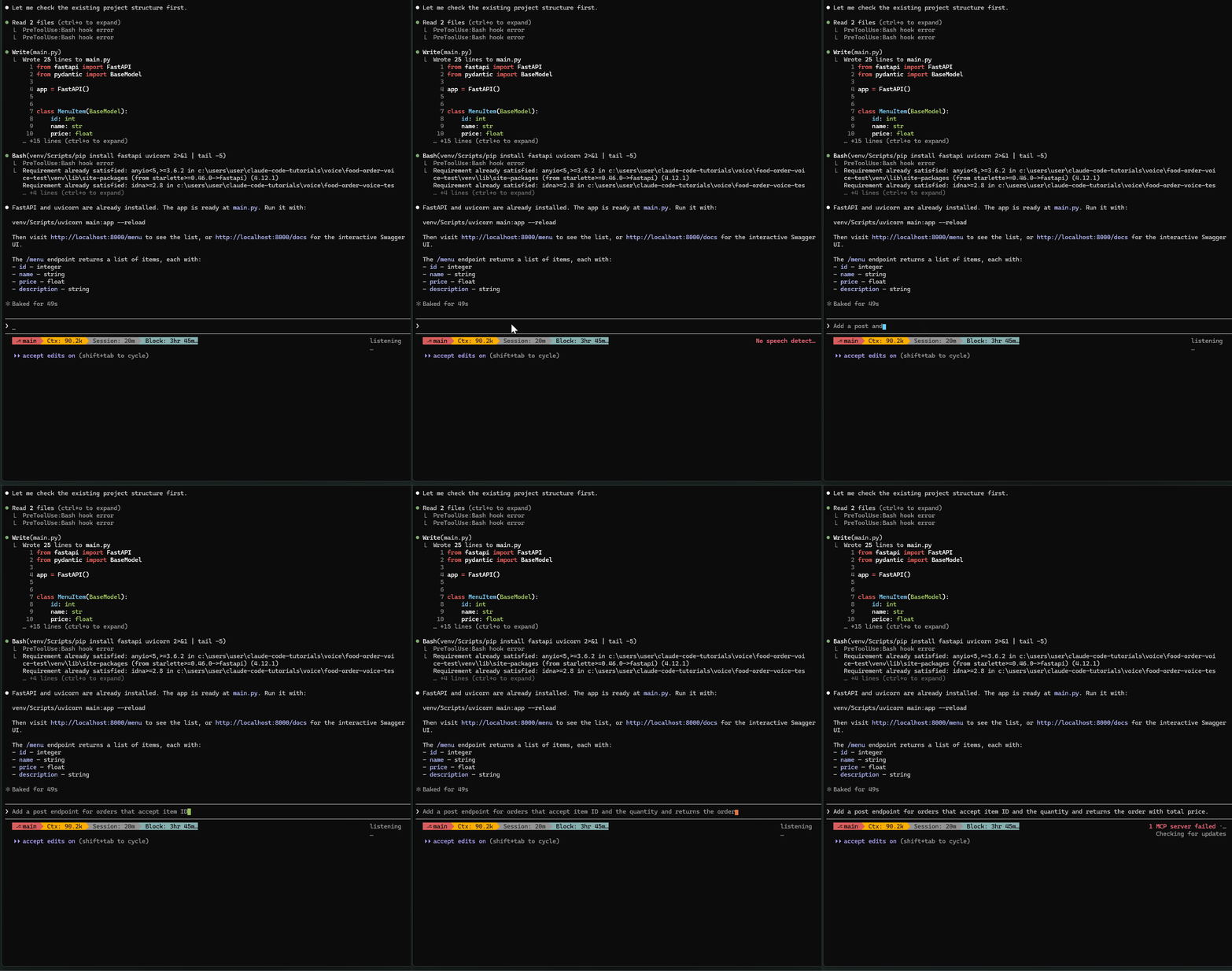
Backend: FastAPI with menu and order endpoints
Frontend: Vanilla JavaScript to display the menu and place orders
This forced me to dictate real code, handle multiple files, and see how fast voice coding is.
How It Works
Type /voice to toggle it on.
Push-to-Talk: Hold Space, speak, release. Your words stream in real-time at your cursor.
Hybrid Prompts: Type half a prompt, hold Space to voice the messy middle, keep typing.
Fix the auth middleware in [hold Space] — the token validation
is failing silently when the expiry timestamp is malformed,
it should throw a proper 401 [release] — and add a test for it.
What I Found
The transcription picked up “manual endpoint” instead of “menu endpoint” — but Claude understood the intent and generated the correct code.
25 lines of clean backend code with proper type hints. The frontend came together just as fast.
What You Get
No extra cost — Voice transcription doesn’t count against rate limits
Cross-platform — Works on macOS, Linux, and Windows
No cloud dependency — Runs locally inside your Claude Code session
Voice mode is now available to everyone. Check your Claude Code welcome screen.
You can learn more here — I Finally Tested Claude Code /voice — It’s Faster than Typing (Don’t Waste Time)
#3) 1 Million Context Window — Opus 4.6 & Sonnet 4.6
Anthropic added a 1-million-context window to Opus 4.6 and Sonnet 4.6.
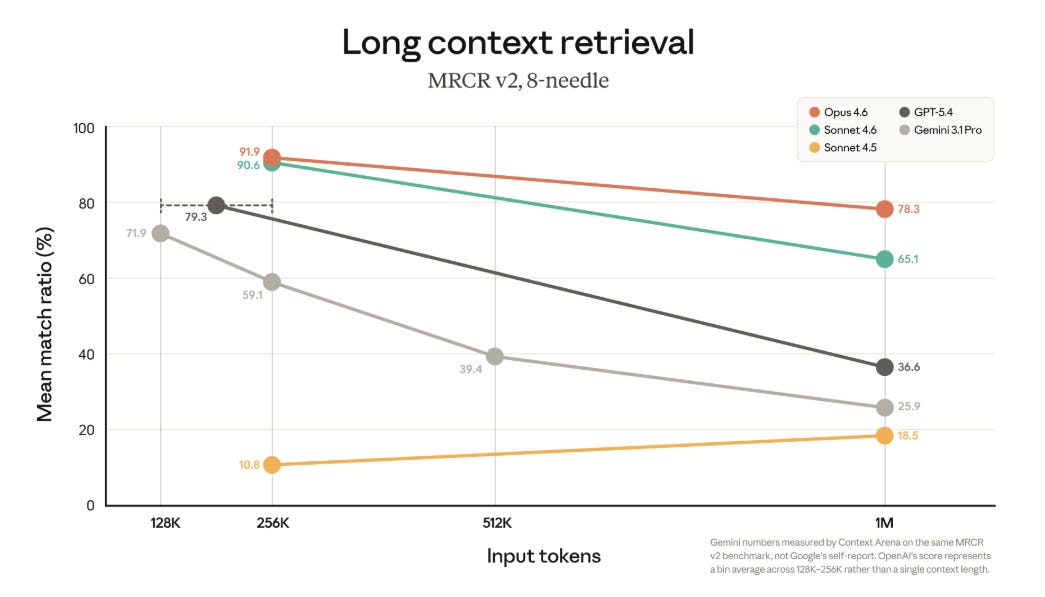
This is now available by default for Max, Team, and Enterprise plans.
What Changed
Opus 4.6 — 1M context window by default (previously required extra usage)
Sonnet 4.6 — Also gets 1M context
Output tokens — Opus 4.6 now outputs 64k tokens by default, up to 128k max
1 million tokens is roughly 700,000 words or about 2,500 pages of text.
You can now:
Load entire codebases into a single session
Work with massive documentation without truncation
Maintain longer conversation history without compaction
Who Gets It
Max plan — Yes
Team plan — Yes
Enterprise plan — Yes
Pro plan — Check your settings
Version
Available in Claude Code 2.1.75 and later.
You can learn more here — Anthropic Adds 1 Million Context Window to Opus 4.6 & Sonnet 4.6
#4) Diagrams & Charts — I Tested 21 Prompts (Goodbye Canva)
Claude can now create complex diagrams and charts. I tested 21 prompts, from simple to complex.
The results were impressive.
One Line Prompt
Show me how a JWT authentication flow works from login to protected API access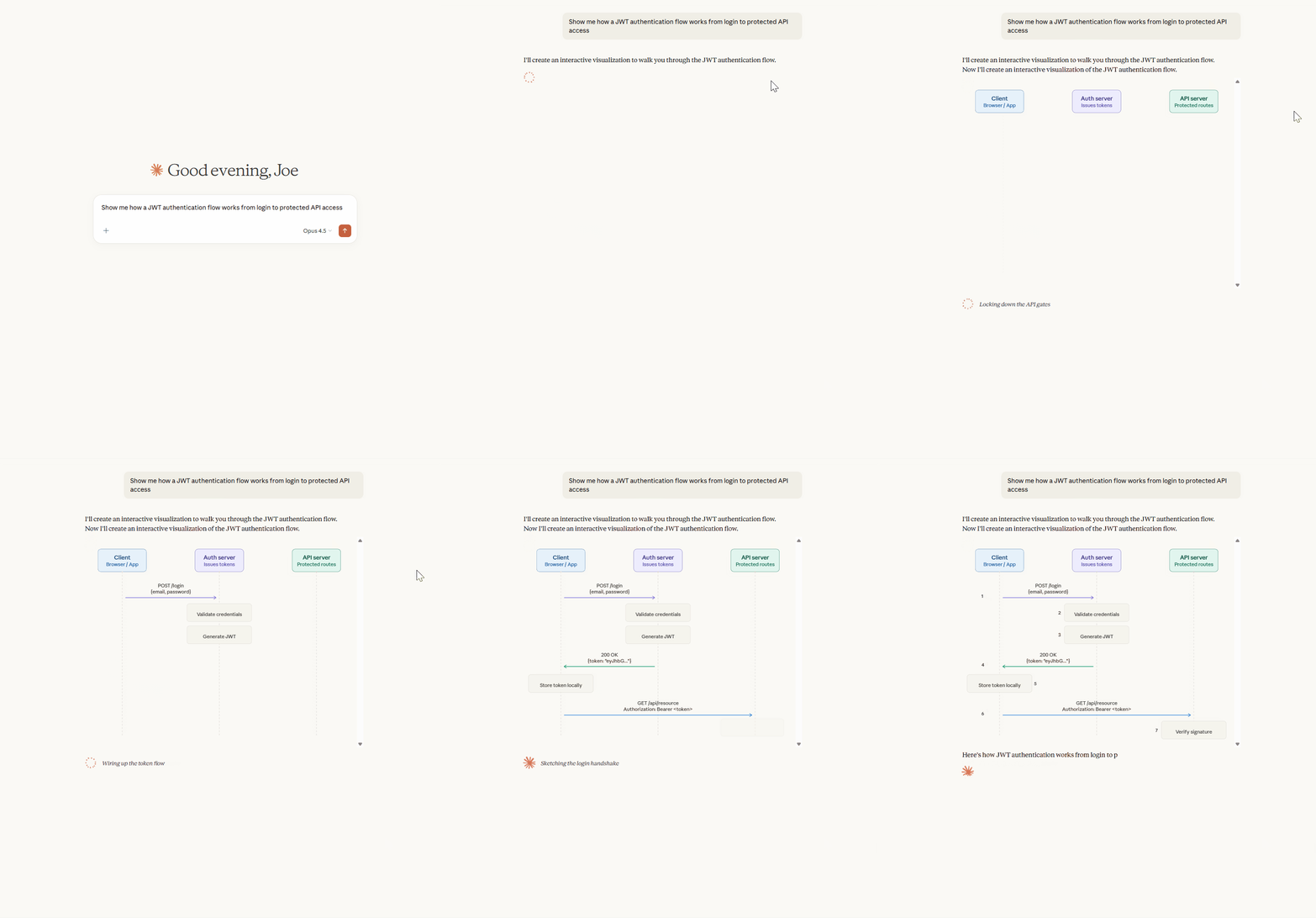
Claude generated a complete visual diagram. This will change how I approach technical content.
What I Tested
Flowcharts & System Architecture
CI/CD pipeline from commit to production
Microservices order flow for e-commerce
AWS serverless architecture for real-time chat
Three-tier web architecture with caching and CDN
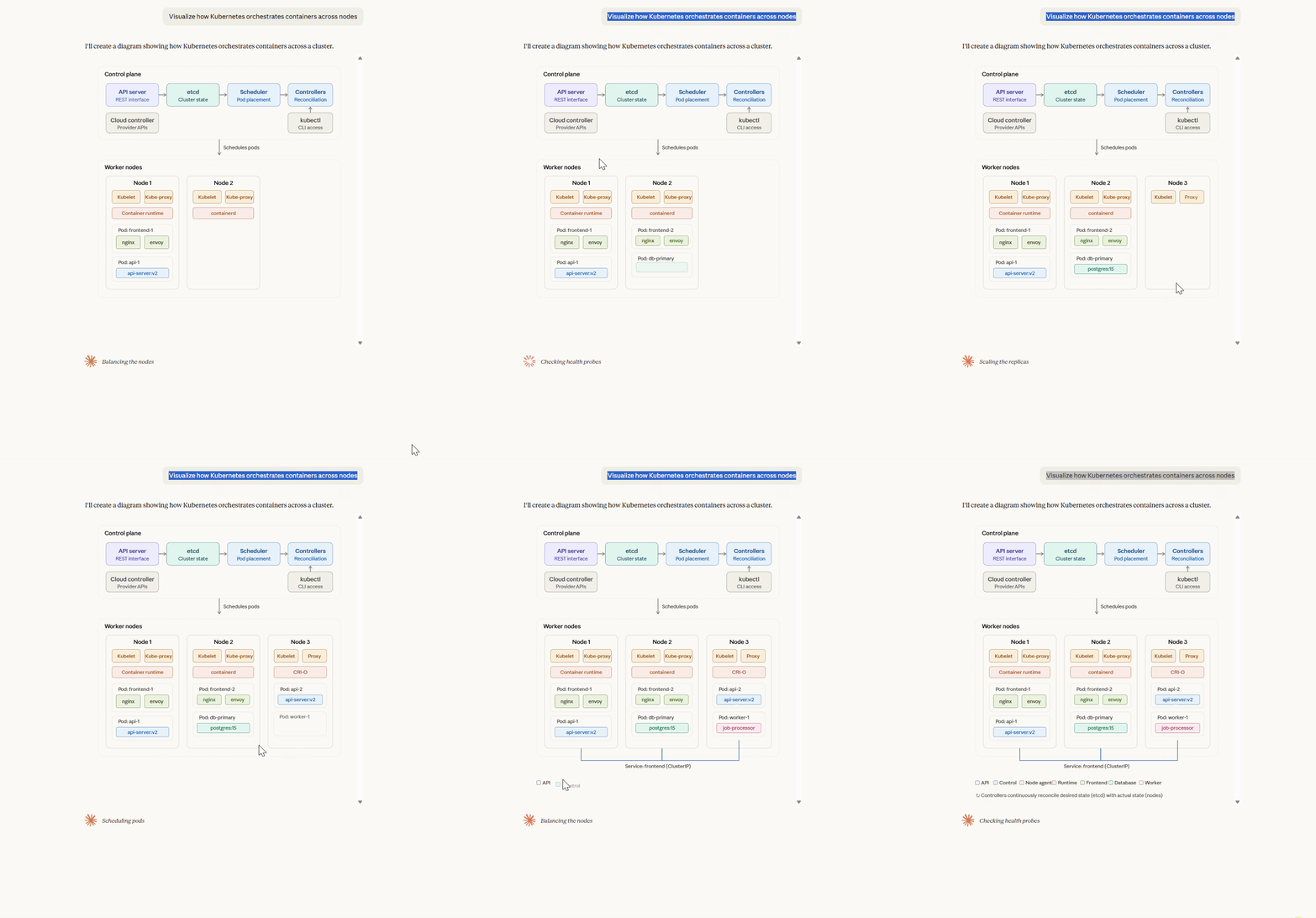
Kubernetes container orchestration
Data Visualizations
Performance benchmark bar charts (Python, Go, Rust, Node.js)
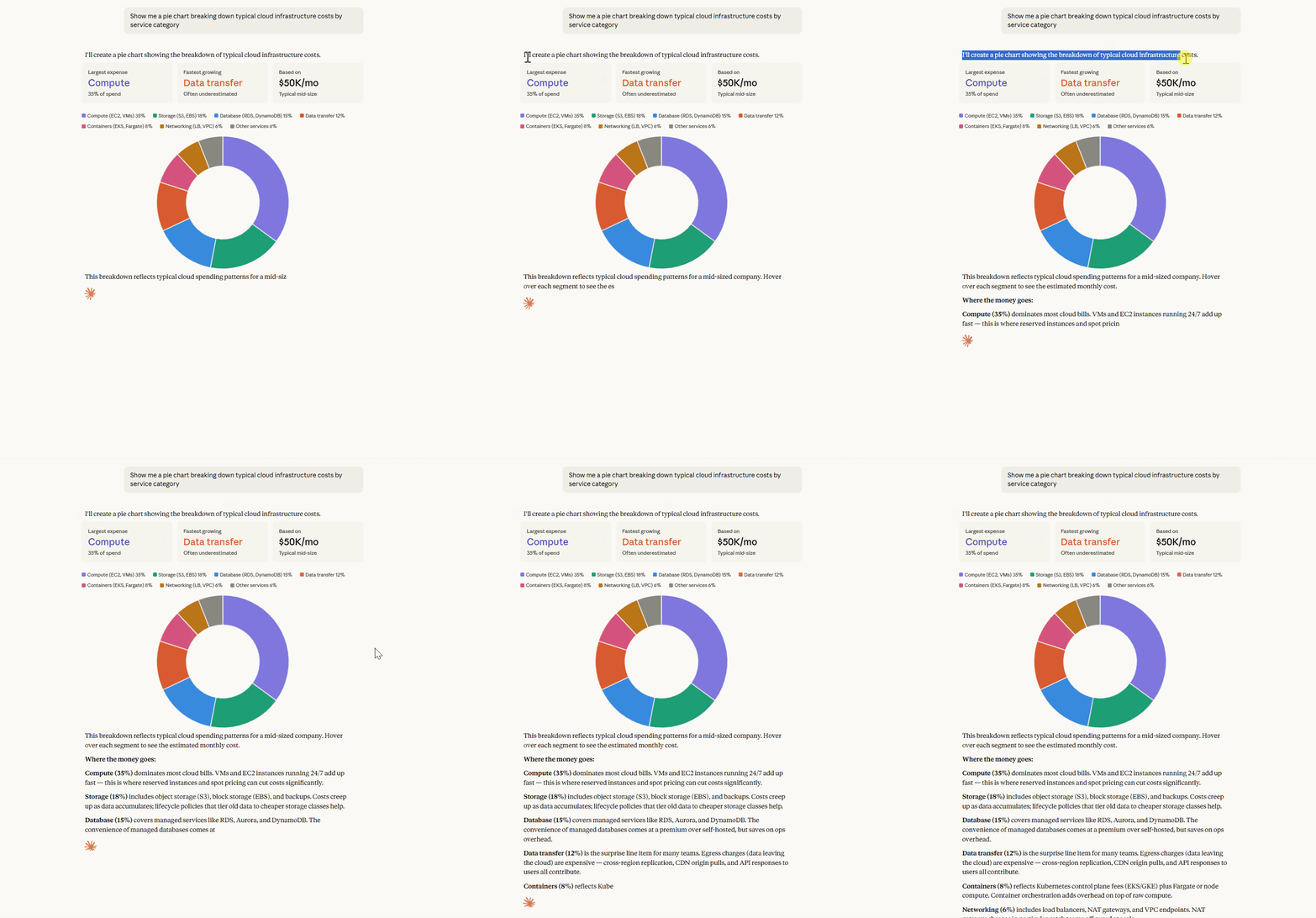
Cloud costs pie chart by service category
JavaScript framework popularity line chart
Database & Data Flow
Event sourcing and CQRS for banking systems
Social media ERD (users, posts, comments, followers)
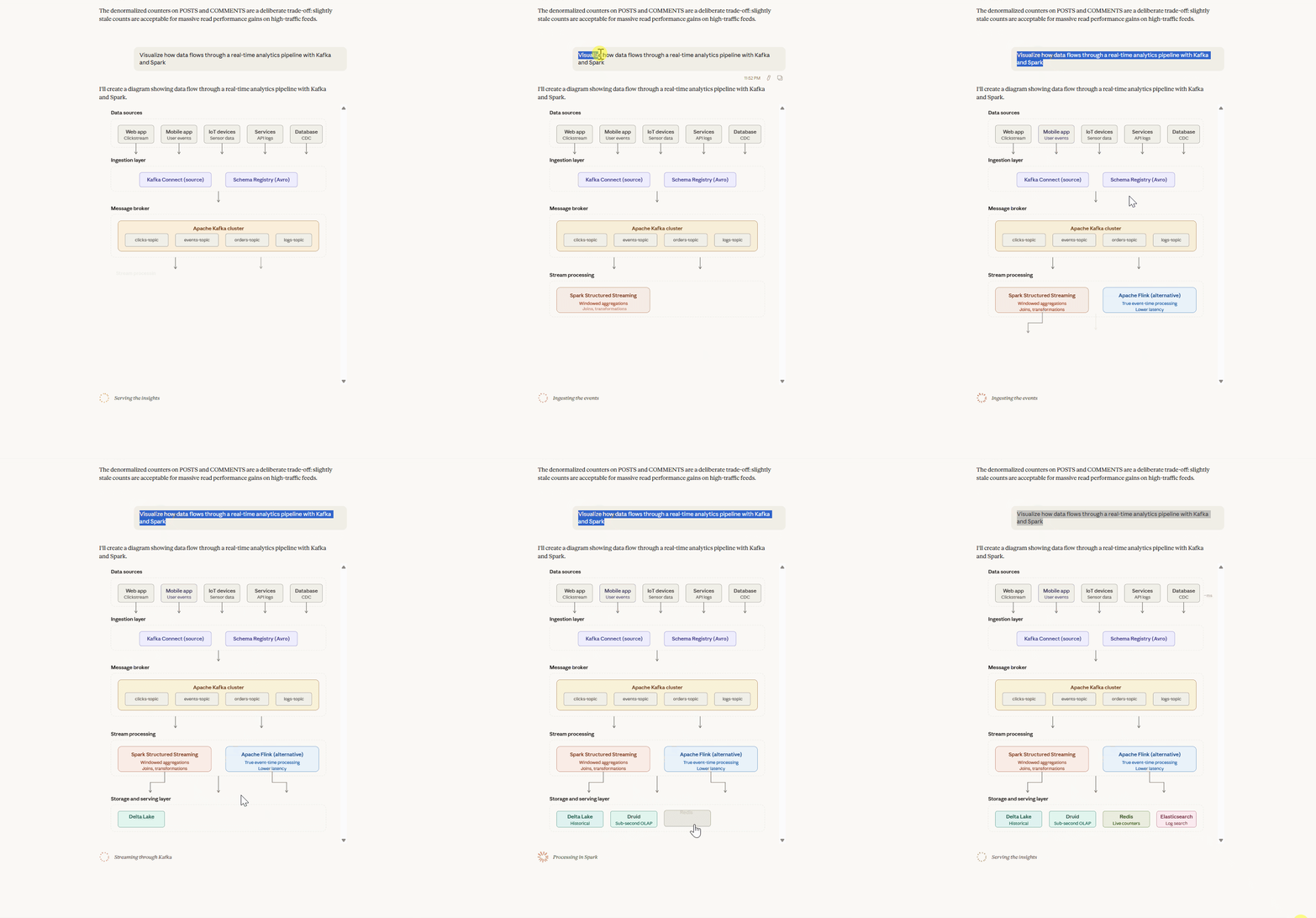
Real-time analytics pipeline with Kafka and Spark
Algorithm & Concept Explainers
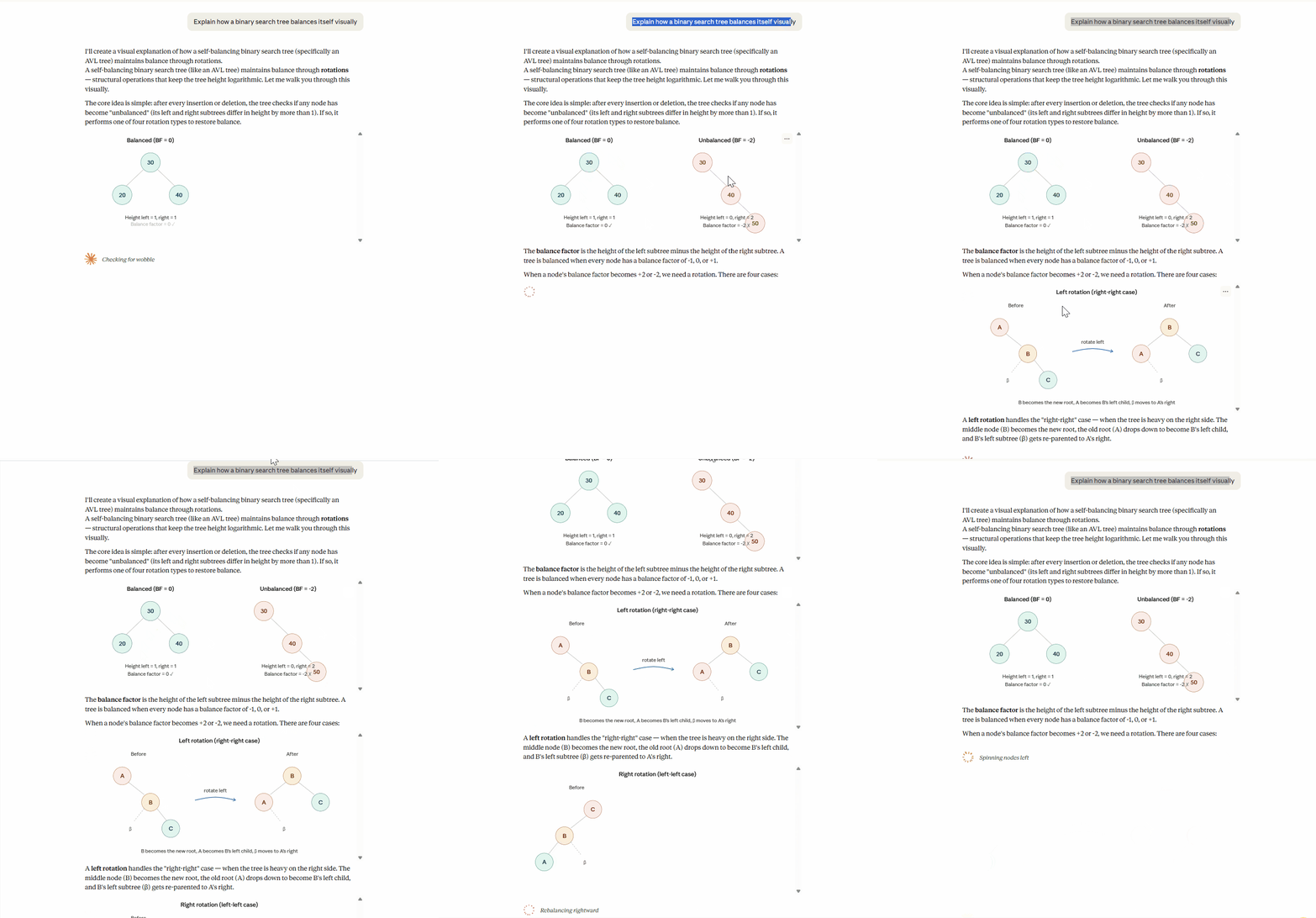
Binary search tree balancing
OAuth 2.0 authorization flow
DNS resolution step by step
Interactive Explainers
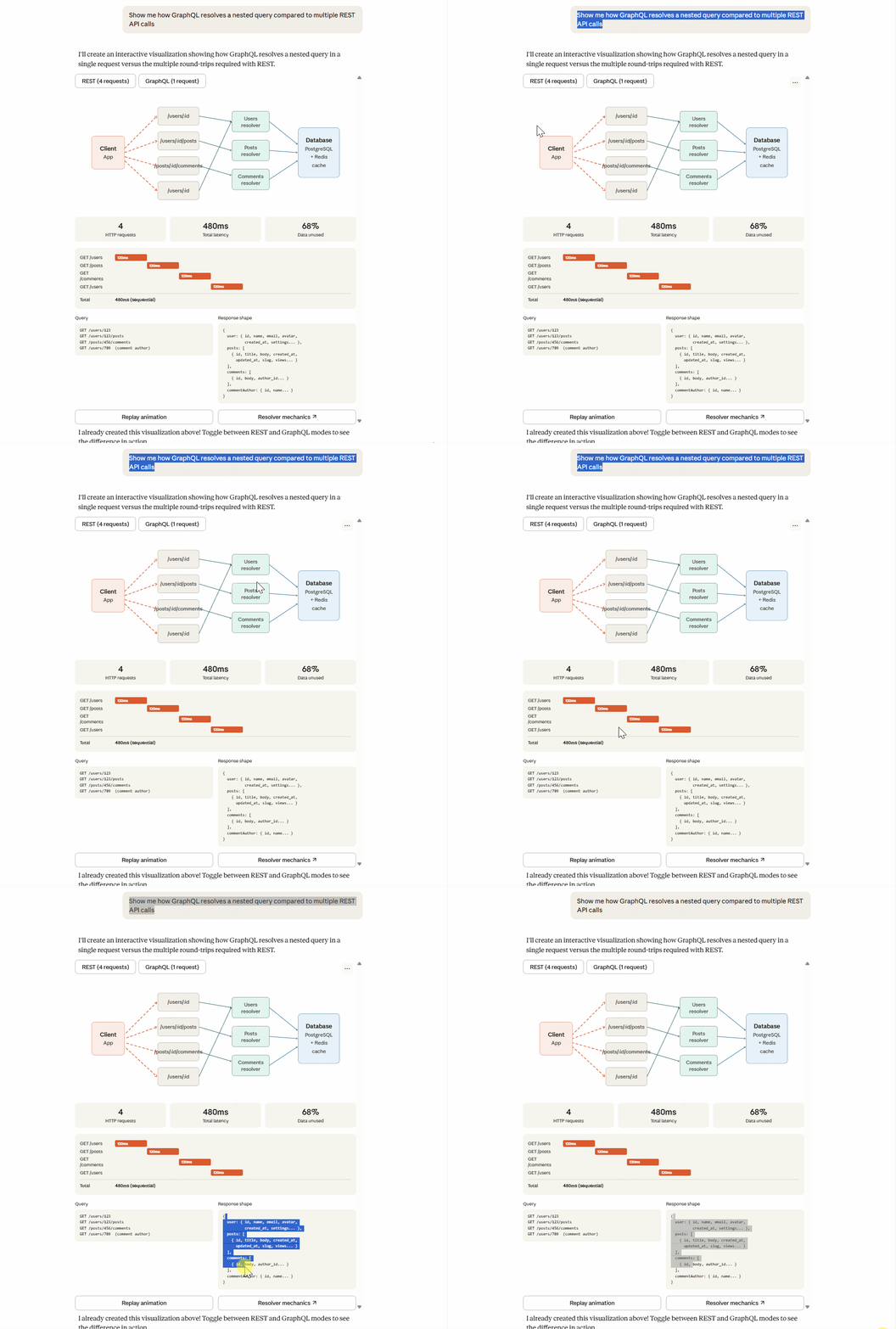
JavaScript garbage collection
Neural network backpropagation
Hash map collision handling
SQL vs NoSQL decision tree
For developers, technical writers, and content creators — this is what you need.
No more switching to Canva or Figma for technical diagrams. One prompt, instant visual.
You can learn more here — Claude Can Now Create Complex Diagrams — I Tested 21 Prompts (Goodbye Canva!
Finally, this newsletter belongs to all of us. If there’s something that can make it better or something you don’t like, please let me know.
See you in the next issue of Last Week In Claude Code.
Claude Code Masterclass
Let’s Build It Together
— Joe Njenga
gotta say i totally love the /btw command. the amount of times i’ve pasted context to a fresh session just to ask a question there, in order to not derail my main thread is a ton lol.
great piece!